
Stable Diffusion XL 1.0 (SDXL 1.0) represents a significant advancement in the field of text-to-image generation. Developed by Stability AI, this model builds on the success of its predecessors, offering enhanced capabilities that push the boundaries of what AI can achieve in creating images from textual descriptions.
The article aims to explore the core features, architectural innovations, applications, and implications of SDXL 1.0 in the broader context of AI and machine learning.
The Evolution of Stable Diffusion to SDXL 1.0
Stable Diffusion: Initial Release
- High-Quality Images: Capable of generating high-resolution images from textual descriptions.
- Versatile Applications: Used widely in creative fields for generating a variety of artistic and realistic visuals.
Version 1.5
- Image Quality Improvements: Enhanced the model's capability to handle finer details and more complex compositions.
- Better Text Understanding: Improved interpretation of complex prompts for more accurate visual representations.
Version 2.0
- Realistic Colors: Improved color accuracy and more realistic handling of lighting and textures.
- User Control Features: Introduced parameters to control aspects like style and aspect ratio, allowing for more customized outputs.
DreamStudio Launch
- User-Friendly Platform: Provided an accessible platform for both individuals and businesses to utilize Stable Diffusion models.
- Integrated API Support: Enabled automated workflows and integration into existing systems.
Latent Diffusion Models
- Efficient Computation: Reduced computational demands by operating in a latent space instead of direct pixel manipulation.
- Faster Image Generation: Enabled quicker generation times without sacrificing image quality.
Stable Diffusion XL
- Scaled-Up Outputs: Designed to handle larger-scale images efficiently.
- Enhanced Datasets: Trained on broader and more diverse datasets to improve versatility and accuracy.
Stable Diffusion XL 1.0
- Ultra-High Resolution: Capable of generating extremely high-resolution images.
- Advanced Text to Image Conversion: Superior text interpretation for nuanced and detailed prompt translation into images.
- Detailed Image Control: Offers extensive control over the generation process, influencing style, mood, and specific image elements.
- Optimized Performance: Maintains efficiency and speed even with increased resolution and detail levels.
The Role of Diffusion Models in Image Generation
Diffusion models operate by progressively denoising a random noise input, guided by the text prompt, to generate an image. This process involves a series of steps where the model refines the image iteratively, making it more aligned with the given description at each step. The larger architecture and improved training techniques in SDXL 1.0 have enhanced the model's ability to understand and render complex prompts, leading to more realistic and detailed images
Applications of Stable Diffusion XL 1.0
- Creative Industries: SDXL 1.0 is a powerful tool for artists, designers, and content creators. Its ability to generate high-quality images from text makes it invaluable in industries like advertising, entertainment, and digital art. Whether creating concept art, designing marketing materials, or producing visuals for social media, SDXL 1.0 can significantly accelerate the creative process.
- Prototyping and Design: For product designers and architects, SDXL 1.0 offers a way to quickly visualize concepts and ideas. By providing a textual description of a product or space, designers can generate visual prototypes that help in the ideation phase. This can lead to faster iterations and more innovative designs, as the barrier to visualizing ideas is significantly lowered.
- Education and Training: In educational settings, SDXL 1.0 can be used to generate visual content for teaching materials. From creating diagrams and illustrations to simulating real-world scenarios, the model can enhance the learning experience by providing high-quality visuals that complement textual explanations.
- AI Research and Development: The advancements in SDXL 1.0 also have implications for the broader field of AI research. The model’s architecture and training techniques can inform future developments in diffusion models and text-to-image generation. Researchers can build on the insights gained from SDXL 1.0 to develop even more sophisticated models with a wider range of capabilities.
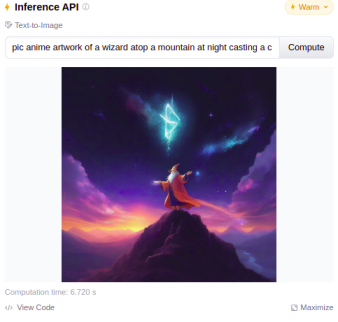
Hugging Face Stable Diffusion XL 1.0 model
The "XL" in the name suggests improvements in terms of scalability, quality, and control over the generation process.
Key Features of Stable Diffusion XL 1.0:
- Enhanced Image Quality: Produces more detailed and high-resolution images compared to its predecessors.
- Fine-grained Control: Allows users to have more control over the image generation process through various parameters.
- Multimodal Capabilities: Supports more complex and diverse prompts, allowing for richer and more varied outputs.
- Faster and More Efficient: Improved architecture leads to faster inference times and better performance on a wider range of hardware.
How to Use Stable Diffusion XL 1.0 on Hugging Face:
Step 1: Install Required Libraries
First, you'll need to install the Hugging Face Transformers and Diffusers libraries, along with PyTorch or another supported deep learning framework.
pip install torch torchvision torchaudio transformers diffusersStep 2: Load the Model
You can load the Stable Diffusion XL 1.0 model using the diffusers library.
# from diffusers import StableDiffusionPipeline
# model_id = "stabilityai/stable-diffusion-xl"
# pipe = StableDiffusionPipeline.from_pretrained(model_id)

from diffusers import DiffusionPipeline
pipeline = DiffusionPipeline.from_pretrained("stabilityai/stable-diffusion-xl-base-1.0")
Step 3: Run the Model
Generate an image by passing a text prompt to the pipeline
prompt = "A futuristic cityscape with flying cars at sunset"
image = pipeline(prompt).images[0]
Step 4: Fine-tune the Output
You can control various aspects of the generation process by adjusting parameters like num_inference_steps, guidance_scale, and more.
from IPython.display import Image
Image(filename='output.png')
Step 5: Save the Image
If you want to save the generated image, you can do so with standard Python image processing libraries.
image.save("output.png")Complete Code
!pip install diffusers

from diffusers import DiffusionPipeline
pipeline = DiffusionPipeline.from_pretrained("stabilityai/stable-diffusion-xl-base-1.0")

prompt = "A futuristic cityscape with flying cars at sunset"
image = pipeline(prompt).images[0]

image.save("output.png")

from IPython.display import Image
Image(filename='output.png')
Output:

Conclusion
Stable Diffusion XL 1.0 is a groundbreaking development in the field of AI and image generation. Its enhanced capabilities, combined with its flexibility and ease of use, make it a powerful tool for a wide range of applications. As AI continues to evolve, models like SDXL 1.0 will undoubtedly play a pivotal role in shaping the future of how we create, perceive, and interact with visual content.
