
Warp is an AI-powered terminal built with Rust and is designed to enhance developer productivity by combining intelligent command suggestions, reusable workflows, collaboration tools and seamless customization. It is a modern terminal that uses AI to help developers solve problems, generate code and improve workflows. It also makes it easy to share and reuse code snippets which increases collaboration and productivity. It combines several tools into one, acting as a code editor, AI assistant, collaboration tool, document viewer and terminal all while syncing across different platforms.
Lets build a website with the help of Warp.
Creating a Clone Website using Warp
We will create a clone of Geeks for Geeks website. We will try to get the same clone of the official website.

We will use the features of Warp and try to replicate the website. For this we will give a detailed prompt so as to make it almost similar. Specify about the details to Warp Agent. The prompt we gave is:
Task: Build a basic GeeksforGeeks (GFG) clone using only HTML and CSS. Focus on layout, design and responsiveness—no JavaScript required.
- Navigation Bar: Logo (left), links (right), GFG-style colors, hamburger menu on small screens.
- Hero Section: Full-width image with a "Learn and Practice" button.
- Main Content: Grid/flex layout showing articles/tutorials with hover effects.
- Footer: Links (About, Contact, Privacy) and social icons.
- Colors: White body, blue header/footer, dark text.
- Fonts: Arial, Helvetica, or Roboto.
- Buttons: GFG-themed colors with hover effects.
- Use
header,section,div,footerfor layout.- Style with Flexbox/Grid and media queries for mobile.
- Add hover effects for UI elements.
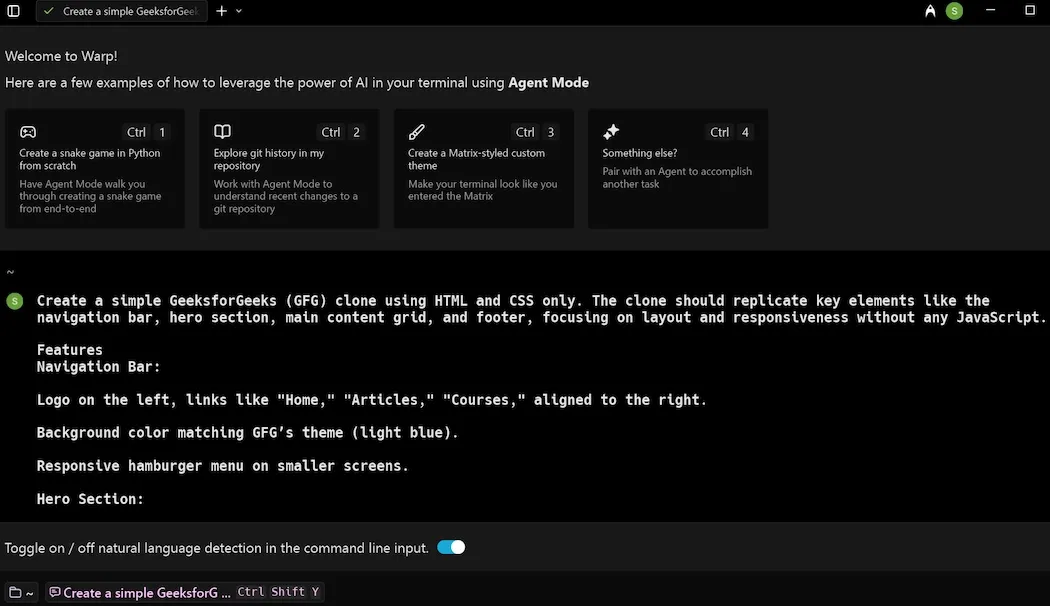
- The Warp Agent will then generate the required files.
- Index.html and style.css will be generated which when run would give the result.
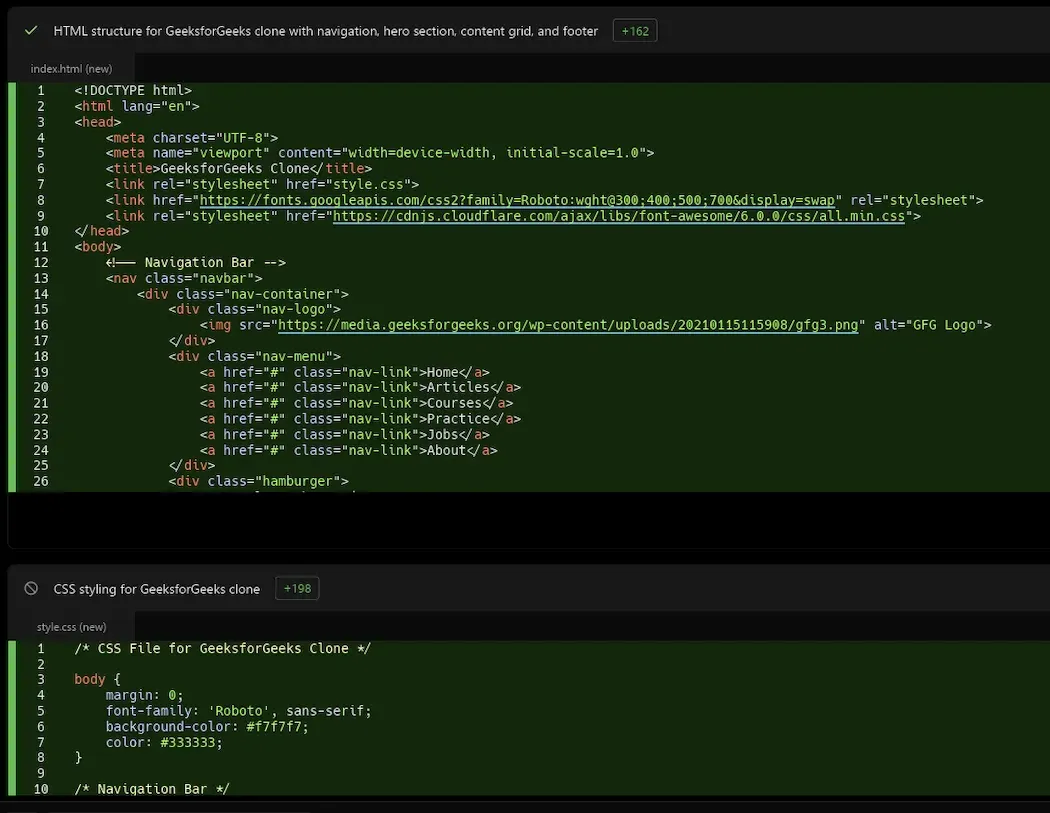
The generated files can be download here. To run them keep both of them in same folder and then click on index.html file.
Output:
Advantages:
- Responsive Design: Adapts seamlessly to different screen sizes for a consistent experience across devices.
- Lightweight: Built with only HTML and CSS, ensuring fast load times.
- Interactive: Hover effects enhance user engagement.
- Easy Customization: Simple structure for quick updates and feature additions.
