
Bootstrap 5 Border utility is used to set the style of the border element. The border styles can be of border-color, border-width, border-radius, etc.
The Border Sizes are used to set the border-radius rounded corners larger or smaller. The range of border sizes varies from 0 to 3, where 0 represents smaller-size rounded corners and 3 represents larger-size rounded corners.
Borders Sizes used Classes:
- .rounded-0
- .rounded-1
- .rounded-2
- .rounded-3
Syntax:
<div class="rounded-*">
    Content
</div>
Example 1: In this example, we will add different border sizes on the div elements.
<!DOCTYPE html>
<html>

<head>
    <title>Bootstrap 5 Borders Sizes</title>
    <link href="https://cdn.jsdelivr.net/npm/bootstrap@5.0.2/dist/css/bootstrap.min.css"
        rel="stylesheet"
        integrity="sha384-EVSTQN3/azprG1Anm3QDgpJLIm9Nao0Yz1ztcQTwFspd3yD65VohhpuuCOmLASjC"
        crossorigin="anonymous">
    <script src="https://cdn.jsdelivr.net/npm/bootstrap@5.0.2/dist/js/bootstrap.bundle.min.js"
        integrity="sha384-MrcW6ZMFYlzcLA8Nl+NtUVF0sA7MsXsP1UyJoMp4YLEuNSfAP+JcXn/tWtIaxVXM"
        crossorigin="anonymous">
      </script>

    <style>
        /* CSS style for Boxes */
        span {
            display: inline-block;
            width: 100px;
            height: 100px;
            margin: 6px;
            background-color: #DCDCDC;
        }
    </style>
</head>

<body>
    <div class="container" style="text-align: center;">
        <h1 class="text-success">GeeksforGeeks</h1>
        <h3>Bootstrap 5 Borders Sizes</h3>
        <div class="box">
            <span class="border rounded-0"></span>
            <span class="border rounded-1"></span>
            <span class="border rounded-2"></span>
            <span class="border rounded-3"></span>
        </div>
    </div>
</body>

</html>
Output:

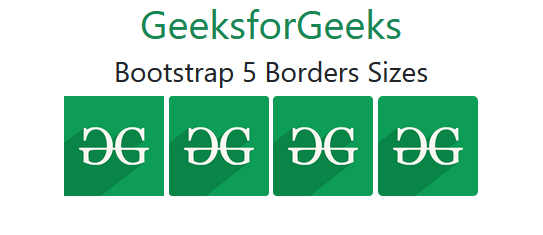
Example 2: In this example, we will add different border sizes on the image elements.
<!DOCTYPE html>
<html>

<head>
    <title>Bootstrap 5 Borders Sizes</title>
    <link href="https://cdn.jsdelivr.net/npm/bootstrap@5.0.2/dist/css/bootstrap.min.css"
        rel="stylesheet"
        integrity="sha384-EVSTQN3/azprG1Anm3QDgpJLIm9Nao0Yz1ztcQTwFspd3yD65VohhpuuCOmLASjC"
        crossorigin="anonymous">
    <script src="https://cdn.jsdelivr.net/npm/bootstrap@5.0.2/dist/js/bootstrap.bundle.min.js"
        integrity="sha384-MrcW6ZMFYlzcLA8Nl+NtUVF0sA7MsXsP1UyJoMp4YLEuNSfAP+JcXn/tWtIaxVXM"
        crossorigin="anonymous">
      </script>

    <style>
        img {
            width: 100px;
            height: 100px;
        }
    </style>
</head>

<body>
    <div class="container" style="text-align: center;">
        <h1 class="text-success">GeeksforGeeks</h1>
        <h3>Bootstrap 5 Borders Sizes</h3>

        <img src="https://media.geeksforgeeks.org/wp-content/cdn-uploads/20190710102234/download3.png"
            class="rounded-0" alt="GFG Logo">
        <img src="https://media.geeksforgeeks.org/wp-content/cdn-uploads/20190710102234/download3.png"
            class="rounded-1" alt="GFG Logo">
        <img src="https://media.geeksforgeeks.org/wp-content/cdn-uploads/20190710102234/download3.png"
            class="rounded-2" alt="GFG Logo">
        <img src="https://media.geeksforgeeks.org/wp-content/cdn-uploads/20190710102234/download3.png"
            class="rounded-3" alt="GFG Logo">
    </div>
</body>

</html>
Output:
Reference: https://getbootstrap.com/docs/5.0/utilities/borders/#sizes
