
behaviorBootstrap 5 Checks and radios Default (stacked) is used to create a stack of checks and radios as a list. To create a stack we need to put the checks and radios normally one by one that will create stacks it's the default behaviour of Bootstrap 5 Checks and radios.
Bootstrap 5 Checks and radios Default (stacked) Class: There is no pre-defined class to create the stacks we just need to put multiple checks and radios one by one that will stack them up.
Syntax:
<div class="form-check">
      <input class="form-check-input"
                  type="checkbox" value="">
     <label class="form-check-label" for="inputID">
        ...
     </label>
</div>
Below examples illustrate the Bootstrap 5 Checks and radios Default (stacked):
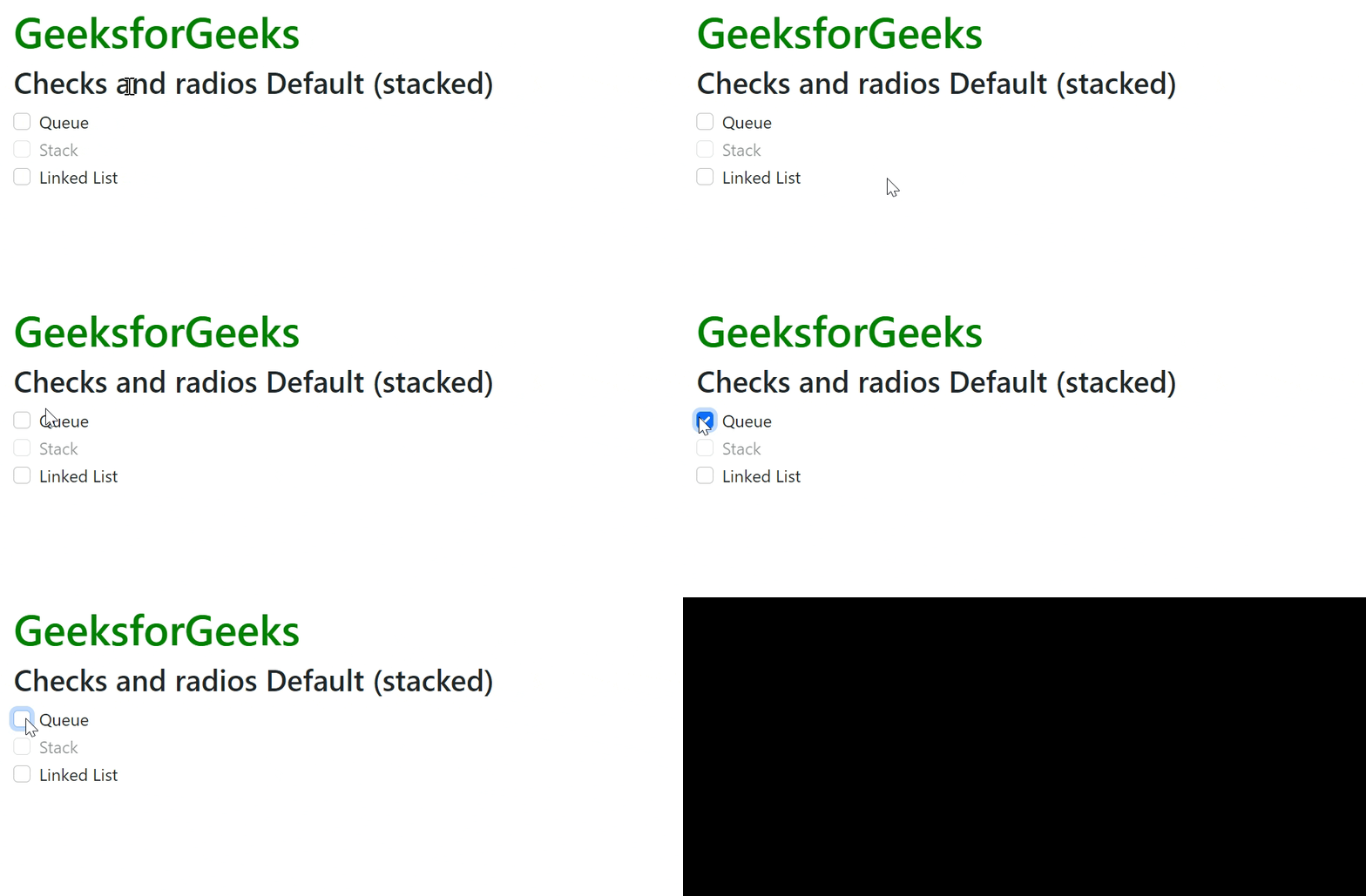
Example 1: In this example, we will learn about Stacked Checkboxes.
<!DOCTYPE html>
<html>

<head>
    <!-- Bootstrap CDN -->
    <link href=
"https://cdn.jsdelivr.net/npm/bootstrap@5.0.2/dist/css/bootstrap.min.css"
          rel="stylesheet"
          integrity=
"sha384-EVSTQN3/azprG1Anm3QDgpJLIm9Nao0Yz1ztcQTwFspd3yD65VohhpuuCOmLASjC"
          crossorigin="anonymous">
    <script src=
"https://cdn.jsdelivr.net/npm/bootstrap@5.0.2/dist/js/bootstrap.bundle.min.js"
          integrity=
"sha384-MrcW6ZMFYlzcLA8Nl+NtUVF0sA7MsXsP1UyJoMp4YLEuNSfAP+JcXn/tWtIaxVXM"
          crossorigin="anonymous">
    </script>
</head>

<body class="m-2">
    <div>
        <h1 class="text-success">
            GeeksforGeeks
        </h1>
        <h2> Checks and radios Default (stacked)</h2>
        <div class="form-check">
            <input class="form-check-input"
                   type="checkbox">
            <label class="form-check-label">
                Queue
            </label>
        </div>
        <div class="form-check">
            <input class="form-check-input"
                   type="checkbox"
                   disabled>
            <label class="form-check-label">
                Stack
            </label>
        </div>
        <div class="form-check">
            <input class="form-check-input"
                   type="checkbox">
            <label class="form-check-label">
                Linked List
            </label>
        </div>
    </div>
</body>

</html>
Output:
Example 2: In this example, we will learn about Stacked Radio Buttons.
<!DOCTYPE html>
<html>

<head>
    <!-- Bootstrap CDN -->
    <link href=
"https://cdn.jsdelivr.net/npm/bootstrap@5.0.2/dist/css/bootstrap.min.css"
          rel="stylesheet"
          integrity=
"sha384-EVSTQN3/azprG1Anm3QDgpJLIm9Nao0Yz1ztcQTwFspd3yD65VohhpuuCOmLASjC"
          crossorigin="anonymous">
    <script src=
"https://cdn.jsdelivr.net/npm/bootstrap@5.0.2/dist/js/bootstrap.bundle.min.js"
          integrity=
"sha384-MrcW6ZMFYlzcLA8Nl+NtUVF0sA7MsXsP1UyJoMp4YLEuNSfAP+JcXn/tWtIaxVXM"
          crossorigin="anonymous">
    </script>
</head>
  <body class="m-2">
    <div>
        <h1 class="text-success">
            GeeksforGeeks
        </h1>
        <h2>Checks and radios Default (stacked)</h2>
        <div class="form-check">
            <input class="form-check-input"
                   type="radio">
            <label class="form-check-label">
                Stack
            </label>
        </div>
        <div class="form-check">
            <input class="form-check-input"
                   type="radio">
            <label class="form-check-label">
                Queue
            </label>
        </div>
        <div class="form-check">
            <input class="form-check-input"
                   type="radio" disabled>
            <label class="form-check-label">
                Linked List
            </label>
        </div>
    </div>
</body>

</html>
Output:

Reference: https://getbootstrap.com/docs/5.0/forms/checks-radios/#default-stacked
