
Bootstrap 5 Toast getOrCreateInstance() Method is used to get the already existing instance or create a new instance and return that to the caller. The returned instance can be used to call other methods for the toast component. This method accepts a DOM element or the selector for an element as the parameter.
Syntax:
bootstrap.Toast.getOrCreateInstance("#element-id");Return Value: This method returns the Bootstrap 5 Toast instance to the caller.
Example 1: In this example, we used the getOrCreateInstance method to create the toast instance and then called its show method.
<!DOCTYPE html>
<html lang="en">

<head>
    <meta charset="UTF-8">
    <meta http-equiv="X-UA-Compatible" content="IE=edge">
    <meta name="viewport" content="width=device-width, initial-scale=1.0">
    <title>Bootstrap 5</title>

    <link href=
"https://cdn.jsdelivr.net/npm/bootstrap@5.2.2/dist/css/bootstrap.min.css"
          rel="stylesheet">
    <script src=
"https://cdn.jsdelivr.net/npm/bootstrap@5.2.2/dist/js/bootstrap.min.js">
    </script>

</head>

<body>
    <div class="container">
        <div class="mt-4">
            <h1 class="text-success">GeeksforGeeks</h1>
            <strong>Bootstrap 5 Toasts getOrCreateInstance() Method</strong>
        </div>

        <div>
            <button type="button"
                    class="btn btn-success mt-4"
                    id="toastBtn"
                    onclick="getOrCreateInstanceANDShowToast()">
                getOrCreateInstance And Show Toast
            </button>

            <div id="gfg"
                 class="toast mt-4"
                 role="alert">
                <div class="toast-header">
                    Demo Survey Question.
                </div>
                <div class="toast-body">
                    <p class="border-bottom mb-3 pb-2">
                      Are you interested in learning Bootstrap?
                  </p>
                    <button type="button" class="btn">Yes</button>
                    <button type="button"
                            class="btn"
                            data-bs-dismiss="toast">
                      No
                  </button>
                </div>
            </div>
        </div>
    </div>

    <script>
        function getOrCreateInstanceANDShowToast() {
            bootstrap.Toast.getOrCreateInstance("#gfg").show();
        }
    </script>
</body>

</html>
Output:
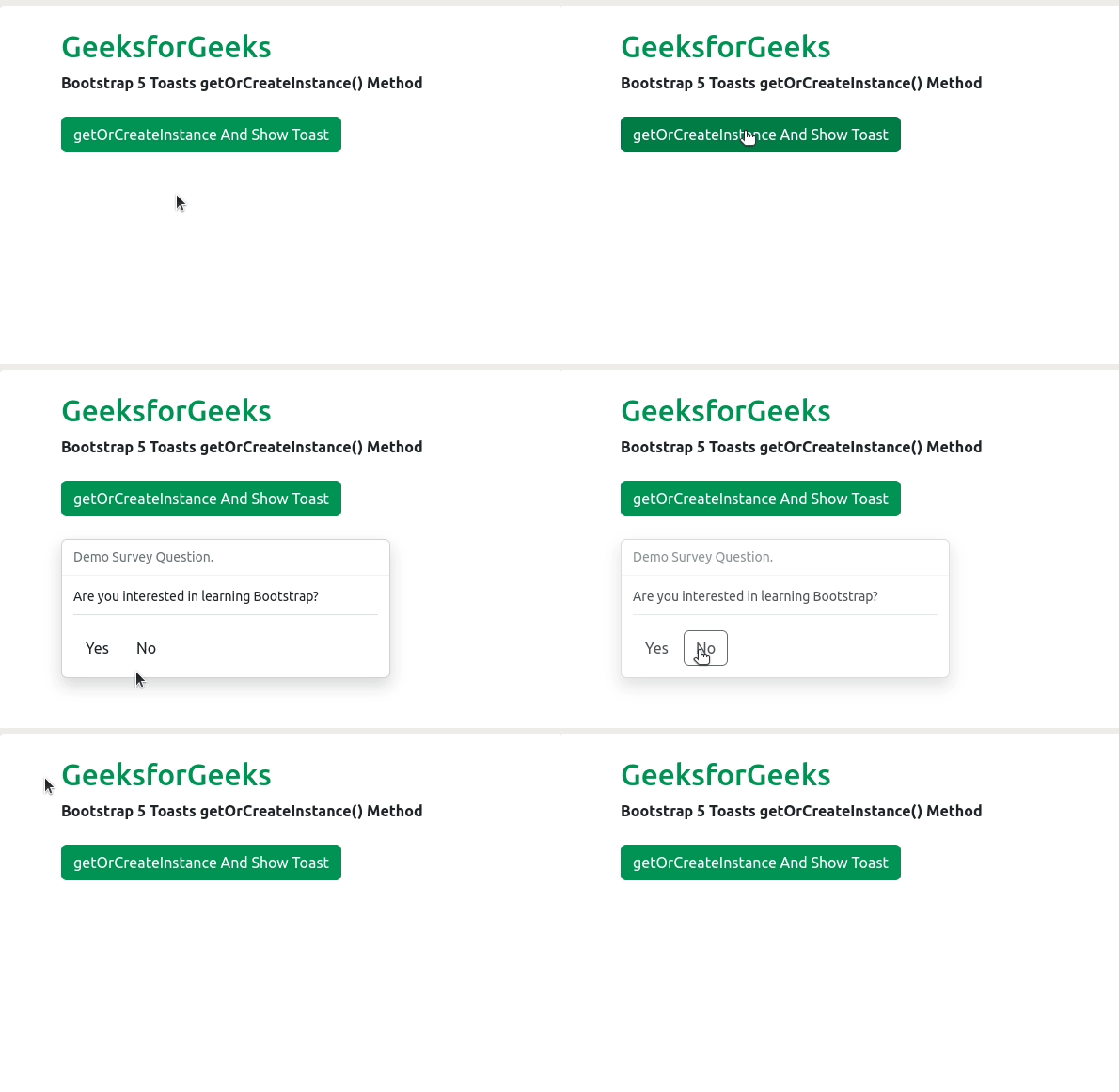
Example 2: In this example, we used the getOrCreateInstance method of the toast component to create the instance of the toast and then toggled it using the show and hide method.
<!DOCTYPE html>
<html lang="en">

<head>
    <meta charset="UTF-8">
    <meta http-equiv="X-UA-Compatible" content="IE=edge">
    <meta name="viewport" content="width=device-width, initial-scale=1.0">
    <title>Bootstrap 5</title>

    <link href=
"https://cdn.jsdelivr.net/npm/bootstrap@5.2.2/dist/css/bootstrap.min.css"
          rel="stylesheet">
    <script src=
"https://cdn.jsdelivr.net/npm/bootstrap@5.2.2/dist/js/bootstrap.min.js">
  </script>

</head>

<body>
    <div class="container">
        <div class="mt-4">
            <h1 class="text-success">GeeksforGeeks</h1>
            <strong>
              Bootstrap 5 Toasts getOrCreateInstance() Method
          </strong>
        </div>

        <div>
            <button class="btn btn-success mt-4"
                    id="toastBtn"
                    onclick="getOrCreateInstance_AND_ShowToast()">
                getOrCreateInstance And Show Toast
            </button>

            <br>

            <button class="btn btn-danger mt-2"
                    id="toastBtn"
                    onclick="getOrCreateInstance_AND_HideToast()">
                getOrCreateInstance And Hide Toast
            </button>

            <div id="gfg" class="toast mt-5" role="alert">
                <div class="toast-header">
                    About GeeksforGeeks.
                </div>
                <div class="toast-body">
                    <p class="border-bottom">
                        GeeksforGeeks is a online computer science
                        portal for Geeks. It was founded in 2009
                        by Sandeep Jain, alumni of IIT-Roorkee.
                    </p>
                </div>
            </div>
        </div>
    </div>

    <script>
        function getOrCreateInstance_AND_ShowToast() {
            let instance = bootstrap.Toast.getOrCreateInstance("#gfg");
            instance.show();
        }

        function getOrCreateInstance_AND_HideToast() {
            let instance = bootstrap.Toast.getOrCreateInstance("#gfg");
            instance.hide();
        }
    </script>
</body>

</html>
Output:
Reference: https://getbootstrap.com/docs/5.2/components/toasts/#methods
