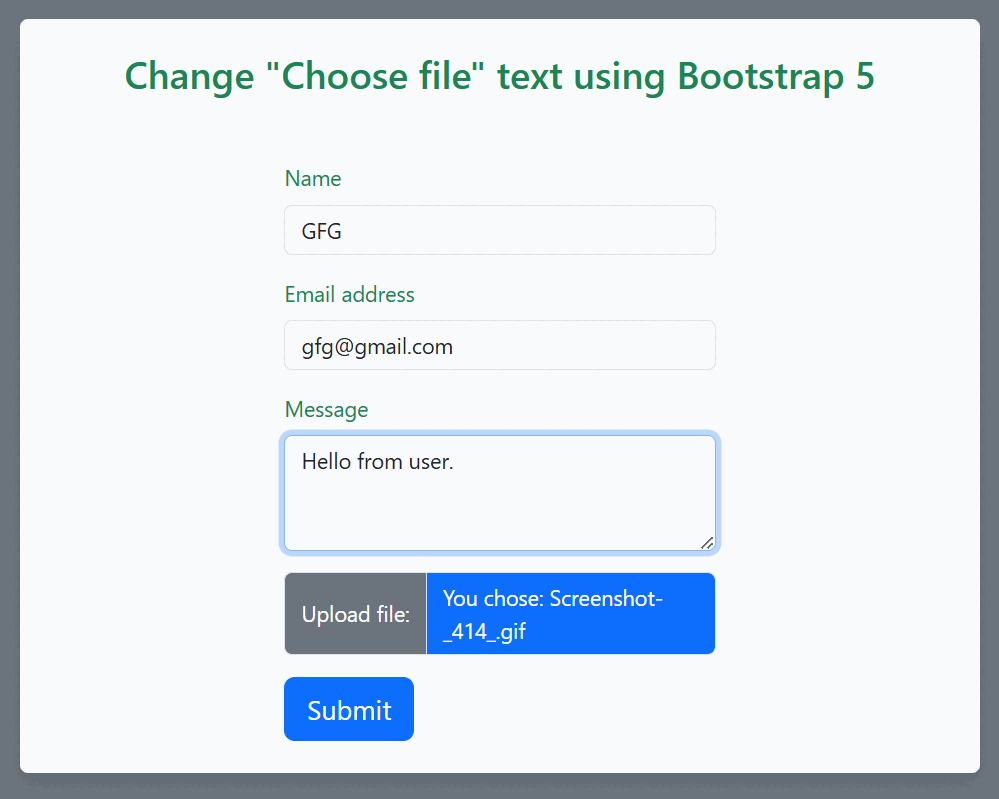
In web development, forms may include the file upload functionality which allows user to select files from their device. The standard HTML <input> element with type="file" provides us with this feature. But the default text displayed on the file input button is "Choose File," which may or may not be appropriate for our website.
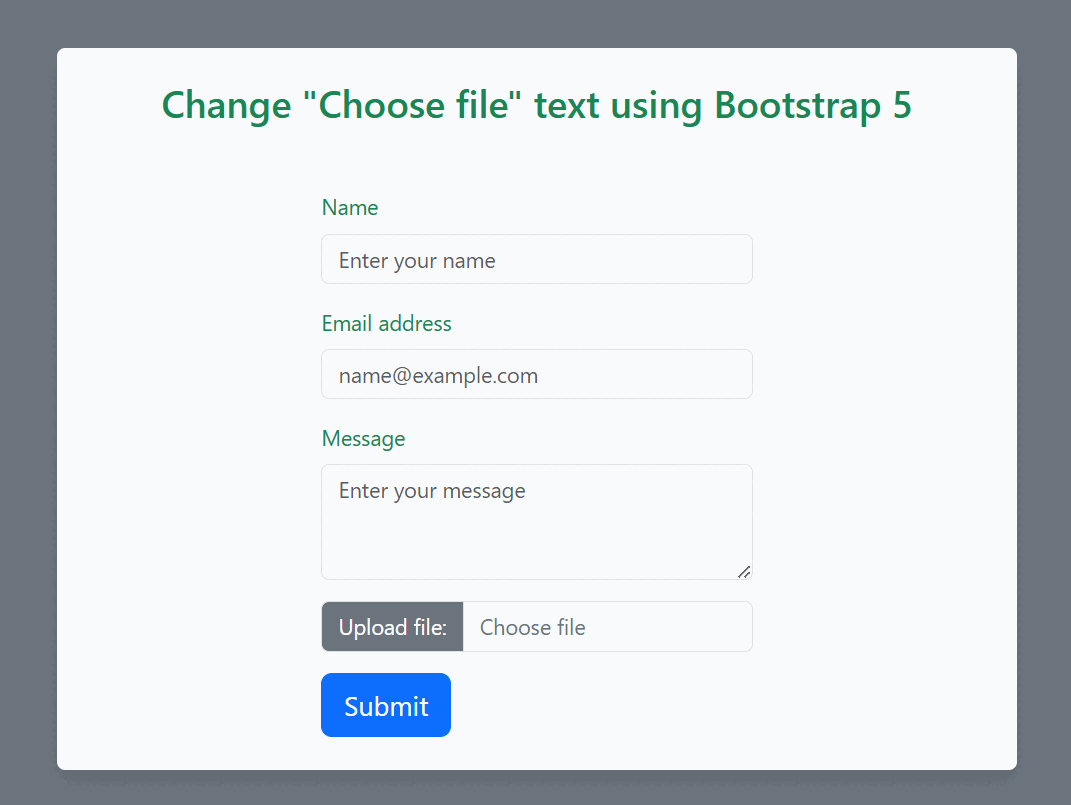
Approach:
- At first create a basic Html structure and link the Bootstrap 5 CDN links.
- Then add an <input> element with type="file" to create a file upload control.
- For the style of your web page you can use those bootstrap 5 class like "container" , "row" , "form-control", "visually-hidden" for creates a responsive fixed-width container, define row within the Bootstrap grid system, styling to form elements ,hides an element.
- After that you can use the javascript for dynamically update the text , color of the text for that you can use the javascript classList.add() and classList.remove() method.
Example : Below is the code example of how to change "Choose file" text using Bootstrap 5
<!DOCTYPE html>
<html lang="en">

<head>
    <meta charset="UTF-8">
    <meta name="viewport"
          content="width=device-width, initial-scale=1.0">
    <title>Custom File Input</title>
    <!-- Bootstrap CSS -->
    <link href=
"https://cdn.jsdelivr.net/npm/bootstrap@5.3.0-alpha1/dist/css/bootstrap.min.css"
          rel="stylesheet">
</head>

<body class="bg-secondary">

    <div class="container mt-5 bg-light p-4
                rounded shadow w-50">
        <h3 class="text-center mb-4 text-success">
              Change "Choose file" text
            using Bootstrap 5
          </h3>
        <div class="row justify-content-center">
            <div class="col-md-6">
                <form class="ml-3 mt-4">
                    <div class="mb-3">
                        <label for="name"
                            class="form-label text-success">
                              Name
                          </label>
                        <input type="text" class="form-control" id="name"
                            placeholder="Enter your name">
                    </div>
                    <div class="mb-3">
                        <label for="email" class="form-label text-success">
                              Email address
                          </label>
                        <input type="email" class="form-control" id="email"
                            placeholder="name@example.com">
                    </div>
                    <div class="mb-3">
                        <label for="message"
                            class="form-label text-success">
                              Message
                          </label>
                        <textarea class="form-control" id="message" rows="3"
                            placeholder="Enter your message"></textarea>
                    </div>
                    <div class="input-group mb-3">
                        <label for="inputGroupFile01"
                            class="input-group-text bg-secondary text-white">
                              Upload file:
                          </label>
                        <input type="file" class="form-control visually-hidden"
                            id="inputGroupFile01"
                            aria-describedby="inputGroupFileAddon01"
                            onchange="updateFileName(this)">
                        <span class="form-control bg-light text-secondary"
                            id="fileNameDisplay">Choose file</span>
                    </div>
                    <button type="submit"
                        class="btn btn-primary btn-lg">Submit</button>
                </form>
            </div>
        </div>
    </div>

    <!-- Bootstrap Bundle with Popper -->
    <script src=
"https://cdn.jsdelivr.net/npm/bootstrap@5.3.0-alpha1/dist/js/bootstrap.bundle.min.js">
      </script>

    <script>
        // Change the label text when a file is selected
        let file_Name_Display = document
            .getElementById("fileNameDisplay");

        function updateFileName(input) {
            if (input.files.length > 0) {
                file_Name_Display
                    .innerText = "You chose: " + input.files[0].name;
                file_Name_Display
                    .classList.remove("bg-light");
                file_Name_Display
                    .classList
                    .add("bg-primary", "text-white");
            }
            else {
                file_Name_Display
                    .innerText = "Choose file";
                file_Name_Display
                    .classList.remove("bg-primary", "text-white");
                file_Name_Display
                    .classList
                    .add("bg-light", "text-secondary");
            }
        }
    </script>

</body>

</html>
Output: