
Coroutines in Unity are used to execute code over time instead of all at once, making them ideal for handling delays, animations, and asynchronous tasks without freezing the game. Unlike normal methods that run completely in one frame, coroutines can spread work over multiple frames.
- Runs alongside normal game code
- Can wait for seconds, frames, or conditions
- Does NOT freeze the game while waiting
Creating a Simple Coroutine
A coroutine returns enumerate and uses yield return to pause.
using System.Collections;
using UnityEngine;
public class Timer : MonoBehaviour
{
    void Start()
    {
        StartCoroutine(WaitAndPrint());
    }
    IEnumerator WaitAndPrint()
    {
        Debug.Log("Waiting starts now");
        yield return new WaitForSeconds(2f);  // Pause for 2 seconds
        Debug.Log("2 seconds have passed");
    }
}
Output:
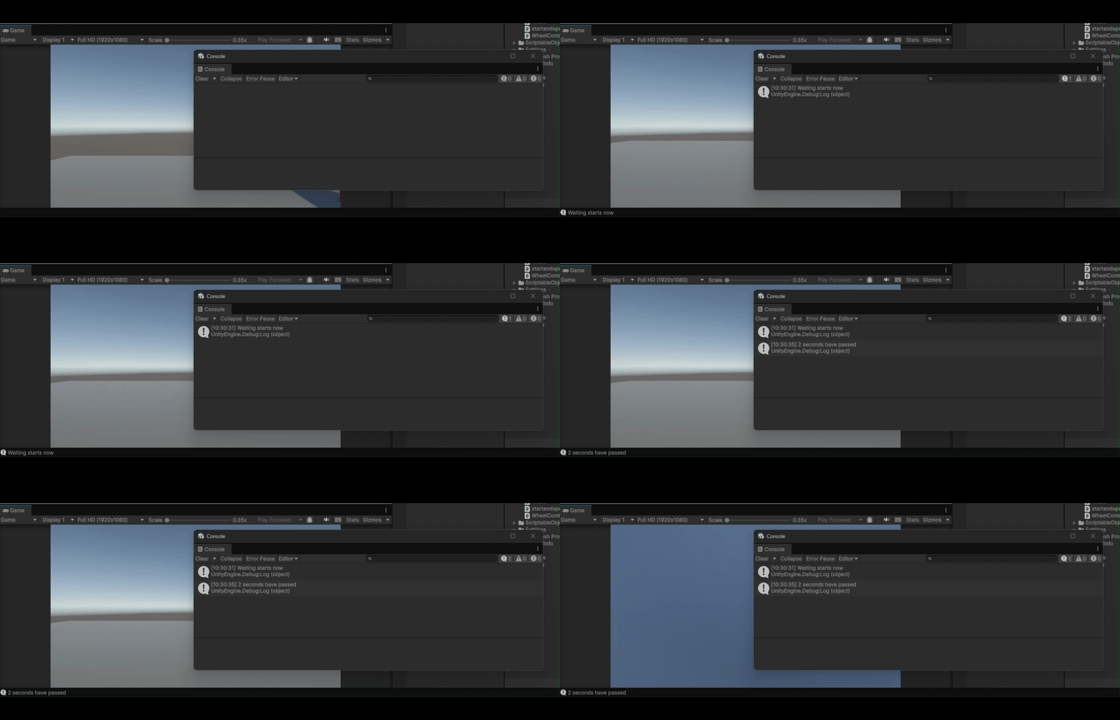
StartCoroutine() begins the coroutine. yield return new WaitForSeconds(2f) pauses it for 2 seconds. The game continues running normally during the wait.
Common Yield Instructions
| Instruction | Waits for |
|---|---|
yield return null | One frame |
yield return new WaitForSeconds(2f) | 2 seconds |
yield return new WaitForSecondsRealtime(2f) | 2 seconds (ignores timeScale) |
yield return new WaitForFixedUpdate() | Next physics frame |
yield return new WaitUntil(() => condition) | Until condition is true |
yield return new WaitWhile(() => condition) | While condition is true |
yield return StartCoroutine(Another()) | Another coroutine to finish |
Example: Spawning Enemies Every 3 Seconds
using System.Collections;
using UnityEngine;

public class EnemySpawner : MonoBehaviour
{
    public GameObject enemyPrefab;
    void Start()
    {
        StartCoroutine(SpawnLoop());
    }
    IEnumerator SpawnLoop()
    {
        while (true)  // Infinite loop
        {
            Instantiate(enemyPrefab, transform.position, Quaternion.identity);
            yield return new WaitForSeconds(3f);  // Wait 3 seconds
        }
    }
}
Output:
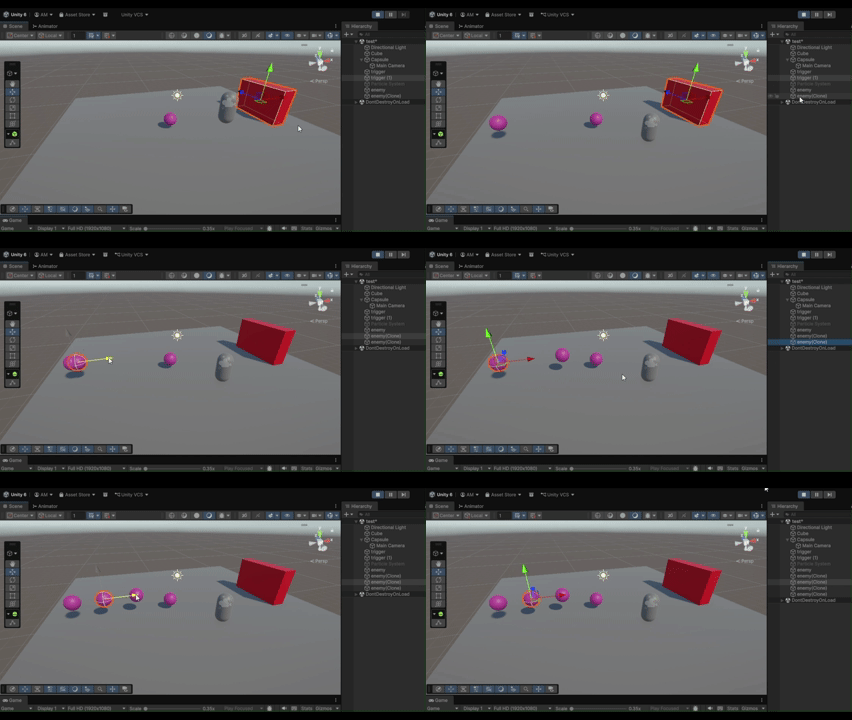
The while loop runs forever. After each spawn, it waits 3 seconds before spawning again.
Stopping Coroutines
public class CoroutineManager : MonoBehaviour
{
    private Coroutine myCoroutine;
    void Start()
    {
        myCoroutine = StartCoroutine(MyLoop());
    }
    public void StopMyLoop()
    {
        if (myCoroutine != null)
        {
            StopCoroutine(myCoroutine);
        }
    }
    public void StopAll()
    {
        StopAllCoroutines();  // Stops all on this script
    }
}
Save the coroutine reference to stop it later. StopAllCoroutines() stops every coroutine on the script.
Coroutine vs Invoke vs Update Timer
- Coroutine: Complex timing, waiting conditions, smooth transitions.
- Invoke: Simple one-time delay.
- Update timer: Frame-by-frame counting.
// Coroutine (best for complex)
StartCoroutine(DoSomething());
// Invoke (simple delay)
Invoke("DoSomething", 2f);
// Update timer (manual)
float timer = 0;
void Update() { timer += Time.deltaTime; if (timer > 2f) DoSomething(); }
