
Menus are the bridge between the player and your game. A start menu welcomes the player, a pause menu gives control during gameplay and a game over menu provides closure. This article covers creating all three.
Game Menus
Menus are UI screens that appear at different times during gameplay.
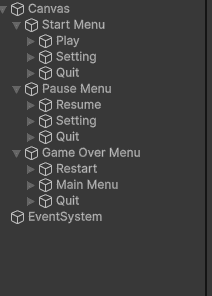
- Start Menu: First screen player sees. Has Play, Options, Quit buttons.
- Pause Menu: Appears when player presses Escape. Has Resume, Restart, Main Menu buttons.
- Game Over Menu: Appears when player dies or completes game. Shows final score and Restart button.
Start Menu Script
This script handles buttons on the main menu screen.
using UnityEngine.SceneManagement;
using UnityEngine;
public class StartMenu : MonoBehaviour
{
    public void PlayGame()
    {
        Debug.Log("Opening Game");
    }
    public void OpenOptions()
    {
        Debug.Log("Opening options");
    }
    public void QuitGame()
    {
        Debug.Log("Game Close");
    }
}
Output:
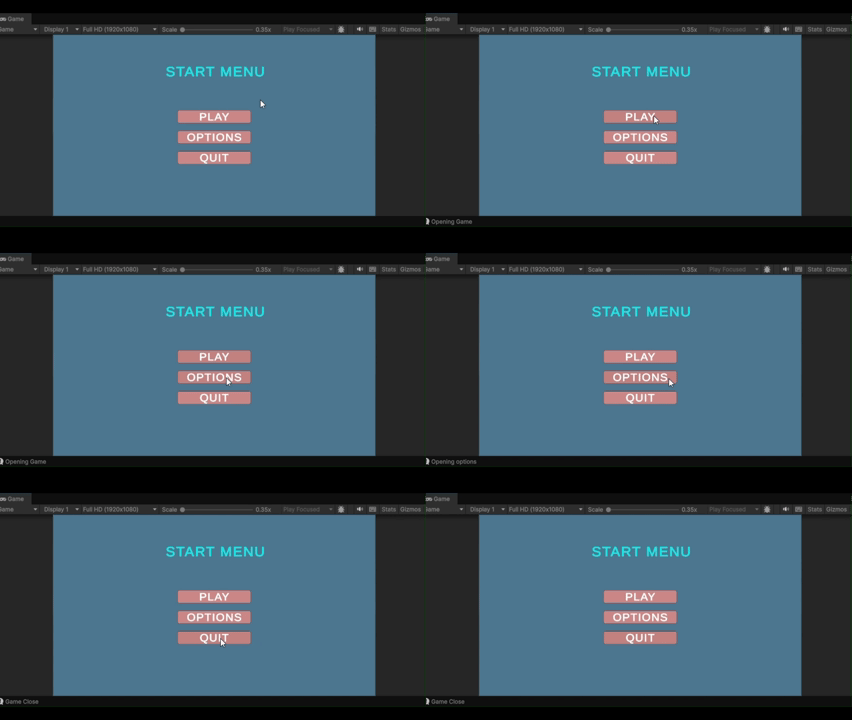
SceneManager.LoadScene() loads the game scene. Application.Quit() closes the game (works only in built game, not in Editor).
Pause Menu Script
Pause menu appears when player presses Escape during gameplay.
using UnityEngine.SceneManagement;
using UnityEngine;
public class PauseMenu : MonoBehaviour
{
    public GameObject pausePanel;
    private bool isPaused = false;
    void Update()
    {
        if (Input.GetKeyDown(KeyCode.Escape))
        {
            if (isPaused) Resume();
            else Pause();
        }
    }
    public void Pause()
    {
        Debug.Log("Pause Menu open");
        isPaused = true;
        pausePanel.SetActive(true);
        Time.timeScale = 0f;
        Cursor.lockState = CursorLockMode.None;  // Show cursor
        Cursor.visible = true;
    }
    public void Resume()
    {
        Debug.Log("Game Resume");
        isPaused = false;
        pausePanel.SetActive(false);
        Time.timeScale = 1f;
        Cursor.lockState = CursorLockMode.Locked; // Hide cursor for FPS
        Cursor.visible = false;
    }
    public void Restart()
    {
        Debug.Log("Game Restart");
        Time.timeScale = 1f;
        SceneManager.LoadScene(SceneManager.GetActiveScene().buildIndex);
    }
    public void MainMenu()
    {
        Time.timeScale = 1f;
        SceneManager.LoadScene("MainMenu");
    }
}
Output:
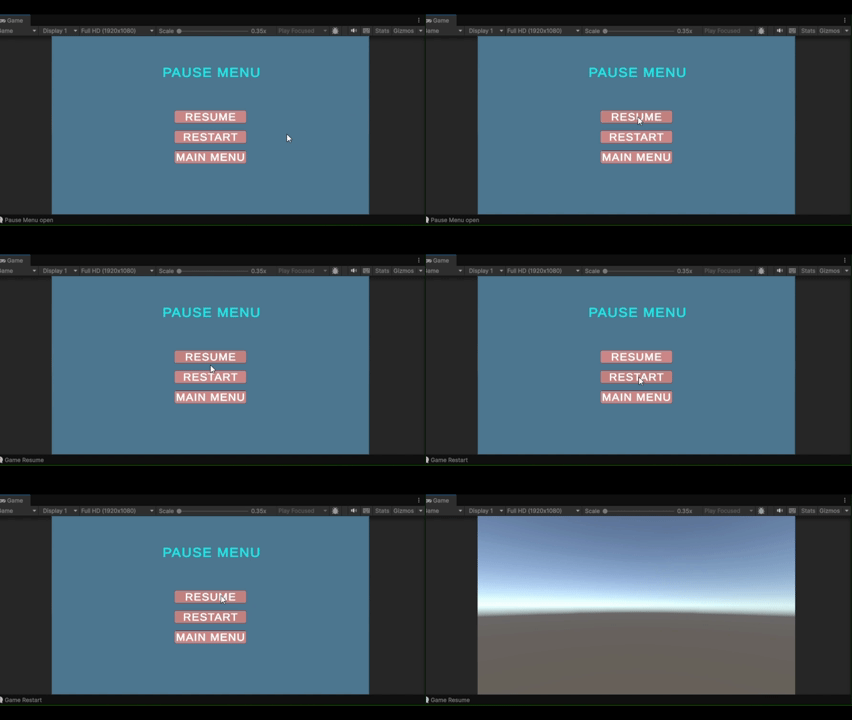
Press Escape to toggle pause. Cursor.lockState controls mouse visibility – useful for first-person games where cursor should be hidden.
Game Over Menu Script
Game over screen appears when player dies. It shows final score and options to replay.
using TMPro;
using UnityEngine.SceneManagement;
using UnityEngine;
public class GameOverMenu : MonoBehaviour
{
    public GameObject gameOverPanel;
    public TextMeshProUGUI finalScoreText;
    private ScoreManager scoreManager;
    void Start()
    {
        gameOverPanel.SetActive(false);
        scoreManager = FindObjectOfType<ScoreManager>();
    }
    public void ShowGameOver()
    {
        gameOverPanel.SetActive(true);
        Time.timeScale = 0f;
        finalScoreText.text = "Score: " + scoreManager.score;
        Cursor.lockState = CursorLockMode.None;
        Cursor.visible = true;
    }
    public void Restart()
    {
        Time.timeScale = 1f;
        SceneManager.LoadScene(SceneManager.GetActiveScene().buildIndex);
    }
    public void MainMenu()
    {
        Time.timeScale = 1f;
        SceneManager.LoadScene("MainMenu");
    }
}
Call ShowGameOver() from your player's health script when health reaches zero. The final score displays before restart options.
