
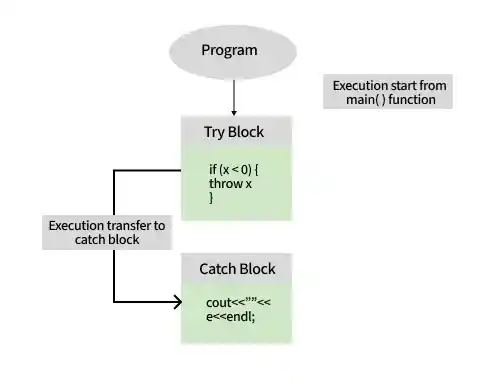
In C++, try and catch blocks are used for exception handling. They allow programs to respond to runtime errors in a controlled manner instead of terminating unexpectedly. When an exception is thrown inside a try block, execution is transferred to a matching catch block for handling.
- try contains code that may throw an exception.
- catch handles exceptions of a specific type.
- Multiple catch blocks can be used to handle different exception types.
#include <iostream>
using namespace std;

int main(){
    try
    {
        throw 10;
    }
    catch(int num)
    {
        cout << "Exception Caught: " << num;
    }

    return 0;
}
Output
Exception Caught: 10
Explanation: The throw statement generates an exception, which is caught and handled by the catch block.
Syntax
try {
// Code that may throw an exception
}
catch (exception_type e) {
// Handle the exception
}
Where:
- try contains the code that might throw an exception.
- catch handles exceptions of the specified type.
- exception_type represents the type of exception being handled.
Example: Using Try and Catch Blocks
#include <iostream>
#include <stdexcept>
using namespace std;

int main()
{
    // Declare two numbers
    int num1 = 10;
    int num2 = 0;

    try {
        // Throw a runtime_error exception if the
        // denominator is zero
        if (num2 == 0) {
            throw runtime_error("Division by zero error");
        }
        cout << "Result of division: " << num1 / num2
             << endl;
    }
    catch (const exception& e) {
        // Catch the exception and print the error message
        cerr << "Caught exception: " << e.what() << endl;
    }

    return 0;
}
Output
Caught exception: Division by zero errorExplanation
- The division operation is placed inside the try block.
- If the denominator is 0, a runtime_error exception is thrown using throw.
- The catch block receives the exception and prints the error message using e.what().
- Instead of terminating unexpectedly, the program handles the error gracefully.
Time Complexity: O(1)
Auxiliary Space: O(1)
