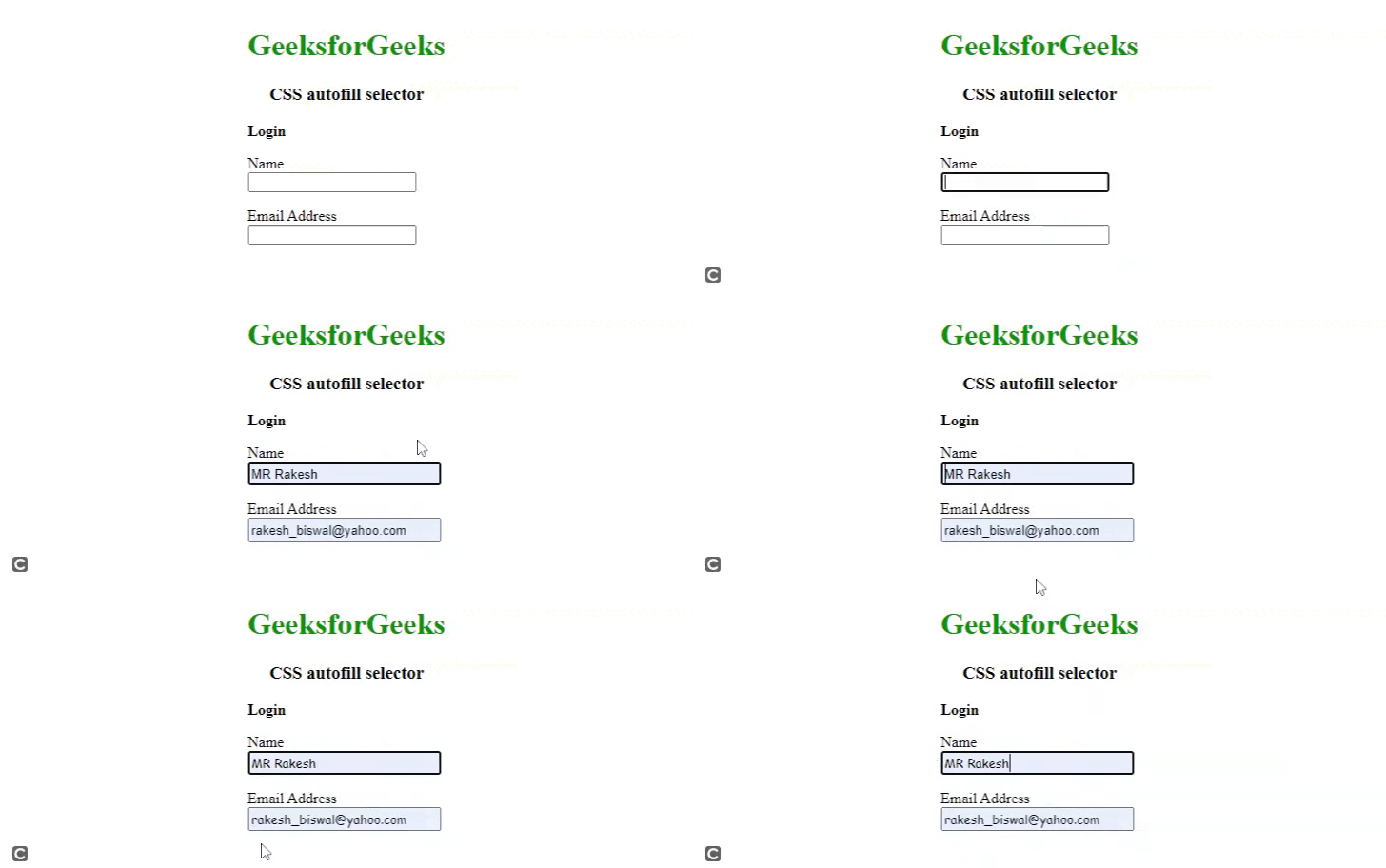
The CSS :autofill pseudo-class refers to an input element that had its value automatically filled by the browser, such as when a user saves their form data for future use. The :autofill pseudo-class can be used to style the appearance of an input element that has been auto-filled, to indicate to the user that their previously saved data has been loaded into the form.
Syntax:
input:autofill {
   /* styles for input when it's autofilled */
}
Example 1: The following example shows how to use the :autofill pseudo-class to change the border of a text field to a "green" color that has been autocompleted by the browser. The email field has border-color green as it is autofilled. For the best browser compatibility, we have used both -webkit-autofill and :autofill.
<!DOCTYPE html>
<html>

<head>
    <title>CSS :autofill Selector</title>
    <style>
        body{
            display: flex;
            justify-content: center;
            align-items: center;
        }

        label {
            display: block;
            margin-top: 1em;
        }

        input:autofill {
            border: 3px solid green;
        }

        input:-webkit-autofill {
            border: 3px solid green;
        }
        h1 span{
            color: green;
        }
        h3{
            text-align: center;
        }
    </style>
</head>

<body>
    <form>
        <h1><span>GeeksforGeeks</span></h1>
        <h3>CSS autofill selector</h3>
        <p><b>Login</b></p>
        <label for="name">Name</label>
        <input name="name" type="text"
               autocomplete="name">

        <label for="email">Email Address</label>
        <input name="email" type="email"
               autocomplete="email">
    </form>
</body>
</html>
Output:

Example 2: The following example shows how to use the :autofill pseudo-class to change the font family of a text field that has been autocompleted by the browser. The email field has a different font family than the name field as it is autofilled.
<!DOCTYPE html>
<html>

<head>
    <title>CSS :autofill Selector</title>
    <style>
        body{
            display: flex;
            justify-content: center;
            align-items: center;
        }

        label {
            display: block;
            margin-top: 1em;
        }

        input:autofill {
            font-family: cursive;
        }

        input:-webkit-autofill {
            font-family: cursive;
        }
        h1 span{
            color: green;
        }
        h3{
            text-align: center;
        }
    </style>
</head>

<body>
    <form>
        <h1><span>GeeksforGeeks</span></h1>
        <h3>CSS autofill selector</h3>
        <p><b>Login</b></p>
        <label for="name">Name</label>
        <input name="name" type="text"
               autocomplete="name">

        <label for="email">Email Address</label>
        <input name="email" type="email"
               autocomplete="email">
    </form>
</body>
</html>
Output: