
This property is used to set the color of the cursor in inputs, text areas, or other editable areas.
Default Value: auto
Syntax:
caret-color: auto|color;Property values:
- auto: It has a default value. It uses the current-color in the web browser.
- color: It is used to specify the color value used for the caret. All values can be used (rgb, hex, named-color, etc).
The below examples illustrate the caret-color property in CSS:
Example:
<!DOCTYPE html>
<html>

<head>
    <title>caret-color property</title>
    <style>
        body {
            text-align: center;
        }

        .geeks {
            caret-color: red;
        }

        .gfg {
            caret-color: transparent;
        }
    </style>
</head>

<body>
    <h1 style="color:green;">GeeksForGeeks</h1>
    <h1>The caret-color Property</h1>
    <input value="geeksforgeeks"><br><br>
    <input class="geeks" value="C programming">
    <br><br>
    <input class="gfg" value="Java programming">
    <p contenteditable class="geeks">
        A computer science portal for geeks
    </p>
</body>

</html>
Output:
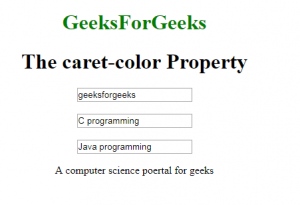
Supported Browsers: The browser supported by caret-color property are listed below:
- Google Chrome and above
- Edge and above
- Mozilla and above
- Opera and above
- Safari and above
