Adding Rounded Corners to a video involves modifying the video frame's corners to have a rounded appearance instead of sharp edges which gives the video a smoother, more refined appearance within a webpage's design.
Below are the two ways to add round corners on Video in HTML:
Syntax
/* Using border-radius short hand property */
border-radius: 20px;

/* Round each corner individually */
border-top-left-radius : 10px;
border-top-right-radius  : 50px;
border-bottom-right-radius  : 70px;
border-bottom-left-radius  : 90px;
1. Using Border-radius Property to Add Round Corners on Video
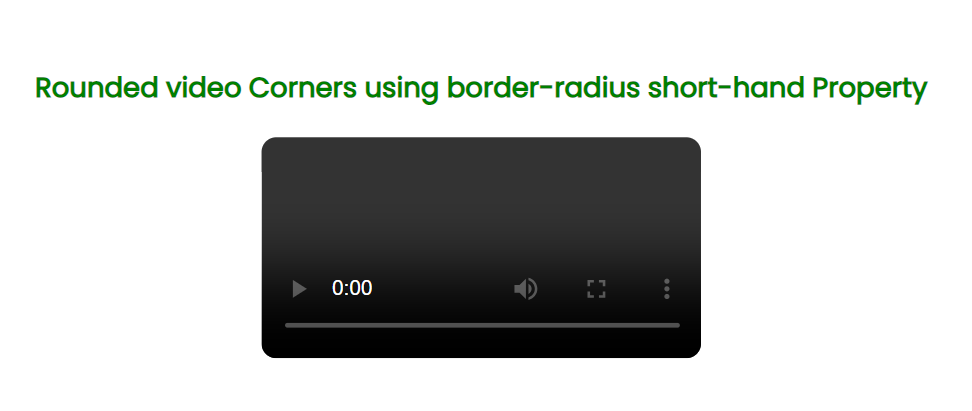
To round the corners of the video, we have used the border-radius shorthand property. To achieve rounded corners for the <video> element, we set the border-radius to 10px. The border-radius property can be defined with one, two, three, or four values. It serves as a combination of four distinct properties: border-top-left-radius, border-top-right-radius, border-bottom-left-radius, and border-bottom-right-radius.
Example: This example demonstrates the rounded corners on video using border-radius shorthand property.
<!DOCTYPE html>
<html lang="en">

<head>
    <meta charset="UTF-8">
    <meta name="viewport" content="width=device-width, initial-scale=1.0">
    <title>Border radius shorthand Property</title>
    <style>
        @import url('https://fonts.googleapis.com/css2?family=Poppins&display=swap');

        * {
            font-family: 'Poppins', sans-serif;
        }

        body {
            display: flex;
            align-items: center;
            justify-content: center;
            flex-direction: column;
            height: 100vh;
        }

        h2,
        h3 {
            color: green;
            text-align: center;
        }

        video {
            border-radius: 10px;
            overflow: hidden;
        }
    </style>
</head>

<body>
    <h3>Rounded video Corners using
        border-radius short-hand Property
    </h3>
    <video width="300px" height="150px" controls>

        <source src="your-video.mp4" type="video/mp4">
    </video>
</body>

</html>
Output
2. Using CSS Property to Add Round Corners on Video
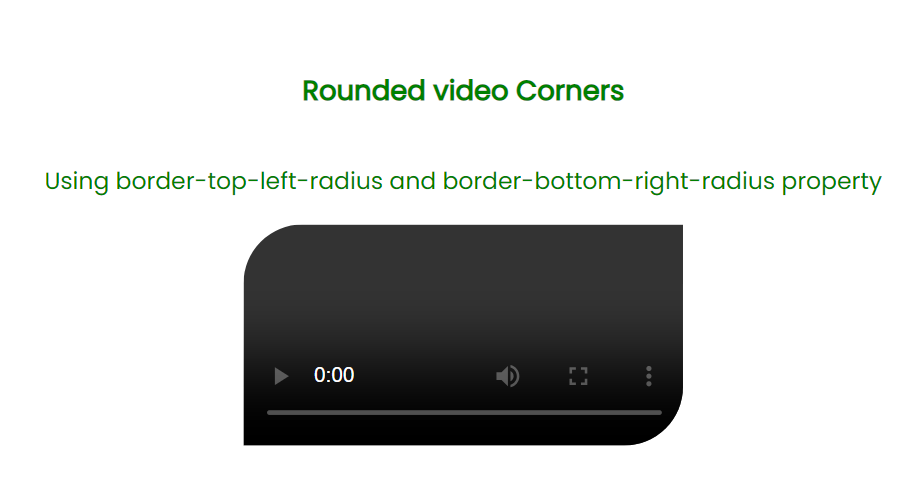
Set the border-top-left-radius and border-bottom-right-radius properties to the <video> element. We can achieve the desired rounded effect for the corners of the <video> element. Unlike the border-radius shorthand, this method involves individually specifying the radius for the top-left and bottom-right corners.
Example: This example demonstrates the rounded corners on video using border-top-left-radius and border-bottom-right-radius Property.
<!DOCTYPE html>
<html lang="en">

<head>
    <meta charset="UTF-8">
    <meta name="viewport" content="width=device-width, initial-scale=1.0">
    <title>Rounded Corners</title>
    <style>
        @import url('https://fonts.googleapis.com/css2?family=Poppins&display=swap');

        * {
            font-family: 'Poppins', sans-serif;
        }

        body {
            display: flex;
            align-items: center;
            justify-content: center;
            flex-direction: column;
            height: 100vh;
        }

        h2,
        h3,
        p {
            color: green;
            text-align: center;
        }

        video {
            border-top-left-radius: 40px;
            border-bottom-right-radius: 40px;
            overflow: hidden;
        }
    </style>
</head>

<body>
    <h3>Rounded video Corners
    </h3>
    <p>
        Using border-top-left-radius
        and border-bottom-right-radius
        property
    </p>
    <video width="300px" height="150px" controls>

        <source src="your-video.mp4" type="video/mp4">
    </video>
</body>

</html>
Output