In CSS, the box-shadow property allows you to add a shadow effect to an element. However, when it comes to applying box shadow to a combination of elements such as a <span> and <input>, it can be a bit tricky to get the desired effect.
In this article, we will discuss how to apply box-shadow to a <span> <input> combination so that it looks like one single element to the user. We will cover the syntax for the box-shadow property, and different approaches to applying it, and provide at least two examples with output images.
Syntax:
box-shadow: h-offset v-offset blur spread color;
- h-offset: the horizontal offset of the shadow from the element
- v-offset: the vertical offset of the shadow from the element
- blur: the amount of blur applied to the shadow
- spread: the amount of spread applied to the shadow
- color: the color of the shadow
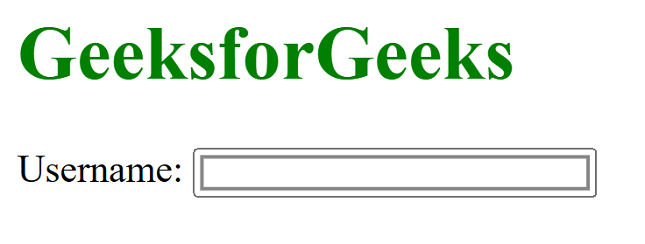
Approach 1: Using a wrapper div: One approach is to wrap the <span> and <input> elements inside an <div> element and apply the box-shadow property to the <div> element.
Example: In this example, we are using the above-explained approach.
<!DOCTYPE html>
<html>
<head>
    <style>
        .input-wrapper {
            display: inline-block;
            box-shadow: 2px 2px 5px #888888;
            padding: 5px;
        }
    </style>
</head>

<body>
    <h1 style="color:green">
        GeeksforGeeks
    </h1>
    <div class="input-wrapper">
        <span>Username:</span>
        <input type="text">
    </div>
</body>
</html>
Output:

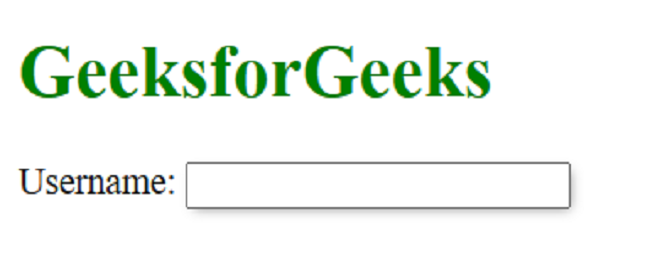
Approach 2: Using the: before pseudo-element: Another approach is to use the: before pseudo-element to create a shadow effect.
Example: In this example we are using above approach.
<!DOCTYPE html>
<html>
<head>
    <style>
        .input-wrapper {
            position: relative;
            display: inline-block;
        }

        .input-wrapper:before {
            content: "";
            position: absolute;
            top: 2px;
            left: 2px;
            right: 2px;
            bottom: 2px;
            box-shadow: 2px 2px 5px #888888;
            z-index: -1;
        }
    </style>
</head>

<body>
    <h1 style="color:green">
        GeeksforGeeks
    </h1>
    <span class="input-wrapper">
        Username:
        <input type="text">
    </span>
</body>
</html>
Output:
Approach 3: Using the outline property: Finally, you can use the outline property to create a shadow effect.
Example: In this example, we are using the above-explained approach.
<!DOCTYPE html>
<html>
<head>
    <style>
        .input-wrapper {
            display: inline-block;
            outline: 2px solid #888888;
            outline-offset: -5px;
        }
    </style>
</head>

<body>
    <h1 style="color:green">
        GeeksforGeeks
    </h1>
    Username:
    <span class="input-wrapper">
        <input type="text">
    </span>
</body>
</html>
Output: