
DeepFace is the leading open-source framework for facial recognition and analysis, offering pre-trained models that simplify tasks like age, gender, and emotion detection. It’s built on top of popular machine learning libraries such as TensorFlow and Keras. This article explores us through installing and using DeepFace within Kaggle’s notebook environment for seamless facial analysis.
Table of Content
Steps to Install DeepFace in Kaggle
Step 1: Set Up the Kaggle Notebook
First, log in to your Kaggle account and create a new notebook by navigating to “New Notebook” under the “Code” section. You can select the resources you need, such as GPU if you plan on using it for other models or processes.
Step 2: Install DeepFace Python Package
Kaggle allows you to install Python packages easily within your notebook. Use the following command to install the DeepFace library:
pip install deepfaceNote on Installation:
If you encounter errors related to installation, it may be helpful to specify the version of DeepFace. You can do this by replacing deepface with deepface
==<version_number>.
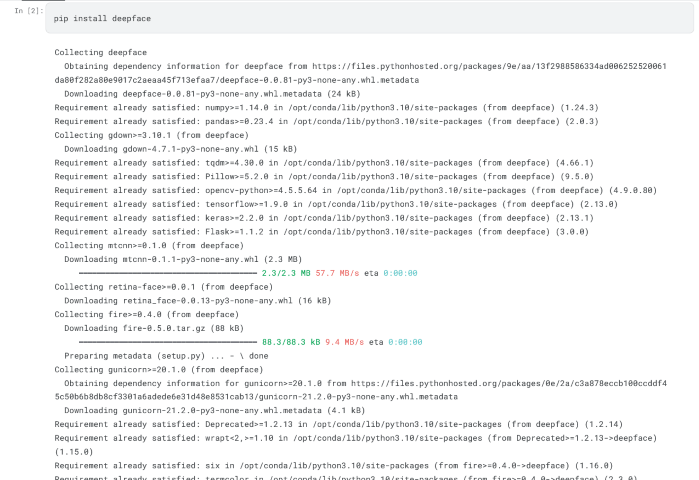
Once the package is installed, you can start importing and using it in your notebook.
Step 3: Verify the Installation
After the installation, it’s crucial to verify that DeepFace has been installed correctly. You can do this by importing the library and checking its version:
import deepface
print(deepface.__version__)
Output:
0.0.93If no errors are raised and the version number prints out, you have successfully installed DeepFace!
Facial Analysis with DeepFace
Now that DeepFace is installed, now we will perform facial analysis and display the image along with the predicted age, gender, and dominant emotion.
from deepface import DeepFace
import matplotlib.pyplot as plt
import cv2

img_path = '/content/Image1.png' # Enter Your Image Path
img = cv2.imread(img_path)

result = DeepFace.analyze(img, actions=['age', 'gender', 'emotion'])

result = result[0]

plt.imshow(cv2.cvtColor(img, cv2.COLOR_BGR2RGB))
plt.axis('off')
plt.show()

print(f"Age: {result['age']}")
print(f"Gender: {result['gender']}")
print(f"Dominant Emotion: {result['dominant_emotion']}")
Output:

Conclusion
In conclusion, DeepFace is a powerful and user-friendly tool for facial recognition and analysis, making it accessible for various applications in computer vision.This framework not only simplifies complex processes but also uses pre-trained models for efficient analysis, enabling developers and researchers to focus on their specific projects with ease.
