
Amazon ElastiCache is a fully managed in-memory caching service provided by AWS for fast and real-time applications. It helps improve application performance by storing frequently accessed data in memory.
- Stores data in RAM instead of disks for much faster read and write speeds.
- Supports Redis OSS, Valkey, and Memcached for easy integration with applications.
- Works as a fast cache layer in front of databases like Amazon RDS and DynamoDB.
- Supports clustering for high availability and better scaling.
- Provides a serverless option that automatically scales based on application traffic.
Note: Caching is the process of storing frequently accessed data in a temporary, high-speed data storage layer known as a cache.
Redis vs. Memcached
Redis and Memcached are two popular in-memory caching engines used to improve application performance and reduce data access time. Both provide fast caching, but they differ in features, scalability, and supported use cases.
| Feature | Redis | Memcached |
|---|---|---|
| Data Type Support | Supports strings, lists, sets, hashes, and more. | Supports only simple key-value data. |
| Data Backup | Can save data using backups and recovery options. | Does not save data permanently. |
| Replication | Supports data replication and automatic failover. | Does not support replication. |
| Scaling | Supports clustering for better scaling. | Scales by adding more nodes. |
| Messaging Support | Supports publish/subscribe messaging. | Does not support messaging features. |
| Performance | Good for advanced and real-time applications. | Best for simple and fast caching. |
| Best Use Cases | Leaderboards, analytics, sessions, and chat apps. | Database query caching and temporary session storage. |
Note: Use Redis for 95% of modern workloads. Select Memcached only if you require a simple, multi-threaded cache or need compatibility with a legacy Memcached codebase.
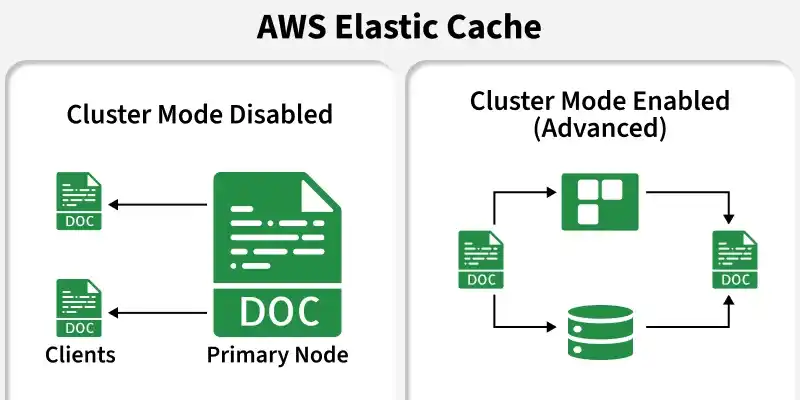
Cluster Mode Enabled vs. Disabled
Amazon ElastiCache Redis provides two cluster modes for managing data and scaling performance. The choice depends on application size, workload, and scalability needs.
| Feature | Cluster Mode Disabled | Cluster Mode Enabled |
|---|---|---|
| Structure | One primary node with up to 5 replicas. | Multiple shards with primary and replica nodes. |
| Data Storage | All data is stored in a single node group. | Data is divided across multiple shards. |
| Read Scaling | Add replicas to improve read performance. | Add replicas or shards for better scaling. |
| Write Scaling | Scale by increasing instance size only. | Scale by adding more shards horizontally. |
| Best For | Small applications and simple setups. | Large applications with heavy workloads. |
Serverless vs. Provisioned
ElastiCache provides two deployment models: Serverless and Provisioned. The best choice depends on application traffic, scaling needs, and management preferences.
| Feature | ElastiCache Serverless | Provisioned ElastiCache |
|---|---|---|
| Management | AWS automatically manages and scales resources. | Users manually choose nodes and instance types. |
| Scaling | Automatically scales based on traffic. | Scaling must be configured manually. |
| Pricing | Pay for actual storage and usage. | Pay a fixed cost for running nodes. |
| Availability | Multi-AZ enabled by default. | Multi-AZ setup is configured manually. |
| Best For | Applications with changing or unpredictable traffic. | Applications with stable and predictable workloads. |
Caching Strategies
To use ElastiCache effectively, your application must implement an appropriate caching pattern:
Lazy Loading (Cache-Aside)
- Mechanism: The application attempts to read from the cache first. If a cache miss occurs, the application queries the database, writes the retrieved data to the cache, and returns it to the client.
- Pros: Memory is used efficiently since only requested data is cached.
- Cons: The initial request suffers a performance penalty due to the round-trip database query.
Write-Through
- Mechanism: The application writes new or updated data to both the database and the cache simultaneously.
- Pros: Guarantees the cache is always updated, preventing dirty reads.
- Cons: Increases write latency due to completing two consecutive write operations.
Accessing the Amazon ElastiCache Console
Step 1: Log in to the AWS management Console.
Step 2: In the search bar at the top, type ElastiCache
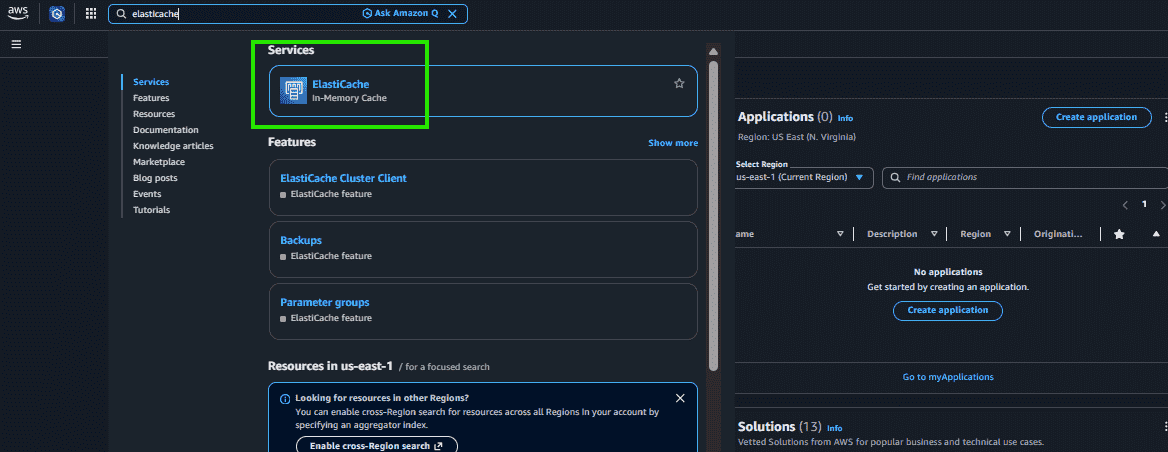
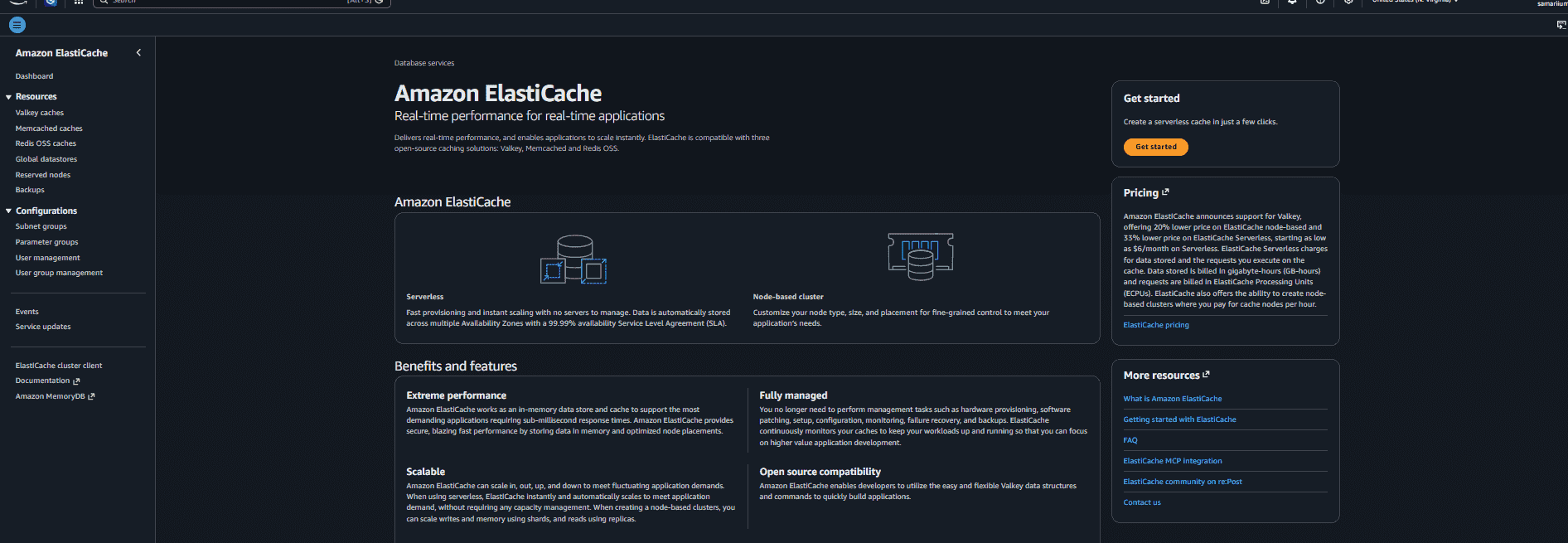
Step 3: Click on Amazon ElastiCache from the search results.
ElastiCache vs. DynamoDB DAX
While both are in-memory caching solutions, they differ in flexibility and integration scope. Amazon ElastiCache is a general-purpose caching service that works with different databases and applications, while DynamoDB DAX is a specialized cache designed only for Amazon DynamoDB to improve read performance.
| Feature | ElastiCache (Redis) | DynamoDB DAX |
|---|---|---|
| Purpose | General cache for different databases and applications. | Cache made only for Amazon DynamoDB. |
| Code Changes | Requires application code changes to manage caching. | Only requires changing the DynamoDB endpoint. |
| Flexibility | Can store sessions, queues, leaderboards, and other data. | Mainly stores DynamoDB query results. |
| Database Support | Works with RDS, Aurora, DynamoDB, MongoDB, and more. | Works only with DynamoDB. |
| Performance | Very fast in-memory caching for many use cases. | Improves DynamoDB read performance. |
| Use Cases | Gaming, chat apps, caching, sessions, analytics. | Fast access to frequently used DynamoDB data. |
Use Cases
- Database Caching: Store frequently used database data to reduce load on databases like Amazon RDS and improve speed.
- Session Storage: Save user login sessions and shopping cart data for quick access.
- Live Leaderboards: Create fast and real-time rankings for games and applications using Redis.
