
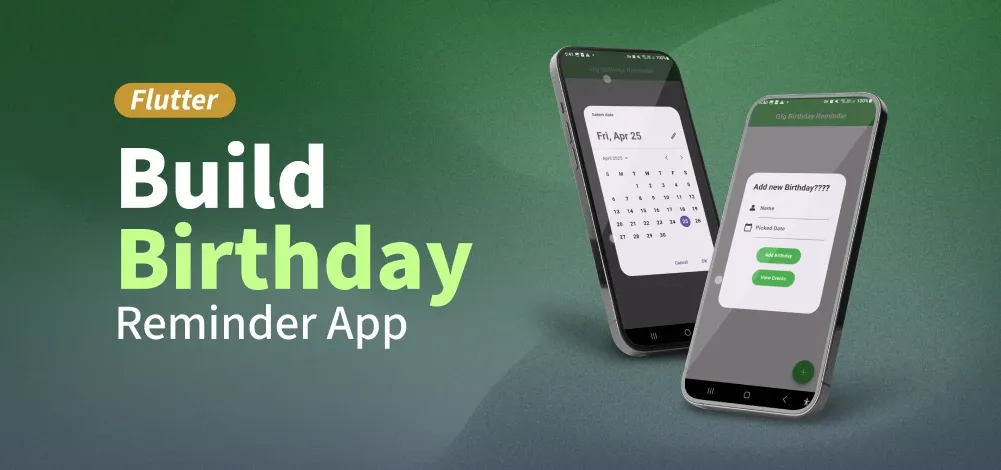
Flutter is a powerful framework for building mobile applications and comes to the rescue with its flexibility and ease of use. In this article, we will explore how to create a Birthday Reminder App in Flutter so that next time, we don't forget the birthdays of any friends. A sample video is given below to give you an idea of what we will do in this article.
Step-by-Step Implementation
Step 1: Create a new Flutter Application
Create a new Flutter application using the command Prompt. To create a new app, write the following command and run it.
flutter create app_nameTo know more about it refer this article: Creating a Simple Application in Flutter
Step 2: Adding the Dependency
To add the dependency to the pubspec.yaml file, add table_calendar as a dependency in the dependencies part of the pubspec.yaml file, as shown below:
dependencies:
     flutter:
       sdk: flutter
     table_calendar: ^3.2.0
Step 3: Add images (Optional)
Let's add an assets folder under the assets section of pubspec.yaml file, so that we can use the images we are going to use in-app as shown image below:

To know more about it refer this article: Flutter – Asset Image.
Image:

Step 4: Create Birthday Class
Create a Birthday class that takes the date's string name and a DateTime variable.
birthday_model.dart :
class Birthday {
  final String name;
  final DateTime date;

  Birthday({required this.name, required this.date});
}
Step 5: Create a Utility
Create the Event class to store event titles and keymaps for storing events on selected dates.
event.dart :
import 'dart:collection';
import 'package:table_calendar/table_calendar.dart';

class Event {
  final String title;
  const Event(this.title);
  @override
  String toString() => title;
}

var kEvents = LinkedHashMap<DateTime, List<Event>>(
  equals: isSameDay,
  hashCode: getHashCode,
)..addAll(kEventSource);


var kEventSource =  LinkedHashMap<DateTime, List<Event>>();

int getHashCode(DateTime key) {
  return key.day * 1000000 + key.month * 10000 + key.year;
}

List<DateTime> daysInRange(DateTime first, DateTime last) {
  final dayCount = last.difference(first).inDays + 1;
  return List.generate(
    dayCount,
    (index) => DateTime.utc(first.year, first.month, first.day + index),
  );
}

final kToday = DateTime.now();
final kFirstDay = DateTime(kToday.year, kToday.month - 3, kToday.day);
final kLastDay = DateTime(kToday.year, kToday.month + 3, kToday.day);
Step 6: Create EventsTable
Create an EventsTable widget that implements a calendar interface with event management, so that users can view birthdays added as events in the calendar. The events are fetched based on the selected day and displayed in a scrollable list below the calendar.
events_table.dart:
import 'package:flutter/material.dart';
import 'package:geeks_for_geeks/event.dart';
import 'package:table_calendar/table_calendar.dart';

class EventsTable extends StatefulWidget {
  @override
  _EventsTableExampleState createState() => _EventsTableExampleState();
}

class _EventsTableExampleState extends State<EventsTable> {
  late final ValueNotifier<List<Event>> _selectedEvents;
  CalendarFormat _calendarFormat = CalendarFormat.month;
  RangeSelectionMode _rangeSelectionMode = RangeSelectionMode.toggledOff;
  DateTime _focusedDay = DateTime.now();
  DateTime? _selectedDay;

  @override
  void initState() {
    super.initState();

    _selectedDay = _focusedDay;
    _selectedEvents = ValueNotifier(_getEventsForDay(_selectedDay!));
  }

  @override
  void dispose() {
    _selectedEvents.dispose();
    super.dispose();
  }

  List<Event> _getEventsForDay(DateTime day) {
    return kEvents[day] ?? [];
  }

  List<Event> _getEventsForRange(DateTime start, DateTime end) {
    final days = daysInRange(start, end);

    return [
      for (final d in days) ..._getEventsForDay(d),
    ];
  }

  void _onDaySelected(DateTime selectedDay, DateTime focusedDay) {
    if (!isSameDay(_selectedDay, selectedDay)) {
      setState(() {
        _selectedDay = selectedDay;
        _focusedDay = focusedDay;
        _rangeSelectionMode = RangeSelectionMode.toggledOff;
      });

      _selectedEvents.value = _getEventsForDay(selectedDay);
    }
  }

  @override
  Widget build(BuildContext context) {
    return Scaffold(
      appBar: AppBar(
        backgroundColor: Colors.green,
        foregroundColor: Colors.white,
        title: Text('Events'),
      ),
      body: Column(
        children: [
          TableCalendar<Event>(
            firstDay: kFirstDay,
            lastDay: kLastDay,
            focusedDay: _focusedDay,
            selectedDayPredicate: (day) => isSameDay(_selectedDay, day),
            calendarFormat: _calendarFormat,
            rangeSelectionMode: _rangeSelectionMode,
            eventLoader: _getEventsForDay,
            startingDayOfWeek: StartingDayOfWeek.monday,
            calendarStyle: CalendarStyle(
              outsideDaysVisible: false,
            ),
            onDaySelected: _onDaySelected,
            onFormatChanged: (format) {
              if (_calendarFormat != format) {
                setState(() {
                  _calendarFormat = format;
                });
              }
            },
            onPageChanged: (focusedDay) {
              _focusedDay = focusedDay;
            },
          ),
          const SizedBox(height: 8.0),
          Expanded(
            child: ValueListenableBuilder<List<Event>>(
              valueListenable: _selectedEvents,
              builder: (context, value, _) {
                return ListView.builder(
                  itemCount: value.length,
                  itemBuilder: (context, index) {
                    return Container(
                      margin: const EdgeInsets.symmetric(
                        horizontal: 12.0,
                        vertical: 4.0,
                      ),
                      decoration: BoxDecoration(
                        border: Border.all(),
                        borderRadius: BorderRadius.circular(12.0),
                      ),
                      child: ListTile(
                        onTap: () => print('${value[index]}'),
                        title: Text('${value[index]}'),
                      ),
                    );
                  },
                );
              },
            ),
          ),
        ],
      ),
    );
  }
}
Step 7: Create a birthday page
Create a birthday page to add birthdays in an AlertDialog when the FloatingActionButton is clicked, and show added birthdays using ListTile.
main.dart:
import 'package:flutter/material.dart';
import 'package:geeks_for_geeks/birthday_model.dart';
import 'package:geeks_for_geeks/event.dart';
import 'package:geeks_for_geeks/event_table.dart';

void main() {

  // Run the MyApp widget
  runApp(const MyApp());
}

class MyApp extends StatelessWidget {
  const MyApp({Key? key});

  @override
  Widget build(BuildContext context) {
    return MaterialApp(

      // Disable debug banner
      debugShowCheckedModeBanner: false,

      // App title
      title: 'Birthday App',

      // Set theme color
      theme: ThemeData(primarySwatch: Colors.green),

      // Set the home screen
      home: BirthdayReminderApp(),
    );
  }
}

class BirthdayReminderApp extends StatefulWidget {
  @override
  _BirthdayReminderAppState createState() => _BirthdayReminderAppState();
}

class _BirthdayReminderAppState extends State<BirthdayReminderApp> {

  // Controllers for name and date input fields
  TextEditingController nameController = TextEditingController();
  TextEditingController dateController = TextEditingController();

  // List to store birthdays
  List<Birthday> birthdays = [];

  // Selected date for the birthday
  DateTime selectedDate = DateTime.now();

  // List to store events
  List<Event> eventList = [];

  // Variable to hold a single event
  var event;

  // Default date values
  late int date = 1;
  late int month = 1;
  late int year = 2023;

  // Function to show a SnackBar with a message
  _showSnackBar(message) {
    ScaffoldMessenger.of(context).showSnackBar(
      SnackBar(
        content: Text(message),
        backgroundColor: Colors.green,
      ),
    );
  }

  // Function to open a date picker and select a date
  Future<void> _selectDate(BuildContext context) async {
    DateTime? pickedDate = await showDatePicker(
      context: context,
      initialDate: selectedDate,

      // Earliest selectable date
      firstDate: DateTime(2000),

      // Latest selectable date
      lastDate: DateTime(2100),
    );

    if (pickedDate != null && pickedDate != selectedDate) {
      setState(() {

        // Update selected date
        selectedDate = pickedDate;

        // Update date controller
        dateController.text = selectedDate.toString();
      });
    }
  }

  // Function to set an event for a specific date
  setEvent(name, date) {

    // Create a new event
    event = Event(name + " Birthday");

    if (kEventSource[date] == null) {

      // If no events exist for the date,
      // create a new list
      eventList = [event];
      kEventSource.addAll({
        date: eventList,
      });

      setState(() {

        // Update the events map
        kEvents = kEvents;
      });
    } else {

      // If events exist, add the
      // new event to the list
      kEventSource[date]!.add(event);
      setState(() {

        // Update the events map
        kEvents.addAll(kEventSource);
      });
    }
  }

  @override
  Widget build(BuildContext context) {
    return Scaffold(
      appBar: AppBar(
        centerTitle: true,
        title: Text('Gfg Birthday Reminder'), // AppBar title
        backgroundColor: Colors.green, // AppBar background color
        foregroundColor: Colors.white, // AppBar text color
      ),
      body: DecoratedBox(
        decoration: BoxDecoration(
          image: DecorationImage(
            image: AssetImage("assets/balloons.png"), // Background image
            fit: BoxFit.cover,
          ),
        ),
        child: ListView.builder(
          itemCount: birthdays.length, // Number of birthdays
          itemBuilder: (context, index) {
            Birthday birthday = birthdays[index];
            return Container(
              decoration: BoxDecoration(
                borderRadius: BorderRadius.circular(20),
                color: Colors.white, // Container background color
                boxShadow: [
                  BoxShadow(
                    color: Colors.grey,
                    offset: const Offset(1.0, 1.0),
                    blurRadius: 2.0,
                    spreadRadius: 2.0,
                  ),
                ],
              ),
              margin: EdgeInsets.all(10),
              child: ListTile(
                title: Text(birthday.name), // Display birthday name
                subtitle: Text(
                  '${birthday.date.day}/${birthday.date.month}/${birthday.date.year}',
                ), // Display birthday date
                trailing: const Icon(Icons.cake), // Cake icon
              ),
            );
          },
        ),
      ),
      floatingActionButton: FloatingActionButton(
        backgroundColor: Colors.green, // Button background color
        foregroundColor: Colors.white, // Button icon color
        shape: OvalBorder(), // Circular button shape
        onPressed: () {
          nameController.text = ""; // Clear name field
          dateController.text = ""; // Clear date field
          showDialog(
            context: context,
            builder: (BuildContext context) {
              return AlertDialog(
                scrollable: true,
                title: const Text('Add new Birthday????'), // Dialog title
                content: SizedBox(
                  height: 265,
                  child: Column(
                    children: [
                      // Name input field
                      Row(
                        children: [
                          const Icon(Icons.person_2_rounded),
                          const SizedBox(width: 10),
                          Flexible(
                            child: TextField(
                              controller: nameController,
                              decoration: InputDecoration(labelText: 'Name'),
                            ),
                          ),
                        ],
                      ),
                      // Date input field with calendar picker
                      Row(
                        children: [
                          GestureDetector(
                            child: Icon(Icons.calendar_today),
                            onTap: () {
                              _selectDate(context); // Open date picker
                            },
                          ),
                          const SizedBox(width: 10),
                          Flexible(
                            child: TextField(
                              controller: dateController,
                              decoration:
                                  InputDecoration(labelText: 'Picked Date'),
                            ),
                          ),
                        ],
                      ),
                      const SizedBox(height: 20),
                      // Button to add birthday
                      ElevatedButton(
                        style: ElevatedButton.styleFrom(
                          backgroundColor: Colors.green,
                          foregroundColor: Colors.white,
                        ),
                        onPressed: () {
                          if (nameController.text.isEmpty ||
                              dateController.text.isEmpty) {
                            _showSnackBar(
                                'Make sure both name and date is provided.????');
                          } else {
                            DateTime? parsedDate =
                                DateTime.tryParse(dateController.text);
                            if (parsedDate != null) {
                              Birthday newBirthday = Birthday(
                                name: nameController.text,
                                date: parsedDate,
                              );
                              setState(() {
                                birthdays.add(newBirthday); // Add new birthday
                              });

                              Navigator.pop(context); // Close the dialog
                              _showSnackBar('Birthday added????????');
                              setEvent(nameController.text, parsedDate); // Set event
                            } else {
                              _showSnackBar('Invalid Date!');
                            }
                          }
                        },
                        child: const Text('Add Birthday'),
                      ),
                      const SizedBox(height: 10),
                      // Button to view events
                      ElevatedButton(
                        style: ElevatedButton.styleFrom(
                          backgroundColor: Colors.green,
                          foregroundColor: Colors.white,
                        ),
                        child: const Text("View Events"),
                        onPressed: () {
                          Navigator.push(
                            context,
                            MaterialPageRoute(builder: (_) => EventsTable()),
                          );
                        },
                      ),
                    ],
                  ),
                ),
              );
            },
          );
        },
        tooltip: "Add Birthday", // Tooltip for the button
        child: const Icon(Icons.add), // Add icon
      ),
    );
  }
}
