
Different variations of git add control how changes are staged before a commit, depending on the scope and type of changes.
- Determines which changes are staged before committing.
- Controls scope (entire repository vs current directory).
- Differentiates between tracked and untracked files.
- Helps manage staging more precisely and efficiently.
Git add Variations
Different variations of the git add command control which changes are staged before committing.
1. git add -A or git add --all: Stages all changes in the repository, including modified, deleted, and untracked files across the entire working tree.
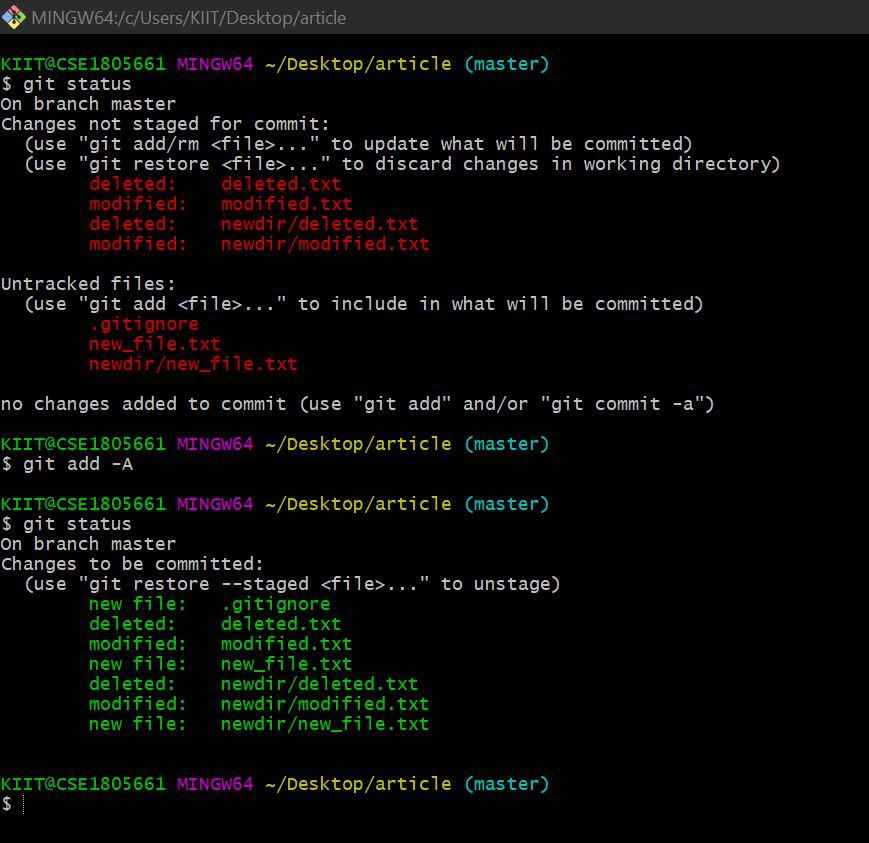
- All changes (modified, deleted, and untracked files) across the entire repository are staged for commit.
- Files move from “not staged” to “staged,” making the repository ready for committing changes.
2. git add -u or git add --update: It add all the modified and deleted files but not any untracked files and it does this for the entire tree.
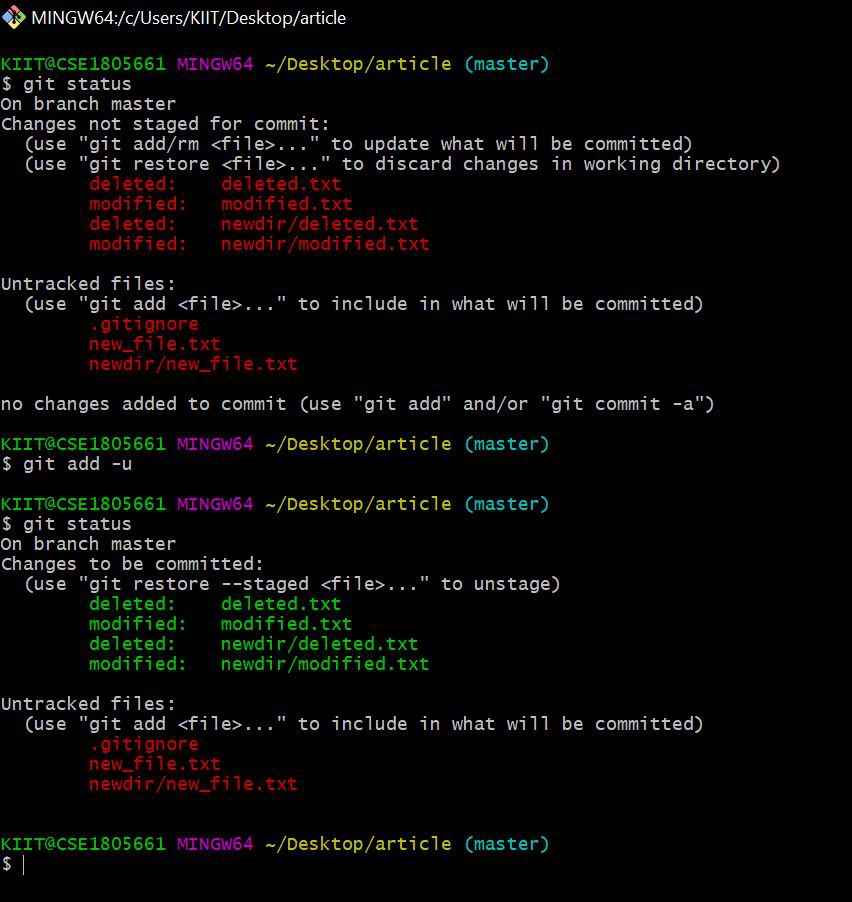
- Only modified and deleted tracked files are staged, while untracked files remain unstaged.
- Changes move to “staged” for tracked files only, leaving new files unaffected and not ready for commit.
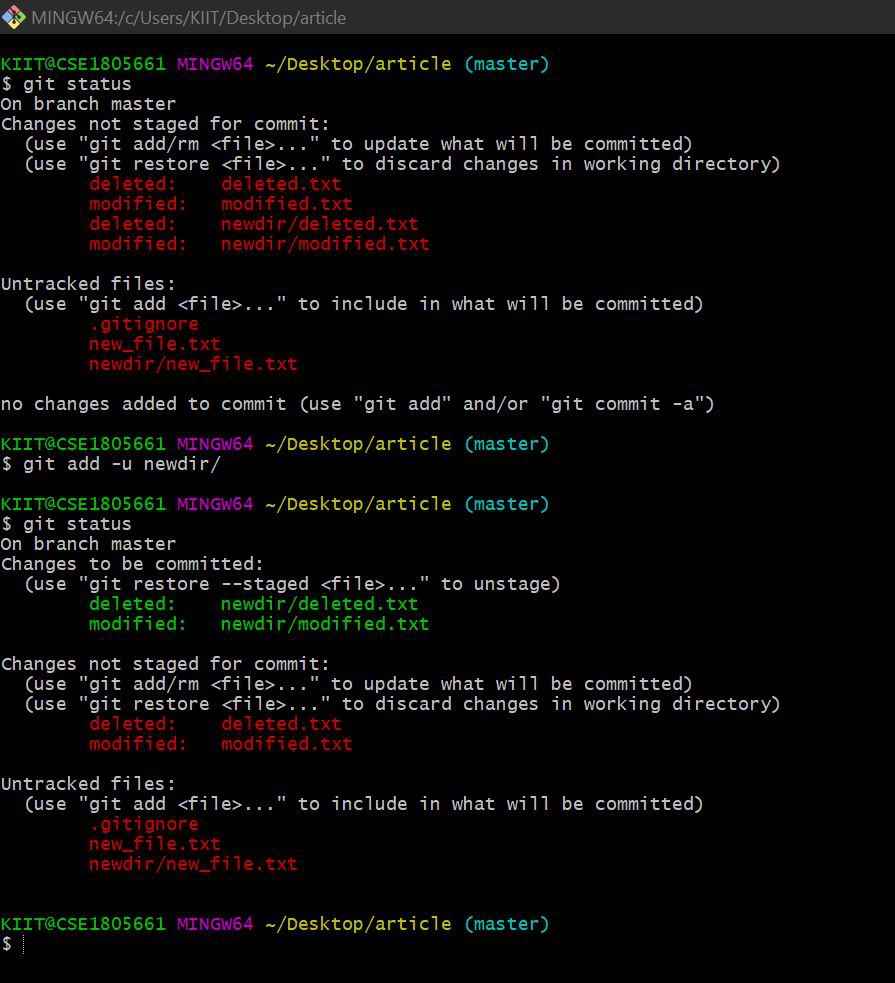
Specifying a directory stages only modified and deleted tracked files within that path, excluding untracked files and without affecting parent directories.
3. git add . : This specific command will stage all the changes no matter what type it is whether it be untracked files or deleted files or modified files.
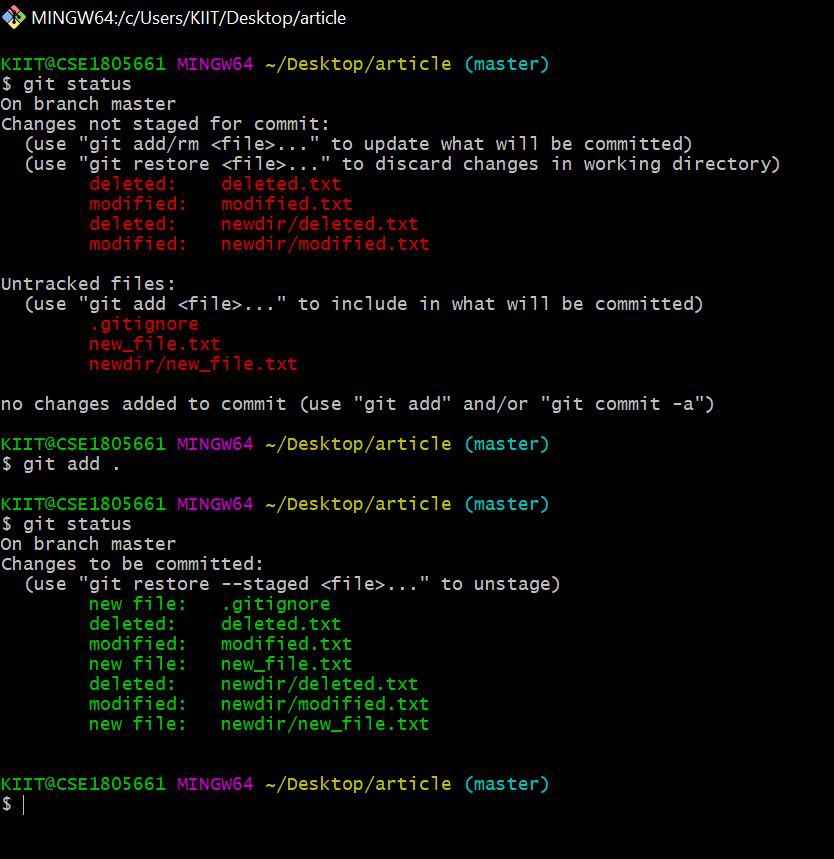
- All changes within the current directory and its subdirectories (including untracked, modified, and deleted files) are staged.
- Files outside the current directory are not affected, and only local scope changes move to staging.
4. git add * : Stages files using a shell wildcard pattern rather than Git’s internal tracking mechanism.

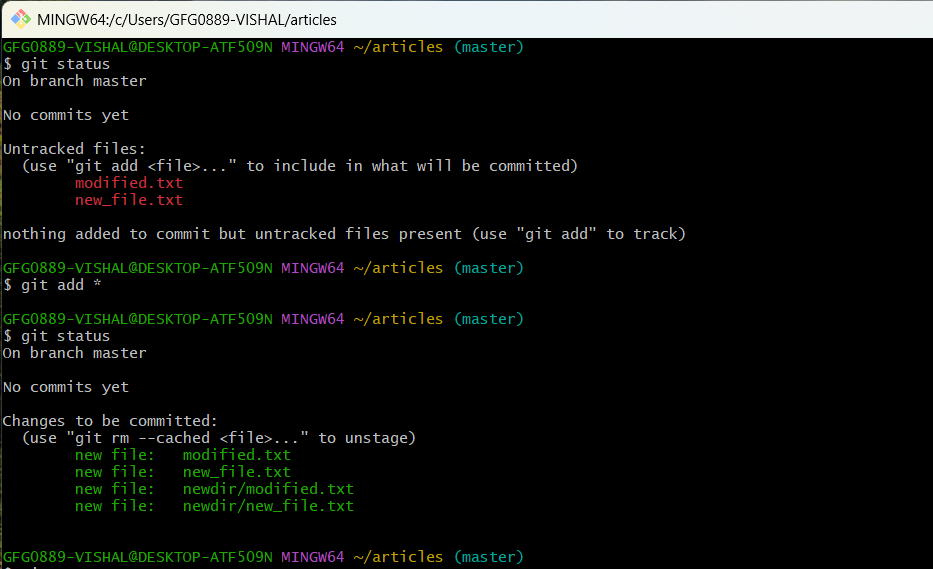
- May produce inconsistent results and fail to properly handle deleted files.
- Ignores hidden files and may miss some changes during staging.
Difference between add -A, add -u, add ., and add *
Comparison of git add options based on what changes they stage and their scope.
git add -A | git add -u | git add . | git add * |
|---|---|---|---|
Stages all changes across the entire repository | Stages only tracked (modified & deleted) files | Stages all changes in current directory & subdirectories | Stages files using shell wildcard |
Includes untracked, modified, and deleted files | Excludes untracked files | Includes untracked, modified, and deleted files (current dir only) | May miss untracked/hidden files |
Works regardless of current directory location | Can be limited to a specific path | Does not affect parent directories | Not Git-specific behavior |
Reliable and recommended | Reliable for tracked changes | Reliable within current scope | Not recommended due to inconsistency |
