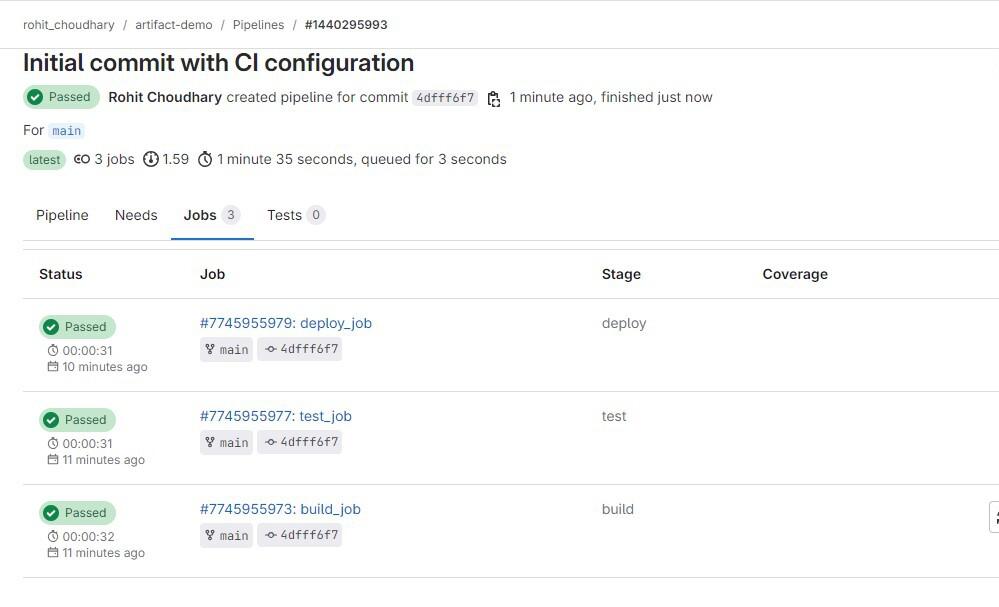
In GitLab CI/CD, artifacts are files or directories generated by a job and shared with subsequent jobs in later stages of the pipeline. Artifacts play an important role in building, testing, and deploying software, allowing data to persist across different stages of the CI/CD process.
In this article, we will see how to pass GitLab artifacts to another stage.
Table of Content
Steps To Pass GitLab artifacts To Another Stage
Step 1: Setting Up Your GitLab Project
Before you can pass artifacts between stages, you need to have a GitLab project. If you don't already have one, follow these steps:
1. Create a New GitLab Project:
- Sign in to your GitLab account.
- Navigate to the "New Project" option and choose "Create a blank project."
- Name your project (e.g., artifact-pipeline-example) and set its visibility.
- Initialize the Project Local
2. Initialize the Project Locally:
- Clone the project to your local machine using
git clone https://gitlab.com/users/sign_in- Replace your-username with your GitLab username.
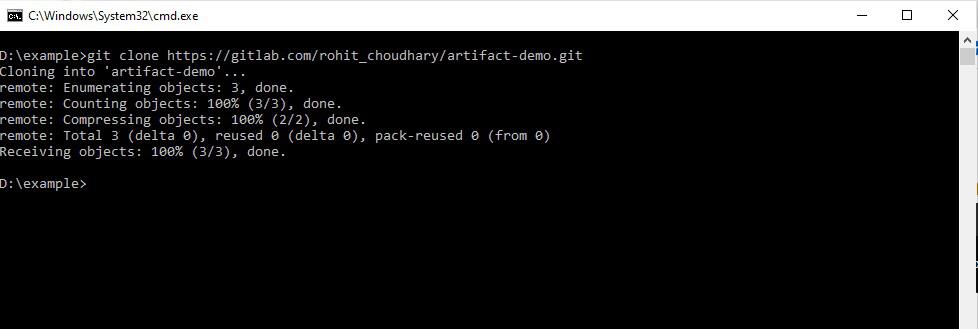
- Name the GitLab project according to your choice.
- Navigate to your cloned project.
3. Create Basic File Structure:
- Create a directory and file that will be used as an artifact:
mkdir -p build_output
echo "Initial content for the artifact" > build_output/artifact.txt
Step 2: Creating the .gitlab-ci.yml File
The .gitlab-ci.yml file is the configuration file for GitLab CI/CD pipelines. Here’s how to define the stages and jobs to pass artifacts between stages:
1. Define the Stages:
- In the .gitlab-ci.yml file, define the stages of your pipeline:
stages:
    - build
    - test
    - deploy
2. Configure the Build Stage:
- Create a job to generate the artifact:
build_job:
    stage: build
    script:
        - echo "Compiling the project..."
        - mkdir -p build_output
        - echo "Build artifact content" > build_output/artifact.txt
    artifacts:
        paths:
            - build_output/
This job creates a directory (build_output/) and generates an artifact (artifact.txt), which is then stored as an artifact.
3. Set Up the Test and Deploy Stages:
- Create jobs in the test and deploy stages that utilize the artifact generated in the build stage:
test_job:
    stage: test
    script:
        - echo "Running tests using the artifact..."
        - cat build_output/artifact.txt

deploy_job:
    stage: deploy
    script:
        - echo "Deploying the project..."
        - cat build_output/artifact.txt
Step 3: Committing and Pushing Your Changes
Once your .gitlab-ci.yml file is ready:
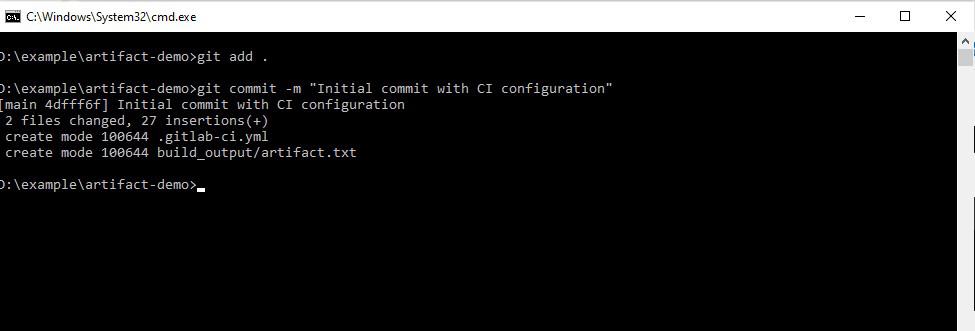
1. Add and Commit the Files:
git add .
git commit -m "Initial commit with CI configuration"
2. Push to GitLab:
git push origin main
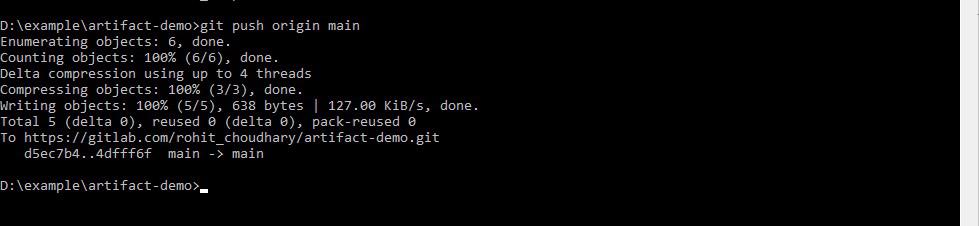
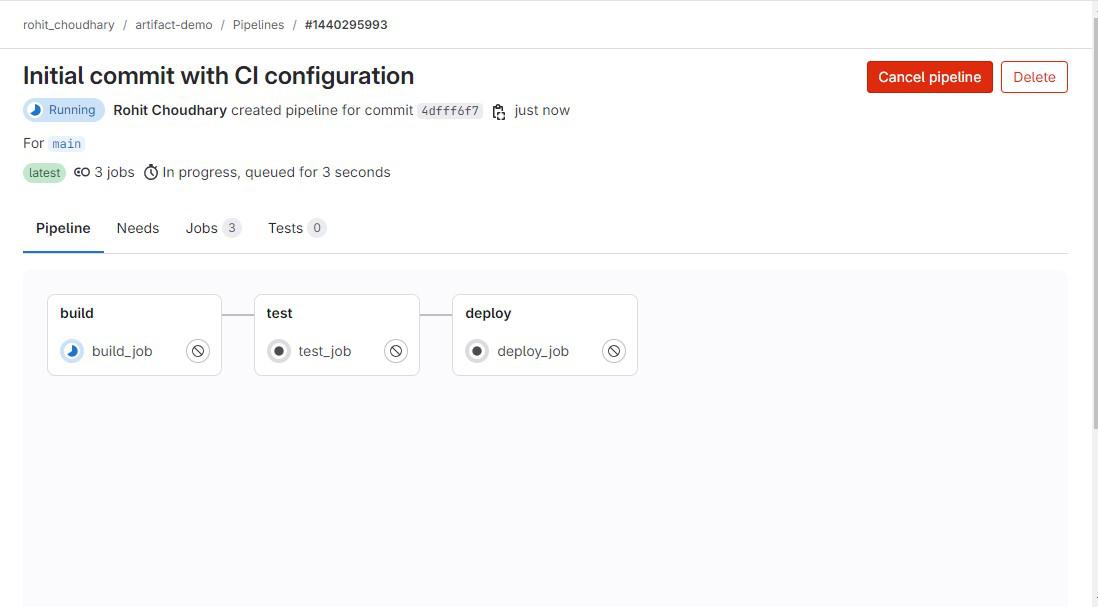
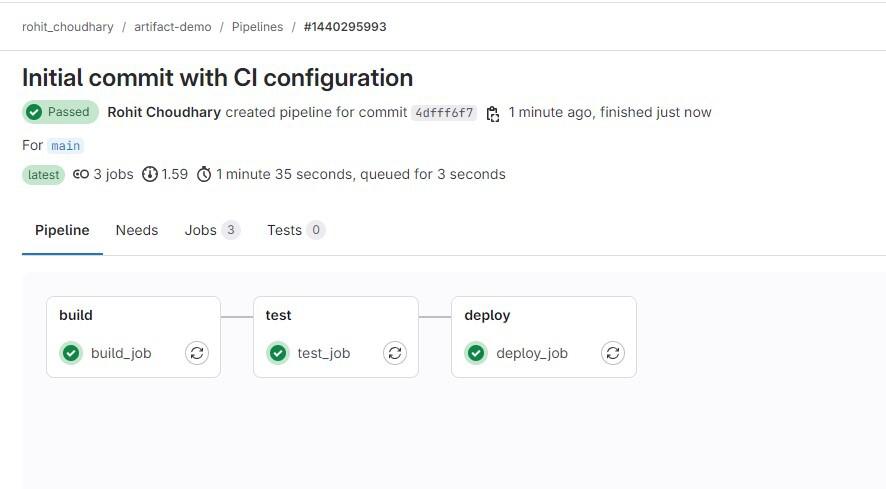
This will trigger the pipeline to run the build, test, and deploy stages sequentially.
Syntax: Here’s the general syntax for defining and passing artifacts in GitLab:
artifacts:
    paths:
        - <path_to_artifact>
    when: <always/never/on_failure>
    expire_in: <time_period>
    reports: <artifact_type>
- paths: Specifies the files or directories to be saved as artifacts.
- when: Defines when to upload the artifacts (e.g., always, never, on_failure).
- expire_in: Sets the expiration time for the artifacts (e.g., 1 week, 2 hours).
- reports: Specifies the type of artifact reports (e.g., junit, dotenv).
Example 1: Basic Artifact Passing
stages:
    - build
    - test

build_job:
    stage: build
    script:
        - echo "Compiling the project..."
        - mkdir -p build_output
        - echo "Build artifact content" > build_output/artifact.txt
    artifacts:
        paths:
            - build_output/

test_job:
    stage: test
    script:
        - cat build_output/artifact.txt
Output
Example 2: Conditional Artifacts
stages:
    - build
    - test

build_job:
    stage: build
    script:
        - mkdir -p build_output
        - echo "Content only if successful" > build_output/artifact.txt
    artifacts:
        paths:
            - build_output/
        when: on_success

test_job:
    stage: test
    script:
        - echo "This runs only if the build is successful"
        - cat build_output/artifact.txt
Output
Example 3: Expiring Artifacts
stages:
    - build
    - deploy

build_job:
    stage: build
    script:
        - mkdir -p build_output
        - echo "Temporary artifact" > build_output/artifact.txt
    artifacts:
        paths:
            - build_output/
        expire_in: 1 hour

deploy_job:
    stage: deploy
    script:
        - cat build_output/artifact.txt
Output