
The HTML <audio> controls attribute is used to specify the control to play audio. It is the Boolean value. This attribute is new in HTML5.
The audio control attribute contains the following property:
- Play
- Pause
- Seeking
- Volume
Syntax:
<audio controls>
Example:
<!DOCTYPE html>
<html>

<head>
    <title>
        HTML Audio controls Attribute
    </title>
</head>

<body style="text-align: center">

    <h1 style="color: green">
        GeeksforGeeks
    </h1>

    <h2 style="font-family: Impact">
        HTML Audio controls Attribute
    </h2>
    <br>

    <audio id="Test_Audio" controls>

        <source src=
"https://media.geeksforgeeks.org/wp-content/uploads/20190531165842/Recording1514.ogg"
                type="audio/ogg">

        <source src=
"https://media.geeksforgeeks.org/wp-content/uploads/20190531165842/Recording1514.mp3"
                type="audio/mpeg">
    </audio>
</body>

</html>
Output:
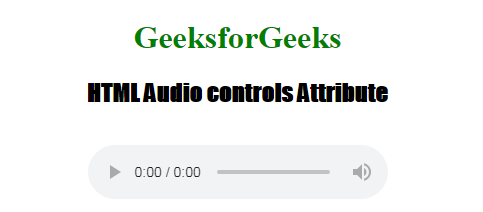
Supported Browsers: The browser supported by HTML <audio> controls attribute are listed below:
- Google Chrome 3.0 and above
- Edge 12.0 and above
- Internet Explorer 9.0 and above
- Firefox 3.5 and above
- Safari 3.1 and above
- Opera 10.5 and above
