
The DOM documentMode property in HTML is an IE8 property that is used to detect the document mode used by the browser to render the current page. It returns a different number depending on the mode of the page in which it is being rendered because IE8 can render a page in various modes depending on the page's doctype plus the presence of certain HTML elements. This property returns certain values depending on which version of IE we are using.
- If the page is running in IE5 then value displayed will be - 5
- If the page is running in IE7 then value displayed will be - 7
- If the page is running in IE8 then value displayed will be - 8
Note:
By default, the page is rendered in IE5 mode if !DOCTYPE is not specified.
Syntax:
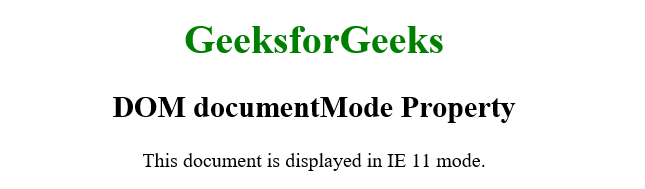
document.documentModeExample: In this example we displays a page with a title and headings, and uses JavaScript to show the current document mode of Internet Explorer by accessing the document.documentMode property and displaying its value.
<!DOCTYPE html>
<html>

<head>
    <title>DOM documentMode Property</title>
</head>

<body style="text-align: center;">
    <h1 style="color:green;">GeeksforGeeks</h1>
    <h2>DOM documentMode Property</h2>
    This document is displayed in IE
    <span id="geek"></span> mode.
    <script>
        let docMode = document.documentMode;
        document.getElementById("geek").innerHTML =
            docMode;
    </script>
</body>

</html>
Output:
Supported Browsers: The documentMode property is only supported by Internet Explorer.
