
The insertAdjacentElement() method inserts the specified element at the specified position. The legal values for this position are.
- afterbegin
- afterend
- beforebegin
- beforeend
Syntax:
node.insertAdjacentElement(position, element)
Parameters: This method requires 2 parameters.
- position: A position relative to the element. The legal values are :-
- afterbegin: Just inside the element, before its first child.
- afterend: After the element itself.
- beforebegin: Before the element itself.
- beforeend: Just inside the element, after its last child.
- element: The element you want to insert.
Return Value: The element that was inserted, or null, if the insertion failed.
Exceptions: If the specified position is not recognized or if the specified element is not a valid element.
Example:
<!DOCTYPE html>
<html>
<head>
    <!--script to insert specified
        element to the specified position-->
    <script>
        function insadjele() {
            var s = document.getElementById("d1");
            var h = document.getElementById("head3");

            h.insertAdjacentElement("afterend", s);
        }
    </script>
</head>

<body>
    <h1> Welcome To GeeksforGeeks</h1>
    <div id="d1">div element</div>
    <h3 id="head3">header element</h3>
    <p>Click the button to insert
      div element after the header element</p>
    <button onclick="insadjele()">Insert element</button>

</body>
</html>
Output:
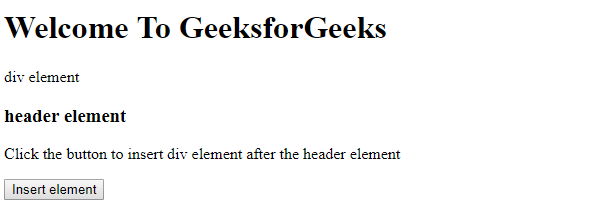
Before clicking insert element button:
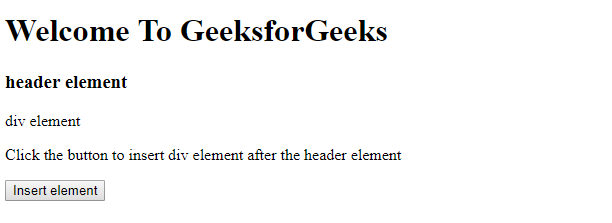
After clicking insert element button:
Supported Browsers: The browser supported by DOM insertAdjacentElement() Method are listed below:
- Google Chrome 1 and above
- Edge 17 and above
- Firefox 48 and above
- Opera 8 and above
- Internet Explorer 5 and above
- Safari 3 and above
