
The DOM Location origin Property in HTML is used to return the protocol, hostname and port number of a URL. This is a read-only property.
Syntax:
location.origin
Return Value: This method returns a String value representing the protocol, the domain name (or IP address) and port number. The URL's having the 'file://' protocol may return different values depending on the browser.
Note: Some browsers may not display the port number.
Below examples illustrate the above method:
Example:
<!DOCTYPE html>
<html lang="en">

<head>
    <title>DOM Location Origin Property</title>
</head>

<body>
    <h1 style="color: green">GeeksforGeeks</h1>
    <b>DOM Location Origin Property</b>
    <p>
      Click on the button to get the location
      origin of the page:
    </p>

    <button onclick="getOrigin();">
        Get Location Origin
    </button>

    <p>The location origin of this page is:</p>

    <div class="location"></div>

    <script>
        function getOrigin() {
            let loc = location.origin;
            document.querySelector('.location')
                .innerHTML = loc;
        }
    </script>
</body>

</html>
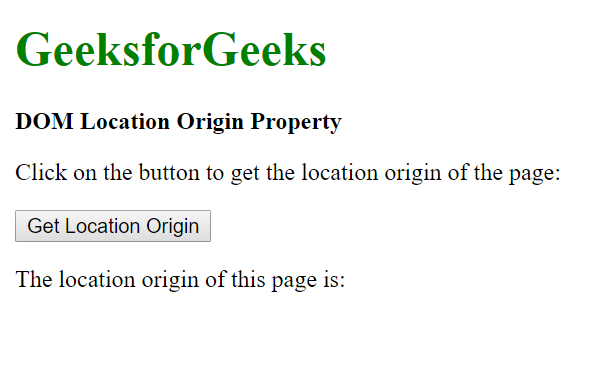
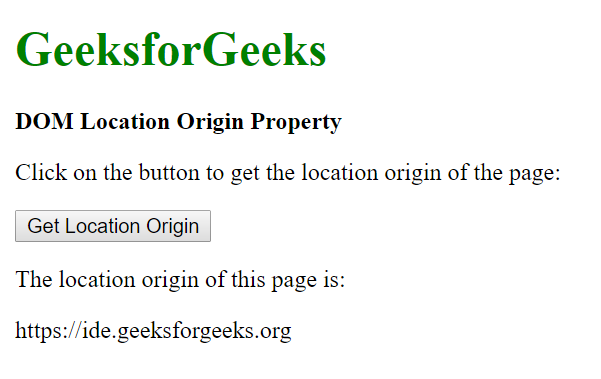
Output:
- Before clicking the button:
- After clicking the button:
Supported Browsers: The browser supported by DOM Location origin property are listed below:
- Google Chrome 8.0
- Edge 12.0
- Internet Explorer 11.0
- Firefox 21.0
- Opera 15.0
- Safari 5.1
