
The MouseEvent.pageX property returns the horizontal coordinate (in pixels) of the mouse pointer, relative to the entire document (not just the viewport), when a mouse event occurs. This value includes any horizontal scrolling that has been done
Syntax:
event.pageXReturn Values: It returns the horizontal mouse position relative to the full document, including any scrolling.
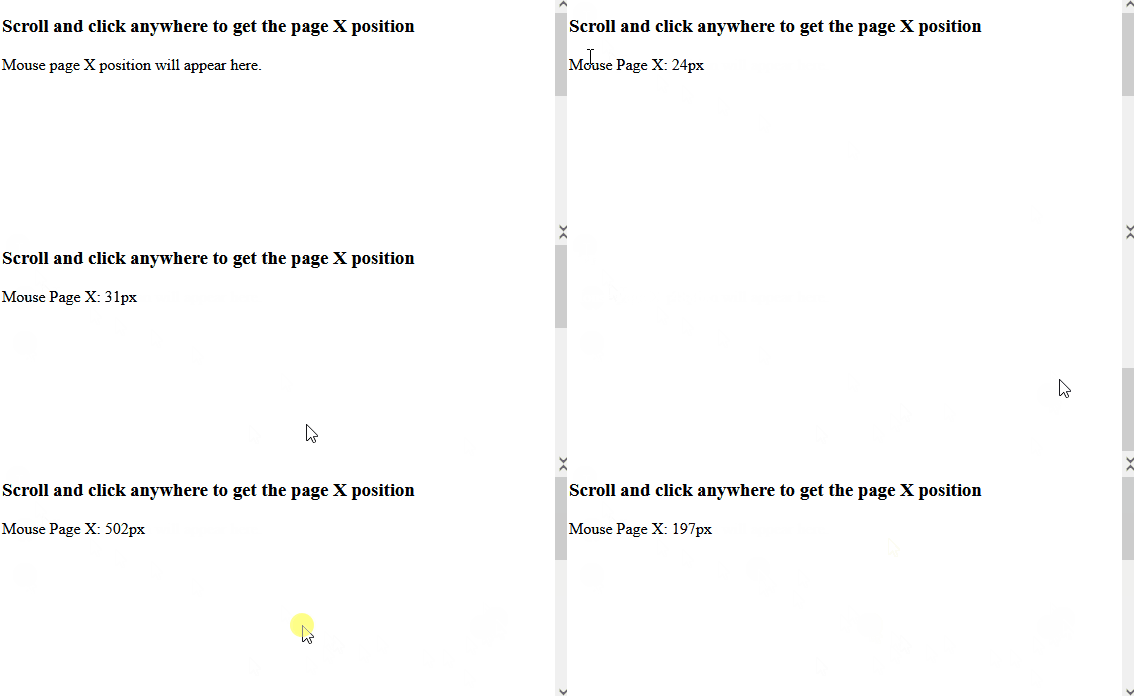
Example: The below example finds the horizontal coordinates of the mouse pointer when the mouse button is clicked on an element.
<!DOCTYPE html>
<html lang="en">

<head>
    <meta charset="UTF-8">
    <meta name="viewport" content="width=device-width, initial-scale=1.0">
    <title>MouseEvent pageX </title>
</head>

<body style="height: 500px;">
    <h3>Scroll and click anywhere to get the page X position</h3>
    <p id="output">Mouse page X position will appear here.</p>

    <script>
        document.addEventListener('click', function (event) {
            const pageX = event.pageX;
            document.getElementById('output').textContent =
            `Mouse Page X: ${pageX}px`;
        });
    </script>
</body>

</html>
Output:
Supported Browsers:
- Opera 12.1
- Google Chrome 1
- Firefox 12
- Apple Safari 1
