
The onmessage Event in HTML DOM used when an object has received some message through an event source. The event object for onmessage Event supports the following schemes:
- data: It contains the actual message present inside it.
- origin: It contains the URL of the document that invoked the event.
- lastEventId: It works as descriptive attribute for the last message that was spotted in the message stream.
Note: Server-Sent Events are not supported in Internet Explorer.
Syntax:
object.onmessage = function(){myScript}; - Using the addEventListener() method
object.addEventListener("message", myScript);
Example 1:
<!DOCTYPE html>
<html>

<head>
    <title>
        HTML DOM onmessage Event
    </title>
</head>

<body>
    <h1 id="gfg"></h1>
    <div id="geeks"></div>

    <!--Main Function-->
    <script>
        if (typeof(EventSource) !== "undefined") {
            var source = new EventSource("/html/demo_sse.php");
            source.onopen = function() {
                document.getElementById("gfg").innerHTML =
                                               "GeeksforGeeks";
            };

            source.onmessage = function(event) {
                document.getElementById("geeks").innerHTML +=
                                           event.data + "<br>";
            };

        }
        else {
            document.getElementById("geeks").innerHTML =
                                    "browser does not support";
        }
    </script>
</body>

</html>
Output:
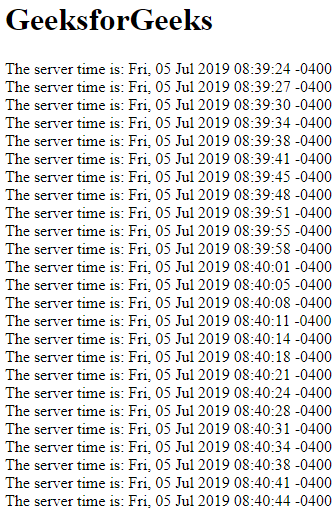
Example 2: Using the addEventListener() method
<!DOCTYPE html>
<html>

<head>
    <title>
        HTML DOM onmessage Event
    </title>
</head>

<body>
    <h1 id="gfg"></h1>
    <div id="geeks"></div>

    <!--main Function-->
    <script>
        if (typeof(EventSource) !== "undefined") {
            var source = new EventSource("/html/demo_sse.php");
            source.addEventListener("open", function() {
                document.getElementById("gfg").innerHTML =
                                               "GeeksforGeeks";
            });

            source.addEventListener("message", function(event) {
                document.getElementById("geeks").innerHTML +=
                                           event.data + "<br>";
            });

        } else {
            document.getElementById("geeks").innerHTML =
                             "Your browser does not supported";
        }
    </script>

</body>

</html>
Output:
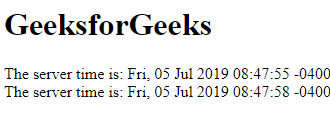
Supported browsers: The browser supported by onmessage Event are listed below:
- Google Chrome 60.0
- Edge 12.0
- Mozilla Firefox 9.0
- Internet Explorer 8.0
- Apple Safari 4.0
- Opera 47.0
