
The Style transitionProperty property in HTML DOM used to set the name of the CSS property for the transition effect. It can occur when a user hover over an element. It returns the transitionProperty property of an element.
Syntax:
- It returns the transitionProperty property.
object.style.transitionProperty
- It is used to set the transitionProperty property.
object.style.transitionProperty = "none | all | property |
                                   initial | inherit"
Property Values:
- none: The transition effect will not apply to any element.
- all: All elements will get a transition effect. It is a default value.
- property: It is used to specify a comma-separated value for CSS property names for the transition effect.
- initial: It sets the transitionProperty property to its default value.
- inherit: This property is inherited from its parent element.
Return Value: It returns a string representing the transitionProperty property of an element.
Example1:
<!DOCTYPE html>
<html>

<head>
    <title>DOM Style transitionProperty Property </title>
    <style>
        #gfg {
            border: 3px solid blue;
            background-color: green;
            width: 100px;
            height: 50px;
            -webkit-transition: all 2s;
            /* for safari 3.1 to 6.0 */
            transition: all 2s;
        }

        #gfg:hover {
            background-color: green;
            width: 200px;
            height: 100px;
        }
    </style>
</head>

<body>

    <center>
        <h1 style="color:green;">
            GeeksForGeeks
        </h1>
        <h2>
            DOM Style transitionProperty Property
        </h2>

        <div id="gfg" style="color:white">
            A Computer science portal for geeks
        </div>
        <br>
        <button type="button"
                onclick="geeks()">
            Click
        </button>

        <script>
            function geeks() {
                document.getElementById(
                    "gfg").style.transitionProperty = "all";

                //  for safari 3.1 to 6.0
                document.getElementById(
                    "gfg").style.WebkitTransitionProperty = "all";
            }
        </script>
    </center>
</body>

</html>
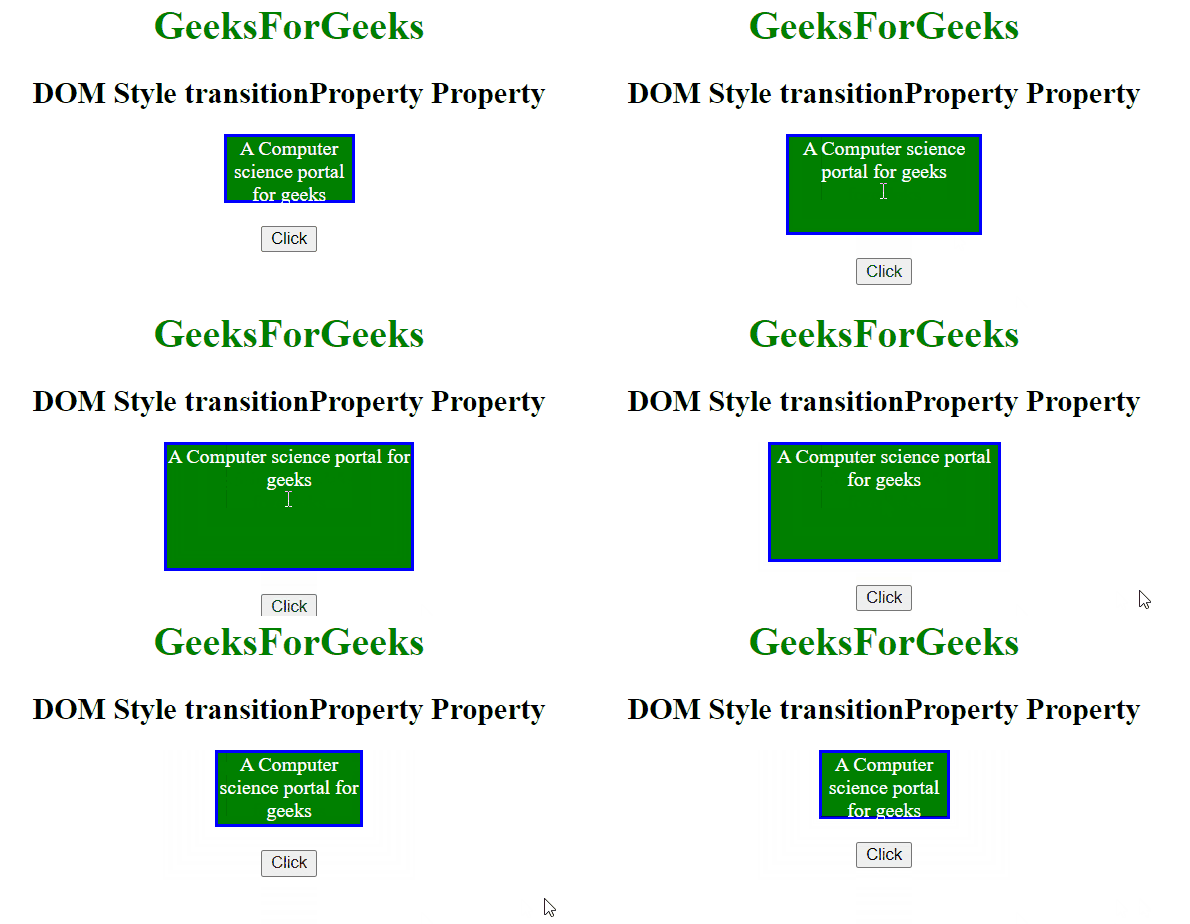
Output:
Example 2:
<!DOCTYPE html>
<html>

<head>
    <title>DOM Style transitionProperty Property </title>
    <style>
        #gfg {
            border: 3px solid blue;
            background-color: green;
            width: 100px;
            height: 50px;
            -webkit-transition: all 2s;
            /* for safari */
            transition: all 2s;
        }

        #gfg:hover {
            background-color: green;
            width: 200px;
            height: 100px;
        }
    </style>
</head>

<body>

    <center>
        <h1 style="color:green;">
            GeeksForGeeks
        </h1>
        <h2>
            DOM Style transitionProperty Property
        </h2>

        <div id="gfg" style="color:white">
            A Computer science portal for geeks
        </div>
        <br>
        <button type="button"
                onclick="geeks()">
            Click
        </button>

        <script>
            function geeks() {

                document.getElementById(
                    "gfg").style.transitionProperty =
                    "width, height";

                document.getElementById(
                    "gfg").style.WebkitTransitionProperty =
                    "width, height";
            }
        </script>
    </center>
</body>

</html>
Output:

Supported Browsers: The browser supported by DOM Style transitionProperty property are listed below:
- Google Chrome 26.0 and above
- Edge 12.0 and above
- Internet Explorer 10.0 and above
- Firefox 16.0 and above
- Opera 12.1 and above
- Apple Safari 9 and above
