
The Style wordSpacing property in HTML DOM is used to set or return the spacing between the words. It can also be used to specify space between words.
Syntax:
- It returns the wordSpacing property.
object.style.wordSpacing - It is used to set the wordSpacing property.
object.style.wordSpacing = "normal | length | initial | inherit"Property Values:
Property Value | Description |
|---|---|
normal | This is used to specify normal spacing between words.It is a default value. |
length | This is used to specify space between the words in length units.It can allow negative values. |
initial | It sets the wordSpacing property to its default value. |
inherit | This property is inherited from its parent element. |
Return Value: It returns a string representing the space between the words in a text.
Example 1: In this example, change the word spacing using wordSpacing property.
<!DOCTYPE html>
<html>

<head>
    <title>HTML DOM Style wordSpacing Property</title>
</head>

<body style="text-align: center;">

    <h1>GeeksforGeeks</h1>

    <h2>HTML DOM Style wordSpacing Property</h2>

    <p id="GFG">
        A Computer science portal for geeks
    </p>

    <button onClick="myGeeks()">
        Click Here!
    </button>

    <script>
        function myGeeks() {
            document.getElementById("GFG")
                .style.wordSpacing = "30px";
        }
    </script>
</body>

</html>
Output:
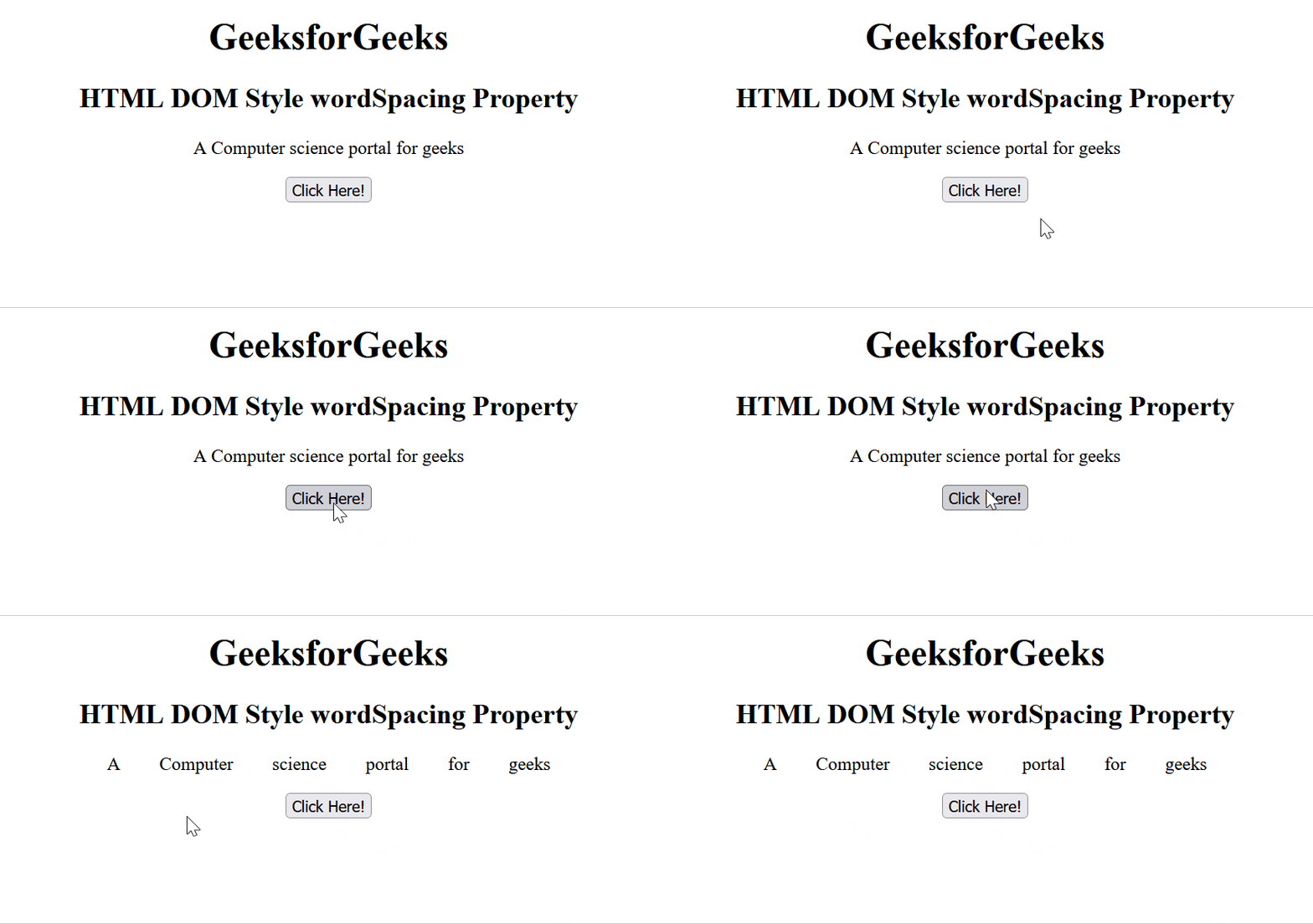
Example 2: In this example, change the word spacing using wordSpacing property.
<!DOCTYPE html>
<html>

<head>
    <title>HTML DOM Style wordSpacing Property</title>
</head>

<body style="text-align: center;">

    <h1>GeeksforGeeks</h1>

    <h2>HTML DOM Style wordSpacing Property</h2>

    <p id="GFG">
        A Computer science portal for geeks
    </p>

    <button onClick="myGeeks()">
        Click Here!
    </button>

    <script>
        function myGeeks() {
            document.getElementById("GFG")
                .style.wordSpacing = "-20px";
        }
    </script>
</body>

</html>
Output:

Supported Browsers:
- Chrome 1
- Edge 12
- Firefox 1
- Opera 3.5
- Safari 1
