The <time> datetime Attribute in HTML is used to specify the date and time when the text was deleted/inserted.
It also defines the machine-readable date/time of the <time> element. The date-time is inserted in the format YYYY-MM-DDThh:mm:ss
Syntax:
<time datetime="YYYY-MM-DDThh:mm:ss TZD"> Attribute Values:
This attribute contains a single value YYYY-MM-DDThh:mm:ssTZD which is used to specify the date and time when the text was deleted. The explanation of datetime components is listed below:
| Attribute Values | Description |
|---|---|
YYYY | Sets the year of the datetime object (e.g., 2009). |
MM | Sets the month of the datetime object (e.g., 05 for March). |
DD | Sets the day of the month of the datetime object (e.g., 04). |
T | Required separator between date and time components. |
hh | Sets the hour of the datetime object (e.g., 18 for 06:00 pm). |
mm | Sets the minutes of the datetime object (e.g., 34). |
ss | Sets the seconds of the datetime object (e.g., 40). |
TZD | Time Zone Designator, where 'Z' denotes Zulu (Greenwich Mean Time). |
HTML <time> datetime Attribute Examples
Example 1: In this example we show the use of the <time> element with the datetime attribute to represent a specific date and time, in this case, celebrating Jawaharlal Nehru's birthday on Children's Day.
<!DOCTYPE html>
<html>

<head>
    <title>
        HTML Time dateTime Attribute
    </title>
</head>

<body style="text-align: center">
    <h1>GeeksforGeeks</h1>

    <h2>
        HTML <Time>dateTime Attribute
    </h2>
    <p>
        Jawahar lal Nehru birthday is
        celebrated on
        <time datetime="2018--11-14 12:00">
            children's day.
        </time>
    </p>
</body>

</html>
Output :

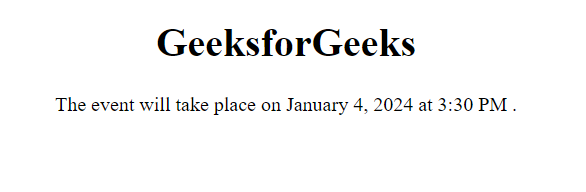
Example 2: In this example we demonstrates the <time> element with the datetime attribute indicating an event scheduled for January 4, 2024, at 3:30 PM.
<!DOCTYPE html>
<html>

<head>
    <title>
        HTML Time dateTime Attribute
    </title>
</head>

<body style="text-align:center;">
    <h1>GeeksforGeeks</h1>
    <p>
        The event will take place on
      <time datetime="2024-01-04T15:30:00">January 4, 2024 at 3:30 PM</time>.
    </p>
</body>

</html>
Output: