The SVG Polyline the <polyline> element wrapped inside the <SVG> element is used to create a polyline. Its simplicity lies in defining points through coordinates, forming a connected series of straight-line segments. This lightweight and scalable feature enhances visual aesthetics on websites without revealing their underlying complexity. The stroke width defines the thickness and fill having a value of none.
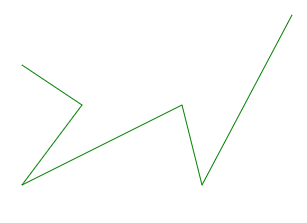
Example 1: In this example, we will create a polyline with a stroke of green.
<!DOCTYPE html>
<html lang="en">

<head>
    <meta charset="UTF-8">
    <meta name="viewport"
          content="width=device-width,
                   initial-scale=1.0">
    <title>SVG Polyline</title>
</head>

<body>
    <svg height="500"
         width="500">
        <polyline points="20,60 80,100 20,180 180,100 200,180 290,10"
                  fill="none"
                  stroke="green">
          </polyline>
    </svg>
</body>

</html>
Output:
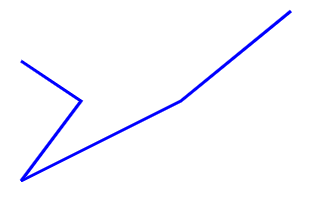
Example 2: In this example, we create a polyline with stroke blue and stroke-width.
<!DOCTYPE html>
<html lang="en">

<head>
    <meta charset="UTF-8">
    <meta name="viewport"
          content="width=device-width,
                   initial-scale=1.0">
    <title>SVG Polyline</title>
</head>

<body>
    <svg height="500" width="500">
        <polyline points="20,60 80,100 20,180 180,100  290,10"
                  fill="none"
                  stroke="blue"
                  stroke-width="3">
        </polyline>
    </svg>
</body>

</html>
Output: