
Seaborn is a powerful Python data visualization library built on top of Matplotlib. It offers a high-level interface for creating attractive and informative statistical charts with minimal code. The Kaggle environment usually comes pre-configured with Seaborn, but if you need to install or upgrade it, this guide will help you do it quickly and correctly.
Prerequisites
Before installing Seaborn in a Kaggle notebook, make sure you have:
- A Kaggle account
- Access to Kaggle notebooks (Code / Notebooks section)
- Basic knowledge of Python and the Project Jupyter notebook environment
- Installing Seaborn via Kaggle Notebook
Installing Seaborn in a Kaggle Notebook
To install Seaborn in Kaggle, follow these steps:
- Step 1: Open a Kaggle notebook by navigating to the "Code" section or by starting a new notebook from the "Notebooks" page.
- Step 2: To install Seaborn or upgrade it to a specific version, use the `!pip install` command at the beginning of a cell:
!pip install seaborn

- Alternatively, to install a specific version:
!pip install seaborn==0.13.2
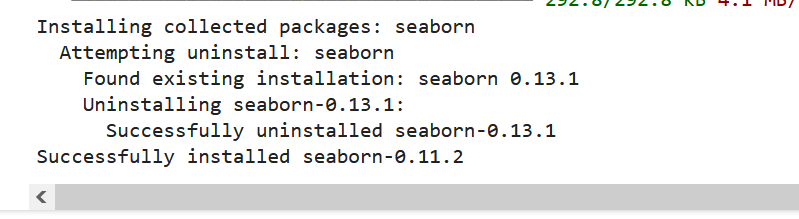
This will install Seaborn in your notebook environment.
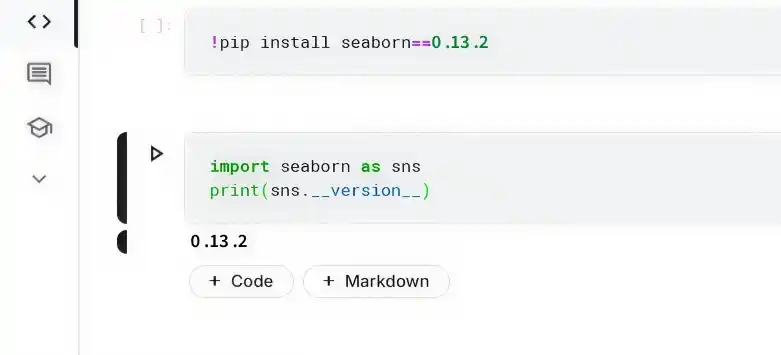
- Step 3: Verifying the Installation
import seaborn as sns
print(sns.__version__)
- If no errors occur and the version is printed, Seaborn has been installed successfully.
Troubleshooting Common Issues
While installing Seaborn in Kaggle is usually straightforward, you might run into some issues:
ModuleNotFoundError:
- Re-check the installation command for typos
- Re-run the cell to ensure installation completed
Version Compatibility Issues:
- If you need a specific version, uninstall first:
!pip uninstall seaborn
Then reinstall the required version.
Connection Issues:
- Ensure you have a stable internet connection since Kaggle needs internet access to install packages.
