
The mouseEvent altKey property is used to define whether the alt key is pressed or not. It is a boolean value. When the alt key is pressed then on click of the mouse buttons it returns true and if it is not pressed then it returns false.
Syntax:
event.altKey
Return Value: It returns a boolean value indicating whether the alt key is pressed or not.
- true: it indicates the alt key is pressed
- false: it indicates the alt key is not pressed
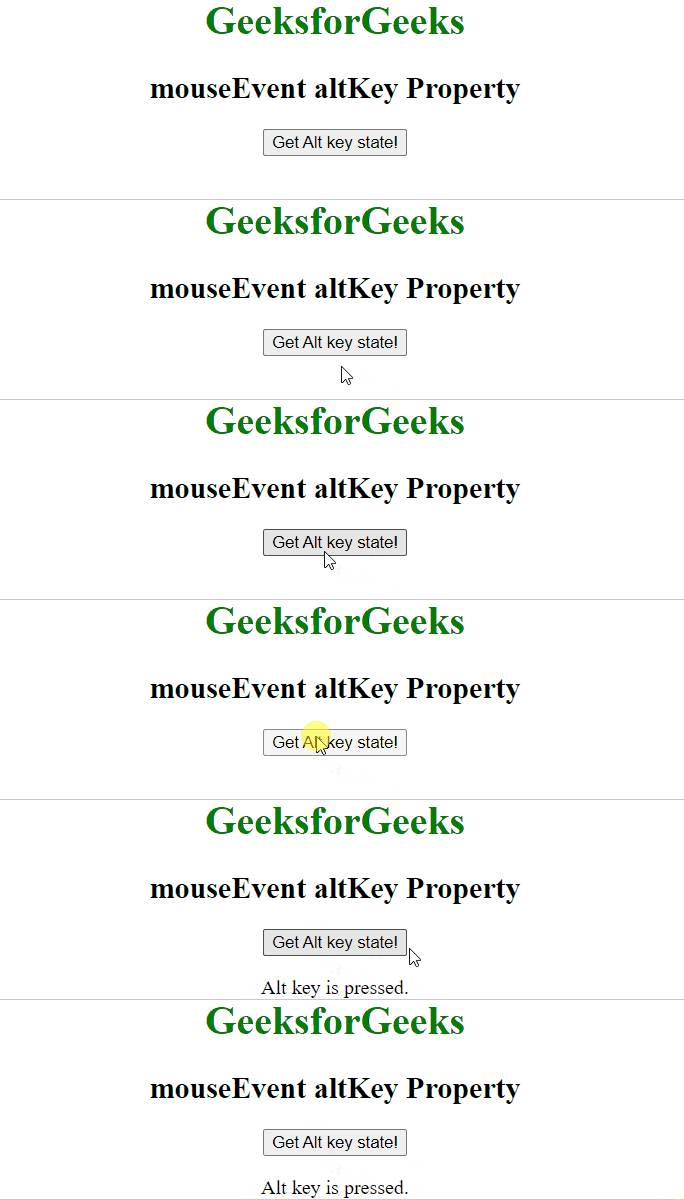
Example: In this example, we will see the example of MouseEvent altKey property.
<body style="text-align:center;">

    <h1 style="color:green;">
        GeeksforGeeks
    </h1>

    <h2>
        mouseEvent altKey Property
    </h2>

    <button onclick="geek (event);">Get Alt key state!</button>
    <p id="gfg"></p>
    <script>
        function geek(event) {
            if (event.altKey) {
                document.getElementById("gfg")
                        .innerHTML = "Alt key is pressed.";
            } else {
                document.getElementById("gfg")
                        .innerHTML ="Alt key is not pressed.";
            }
        }
    </script>
</body>
Output:
Supported Browsers: The browser supported by mouseEvent altKey Property are listed below:
- Apple Safari
- Google Chrome
- Firefox
- Opera
- Internet Explorer
