
EasyUI is an HTML5 framework for using user interface components based on jQuery, React, Angular, and Vue technologies. It helps in building features for interactive web and mobile applications saving a lot of time for developers.
In this article, we will learn how to design a spinner using jQuery EasyUI. spinner widget combines an editable text box and two small buttons that let the user choose from a range of values
Downloads for EasyUI for jQuery:
https://www.jeasyui.com/download/index.php
Syntax:
<input class="easyui-spinner">
Property:
- width: The width of this component.
- height: The height of this component.
- value: The initialize value.
- min: The minimum allowed value.
- max: The maximum allowed value.
- increment: The increment value when click spinner button.
- editable: Defines if user can type value directly into the field.
- disabled: Defines if to disable the field.
- readonly: Defines if the component is read-only.
- spinAlign: Defines the alignment of the spin buttons.
Events:
- onSpinUp: Fires when user click the up spinner button.
- onSpinDown: Fires when user click the down spinner button.
Methods:
- options: Return the options object.
- destroy: Destroy the spinner component.
- resize: Reset the component width.
- enable: Enable the component.
- disable: Disable the component.
- getValue: Get the component value.
- readonly: Enable/Disable readonly mode.
- setValue: Set the component value.
- clear: Clear the component value.
- reset: Reset the component value.
Approach:
- First, add jQuery Easy UI scripts needed for your project.
<script type="text/javascript" src="jquery.min.js">
</script>
<!--jQuery libraries of EasyUI -->
<script type="text/javascript"
src="jquery.easyui.min.js">
</script>
<!--jQuery library of EasyUI Mobile -->
<script type="text/javascript"
src="jquery.easyui.mobile.js">
</script>
Example:
<!Doctype html>
<html>

<head>
    <meta charset="UTF-8">
    <meta name="viewport" content="initial-scale=1.0,
        maximum-scale=1.0, user-scalable=no">

    <!-- EasyUI specific stylesheets-->
    <link rel="stylesheet" type="text/css"
        href="themes/metro/easyui.css">

    <link rel="stylesheet" type="text/css"
        href="themes/mobile.css">

    <link rel="stylesheet" type="text/css"
        href="themes/icon.css">

    <!--jQuery library -->
    <script type="text/javascript" src="jquery.min.js">
    </script>

    <!--jQuery libraries of EasyUI -->
    <script type="text/javascript"
        src="jquery.easyui.min.js">
    </script>

    <!--jQuery library of EasyUI Mobile -->
    <script type="text/javascript"
        src="jquery.easyui.mobile.js">
    </script>

<script type="text/javascript">
  $(document).ready(function (){
      $('#gfg').spinner({
          required:true
      });
  });
    </script>
</head>

<body>

    <h1>GeeksforGeeks</h1>
    <h3>EasyUI jQuery spinner widget</h3>

   <input id="gfg" class="easyui-spinner">

</body>
</html>
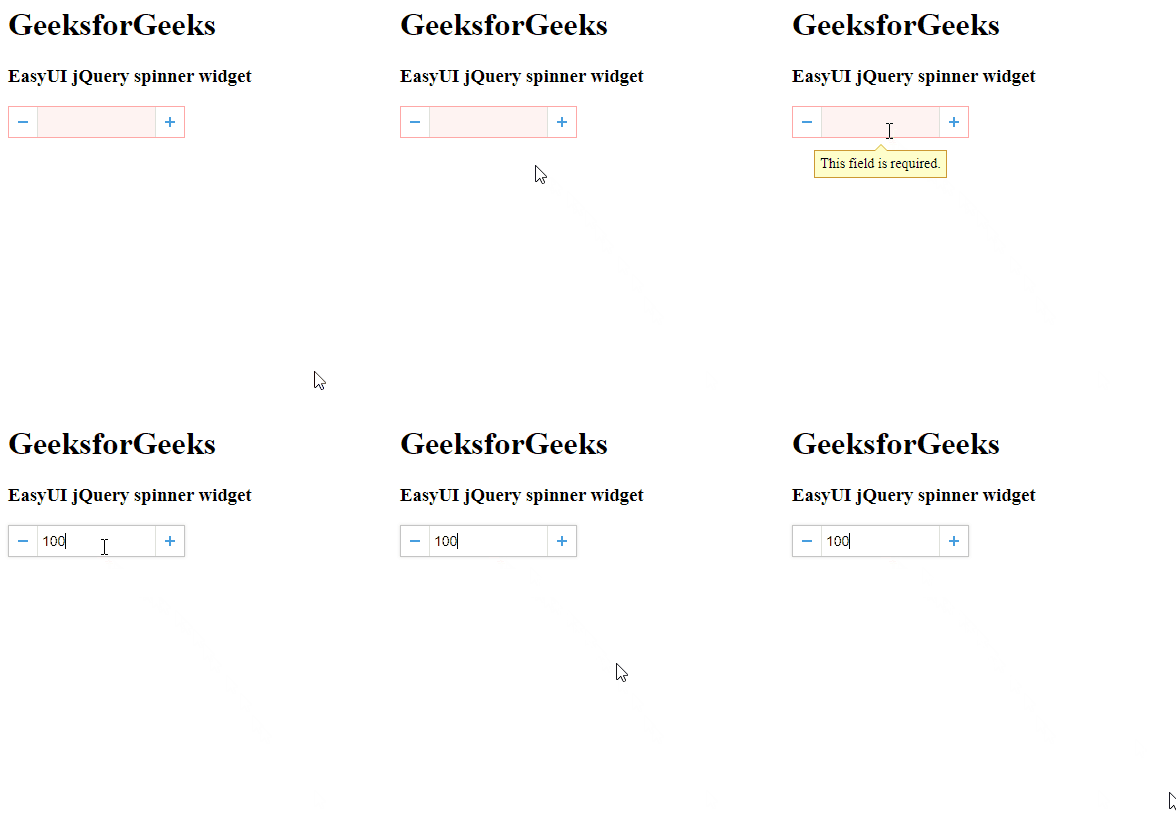
Output:
Reference: http://www.jeasyui.com/documentation/
