The ajaxSend() method in jQuery is used to specify the function to be run when an AJAX request is about to send.
Syntax:
$(document).ajaxSend( function(event, xhr, options) )
Parameters:
This method accepts a single parameter function which is mandatory. The function accepts three parameters as mentioned above and described below:
- event: It holds the event object.
- xhr: It holds the XMLHttpRequest object.
- options: It holds the used options in AJAX requests.
The demo.txt file stored on server and it will load after clicking the change content button.
demo.txt:
This is GFG.
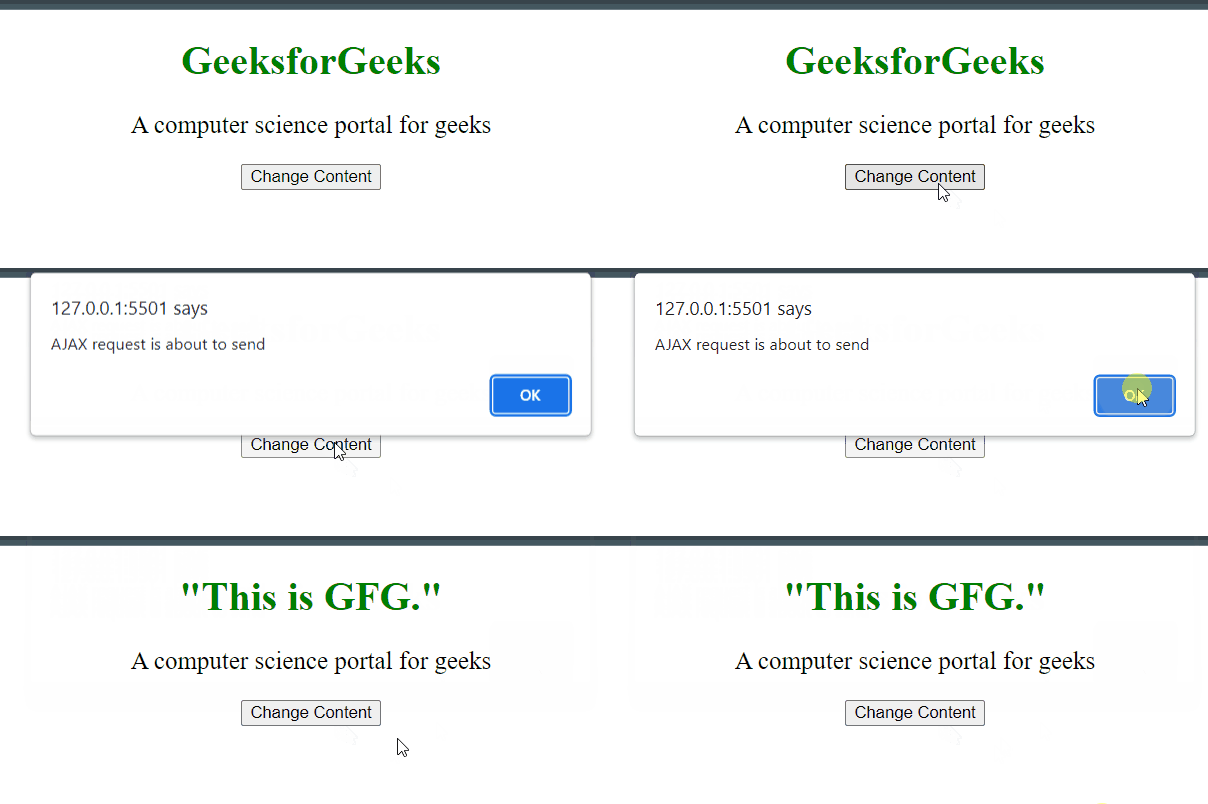
Example 1: This example changes the content of <p> element, by taking the data from server. When the AJAX request is ready to send, the page says AJAX request is about to send.
<!DOCTYPE html>
<html>

<head>
    <script src=
"https://ajax.googleapis.com/ajax/libs/jquery/3.3.1/jquery.min.js">
    </script>

    <!-- Script to use ajaxSend() method -->
    <script>
        $(document).ready(function () {
            $(document).ajaxSend(function () {
                alert("AJAX request is about to send");
            });

            $("button").click(function () {
                $("#paragraph").load("demo.txt");
            });
        });
    </script>
</head>

<body style="text-align:center;">

    <div id="div_content">

        <h1 style="color: green;">
            GeeksforGeeks
        </h1>

        <p id="paragraph" style="font-size: 20px;">
            A computer science portal for geeks
        </p>
    </div>

    <button>
        Change Content
    </button>
</body>

</html>
Output:
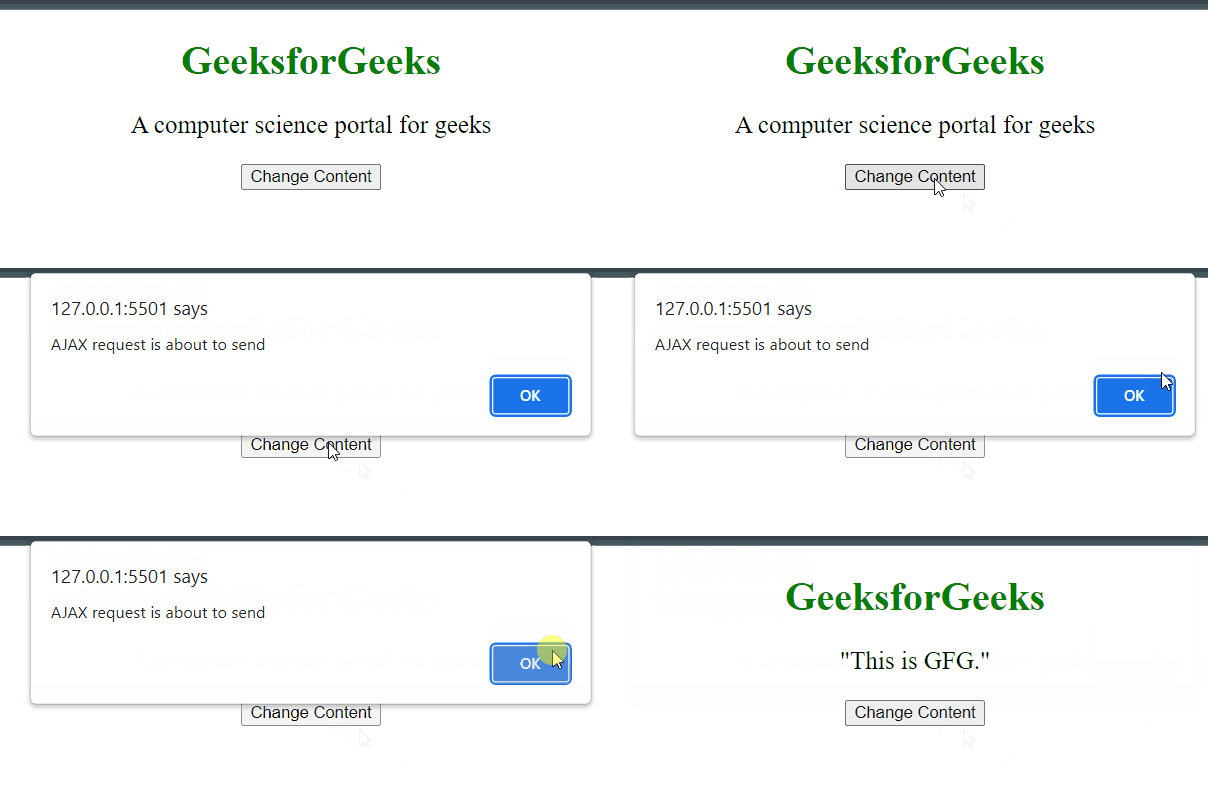
Example 2: This example changes the content of <h1> element, by taking the data from the server. When the AJAX request is ready to send, the page says AJAX request is about to send.
<!DOCTYPE html>
<html>

<head>
    <script src=
"https://ajax.googleapis.com/ajax/libs/jquery/3.3.1/jquery.min.js">
    </script>

    <!-- Script to use ajaxSend() method -->
    <script>
        $(document).ready(function () {
            $(document).ajaxSend(function () {
                alert("AJAX request is about to send");
            });

            $("button").click(function () {
                $("#heading").load("demo.txt");
            });
        });
    </script>
</head>

<body style="text-align:center;">

    <div id="div_content">

        <h1 id="heading"
            style="color: green;">
            GeeksforGeeks
        </h1>

        <p style="font-size: 20px;">
            A computer science portal for geeks
        </p>
    </div>
    <button>
        Change Content
    </button>
</body>

</html>
Output: