<script src="https://malsup.github.io/jquery.blockUI.js"></script>
Syntax: For blocking the UI
$.blockUI();
For unblocking the UI
$.unblockUI();
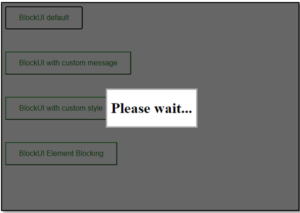
When we call blockUI without parameters, it displays a "Please wait" message on the screen. We can change the messages by adding parameters to it. To block only an element and not the whole page, we have to make a slightly different call, block and unblock. To get a better understanding, let us see a basic example.
Example:
<!DOCTYPE html>
<html>

<head>
    <title>BlockUI</title>

    <script src=
"https://cdnjs.cloudflare.com/ajax/libs/jquery/3.3.1/jquery.min.js">
    </script>

    <script src=
        "https://malsup.github.io/jquery.blockUI.js">
    </script>

    <style>
        .btn {
            background-color: white;
            color: black;
            padding: 14px 28px;
            font-size: 16px;
            cursor: pointer;
            margin-bottom: 3rem;
        }

        .success {
            border-color: #4CAF50;
            color: green;
        }

        .success:hover {
            background-color: #4CAF50;
            color: white;
        }
    </style>
</head>

<body>
    <button class="btn success" id="blockd">
        BlockUI default</button>
    <br>
    <button class="btn success" id="blockm">
        BlockUI with custom message</button>
    <br>
    <button class="btn success" id="blocks">
        BlockUI with custom style
    </button>
    <div id="blockel">
        <button class="btn success" id="blocke">
            BlockUI Element Blocking</button>
    </div>
    <div id="message" style="display: none;">
        <h1>Loading ...</h1>
    </div>

    <script>
        $(document).ready(function () {
            $("#blockd").click(function () {

                // Default blockUI code
                $.blockUI();
                setTimeout(function () {

                    // Timer to unblock
                    $.unblockUI();
                }, 3000);
            });

            $("#blockm").click(function () {

                // blockUI code with custom message
                $.blockUI({ message: $('#message') });
                setTimeout(function () {
                    $.unblockUI();
                }, 3000);
            });

            $("#blocks").click(function () {
                $.blockUI({

                    // blockUI code with custom
                    // message and styling
                    message: "<h3>GeeksForGeeks loading...<h3>",
                    css: { color: 'green', borderColor: 'green' }
                });
                setTimeout(function () {
                    $.unblockUI();
                }, 3000);
            });

            $("#blocke").click(function () {
                $("#blockel").block({

                    // BlockUI code for element blocking
                    message: "<h3>GeeksForGeeks loading...<h3>",
                    css: { color: 'green', borderColor: 'green' }
                });
                setTimeout(function () {
                    $("#blockel").unblock();
                }, 3000);
            });
        });
    </script>
</body>

</html>
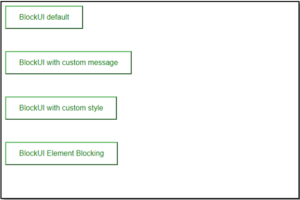 After BlockUI activated:
Default BlockUI:
After BlockUI activated:
Default BlockUI:
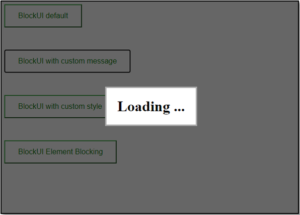
 BlockUI with custom message:
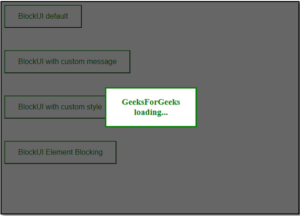
 BlockUI with custom styling:
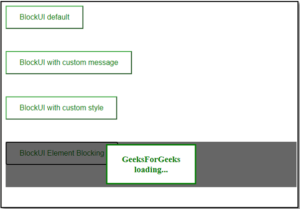
 BlockUI Element Blocking: