This deferred.done() method in jQuery is used to add handlers which are to be called when the deferred object is resolved.
Syntax:
deferred.done(Callbacks [, Callbacks])
Parameters:
- Callbacks: This parameter specifies a function, or array of functions, which are called when the Deferred is resolved.
- Callbacks: This parameter specifies an optional additional functions, or arrays of functions, which are called when the Deferred is resolved.
Return Value: This method returns the deferred object.
Example 1:
<!DOCTYPE HTML>
<html>

<head>
    <script src="https://code.jquery.com/jquery-3.5.0.js">
    </script>
</head>

<body style="text-align:center;">
    <h1 style="color:green;">
        GeeksForGeeks
    </h1>


    <p>
        JQuery | deferred.done() method
    </p>


    <button onclick="Geeks();">
        click here
    </button>

    <script>
        function Geeks() {
            $.get("testingGFG.php").done(function () {
                alert("$.get successfully completed!");
            });
        }
    </script>
</body>

</html>
Output:
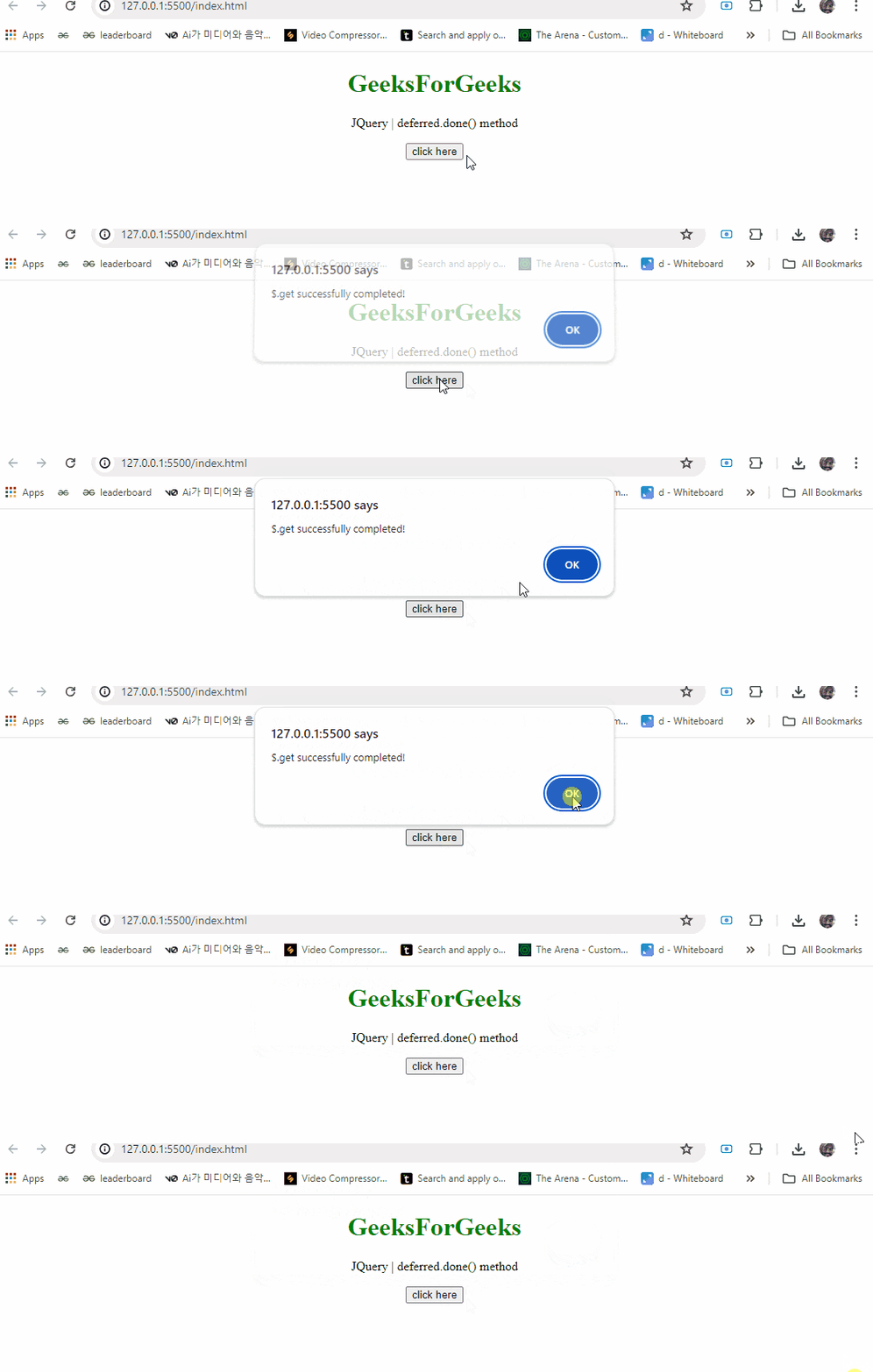
Example 2:
<!DOCTYPE HTML>
<html>

<head>
    <script src=
"https://code.jquery.com/jquery-3.5.0.js">
    </script>
</head>

<body style="text-align:center;">
    <h1 style="color:green;">
        GeeksForGeeks
    </h1>


<p>
        JQuery | deferred.done() method
    </p>


    <button onclick="Geeks();">
        click here
    </button>

    <p id="GFG_DOWN"></p>


    <script>
        var el_down = document
                .getElementById("GFG_DOWN");
        function Geeks() {
            $.get("testingGFG.php")
                    .done(function () {
                el_down.innerHTML =
                "$.get successfully completed";
            });
        }
    </script>
</body>

</html>
Output: