This deferred.then() method in JQuery is used to add handlers which are to be called when the Deferred object is resolved, rejected, or in progress.
Syntax:
deferred.then(doneCallbacks[, failCallbacks][, progressCallbacks])Parameters:
- doneCallbacks: This is a function, or an array of functions, which is called when the Deferred is resolved.
- failCallbacks: This is a function, or an array of functions, which is called when the Deferred is rejected.
- progressCallbacks: This is a function, or an array of functions, which is called when progress notifications are being sent to the Deferred object.
Return Value:
This method method returns the deferred object. There are two examples discussed below:
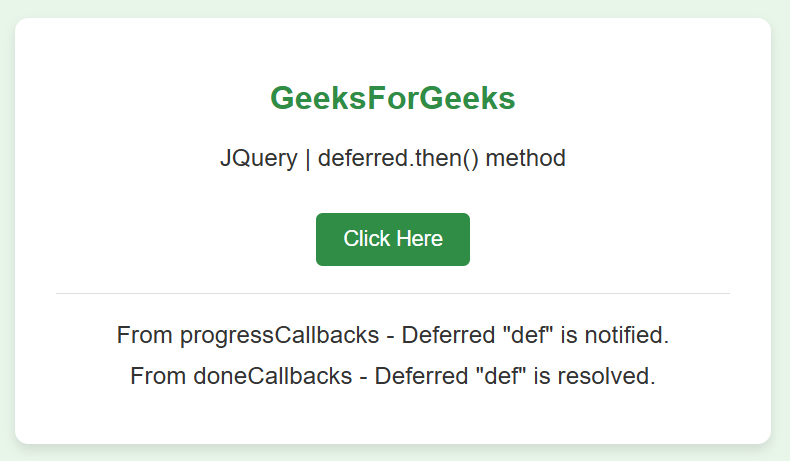
Example: In this example, the then() method is called with notify and resolve method. <!DOCTYPE HTML>
<html lang="en">
<head>
<meta charset="UTF-8">
<meta name="viewport" content="width=device-width, initial-scale=1.0">
<title>JQuery | deferred.then() Method</title>
<script src="https://code.jquery.com/jquery-3.5.0.js"></script>
<style>
body {
display: flex;
justify-content: center;
align-items: center;
height: 100vh;
margin: 0;
background-color: #e8f5e9;
font-family: 'Arial', sans-serif;
}
.container {
background-color: #ffffff;
border-radius: 10px;
box-shadow: 0 4px 8px rgba(0, 0, 0, 0.1);
padding: 30px;
text-align: center;
width: 80%;
max-width: 500px;
}
h1 {
color: #2f8d46;
margin-bottom: 20px;
font-size: 24px;
}
p {
font-size: 18px;
margin: 10px 0;
color: #333;
}
button {
background-color: #2f8d46;
color: white;
border: none;
border-radius: 5px;
padding: 10px 20px;
font-size: 16px;
cursor: pointer;
transition: background-color 0.3s;
margin-top: 20px;
}
button:hover {
background-color: #276b39;
}
#GFG_DOWN {
margin-top: 20px;
padding-top: 10px;
border-top: 1px solid #ddd;
}
</style>
</head>
<body>
<div class="container">
<h1>GeeksForGeeks</h1>
<p id="GFG_UP">JQuery | deferred.then() method</p>
<button id="actionButton">Click Here</button>
<div id="GFG_DOWN"></div>
</div>
<script>
function func1(val) {
$('#GFG_DOWN').append("<p>From doneCallbacks - " + val + "</p>");
}
function func2(val) {
$('#GFG_DOWN').append("<p>From failCallbacks - " + val + "</p>");
}
function func3(val) {
$('#GFG_DOWN').append("<p>From progressCallbacks - " + val + "</p>");
}
function Geeks() {
let def = $.Deferred();
def.then(func1, func2, func3);
def.notify('Deferred "def" is notified.');
def.resolve('Deferred "def" is resolved.');
}
$(document).ready(function() {
$('#actionButton').on('click', function() {
$('#GFG_DOWN').empty(); // Clear previous output
Geeks();
});
});
</script>
</body>
</html>
Output:
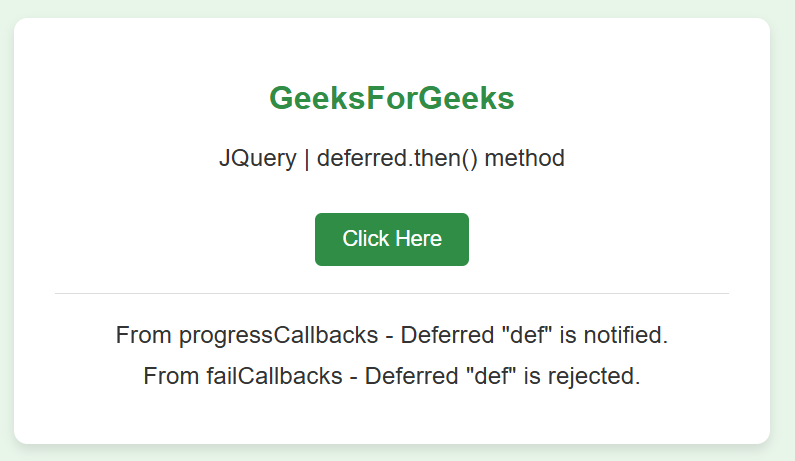
Example: In this example, the then() method is called with notify and reject method. <!DOCTYPE HTML>
<html lang="en">
<head>
<meta charset="UTF-8">
<meta name="viewport" content="width=device-width, initial-scale=1.0">
<title>JQuery | deferred.then() Method</title>
<script src="https://code.jquery.com/jquery-3.5.0.js"></script>
<style>
body {
display: flex;
justify-content: center;
align-items: center;
height: 100vh;
margin: 0;
background-color: #e8f5e9; /* Light green background */
font-family: 'Arial', sans-serif;
}
.container {
background-color: #ffffff;
border-radius: 10px;
box-shadow: 0 4px 8px rgba(0, 0, 0, 0.1);
padding: 30px;
text-align: center;
width: 80%;
max-width: 500px;
}
h1 {
color: #2f8d46; /* GeeksforGeeks green color */
margin-bottom: 20px;
font-size: 24px;
}
p {
font-size: 18px;
margin: 10px 0;
color: #333;
}
button {
background-color: #2f8d46;
color: white;
border: none;
border-radius: 5px;
padding: 10px 20px;
font-size: 16px;
cursor: pointer;
transition: background-color 0.3s;
margin-top: 20px;
}
button:hover {
background-color: #276b39;
}
#GFG_DOWN {
margin-top: 20px;
padding-top: 10px;
border-top: 1px solid #ddd;
}
</style>
</head>
<body>
<div class="container">
<h1>GeeksForGeeks</h1>
<p id="GFG_UP">JQuery | deferred.then() method</p>
<button id="actionButton">Click Here</button>
<div id="GFG_DOWN"></div>
</div>
<script>
function func1(val) {
$('#GFG_DOWN').append("<p>From doneCallbacks - " + val + "</p>");
}
function func2(val) {
$('#GFG_DOWN').append("<p>From failCallbacks - " + val + "</p>");
}
function func3(val) {
$('#GFG_DOWN').append("<p>From progressCallbacks - " + val + "</p>");
}
function Geeks() {
let def = $.Deferred();
def.then(func1, func2, func3);
def.notify('Deferred "def" is notified.');
def.reject('Deferred "def" is rejected.');
}
$(document).ready(function() {
$('#actionButton').on('click', function() {
$('#GFG_DOWN').empty();
Geeks();
});
});
</script>
</body>
</html>
Output: