jQuery isImmediatePropagationStopped() Method is used to check whether this method was called for the event or not. If it was called then it will be "true" or else "false".
Syntax:
$(selector).isImmediatePropagationStopped()Parameters:
This method accepts only one parameter as a selector which is used to select the element.
Return value: This method returns true if event.stopImmediatePropagation() is called or it will return false if not called.
Example 1: In this example, we will call the isImmediatePropagationStopped() Method.
<!DOCTYPE html>
<html>

<head>
    <script src=
"https://ajax.googleapis.com/ajax/libs/jquery/3.3.1/jquery.min.js">
    </script>
    <style>
        body {
            width: 60%;
            height: 40%;
            padding: 20px;
            border: 2px solid green;
        }

        div {
            padding: 5px;
            display: block;
            background-color: lightgrey;
            font-size: 20px;
        }
    </style>

    <script>
        $(document).ready(function () {
            $("div").click(function (event) {
                event.stopImmediatePropagation();
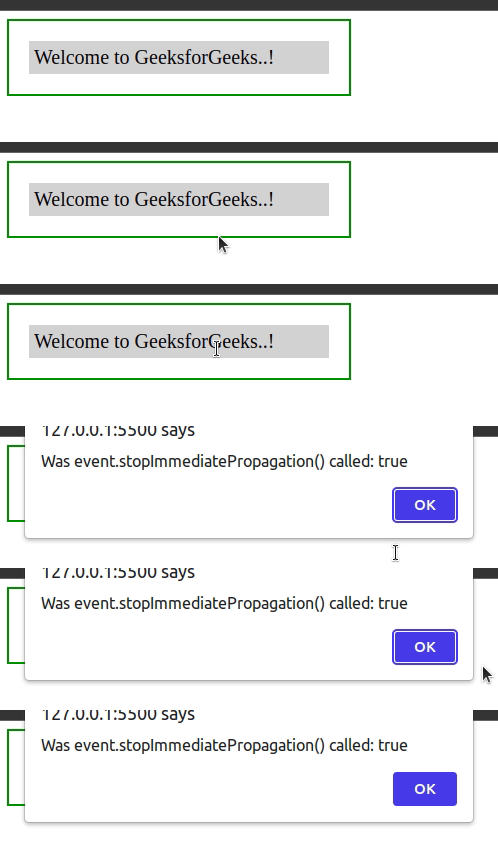
                alert(
                    "Was event.stopImmediatePropagation() called: "
                    + event.isImmediatePropagationStopped());
            });
        });
    </script>
</head>

<body>
    <div>Welcome to GeeksforGeeks..!</div>
</body>

</html>
Output:
Example 2: In this example, we will not call the isImmediatePropagationStopped() Method.
<!DOCTYPE html>
<html>

<head>
    <script src=
"https://ajax.googleapis.com/ajax/libs/jquery/3.3.1/jquery.min.js">
    </script>
    <style>
        body {
            width: 60%;
            height: 40%;
            padding: 20px;
            border: 2px solid green;
        }

        div {
            padding: 5px;
            display: block;
            background-color: lightgrey;
            font-size: 20px;
        }
    </style>

    <script>
        $(document).ready(function () {
            $("div").click(function (event) {
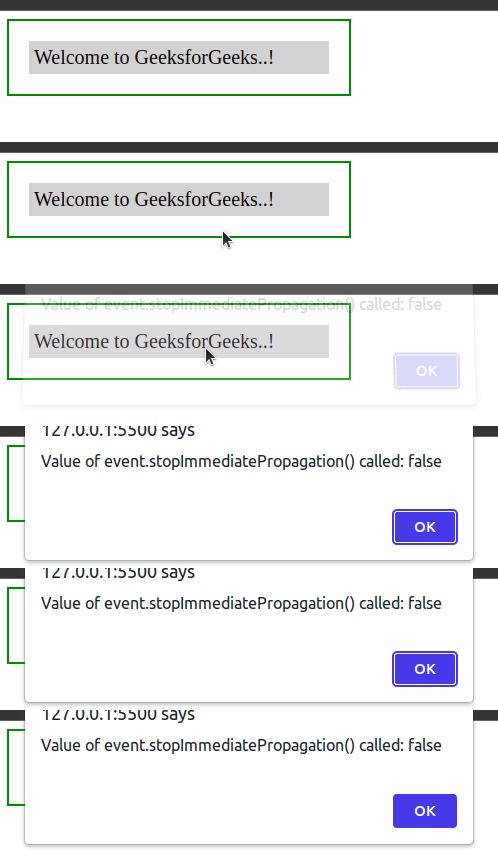
                alert(
                    "Value of event.stopImmediatePropagation() called: "
                    + event.isImmediatePropagationStopped());
            });
        });
    </script>
</head>

<body>
    <div>Welcome to GeeksforGeeks..!</div>
</body>

</html>
Output: