
The jQuery event.which is an inbuilt property in jQuery that is used to return which keyboard key or mouse button was pressed for the event.
Syntax:
event.which
Parameter: It does not accept any parameter because it is a property, not a function.
jQuery examples to show the working of this property:
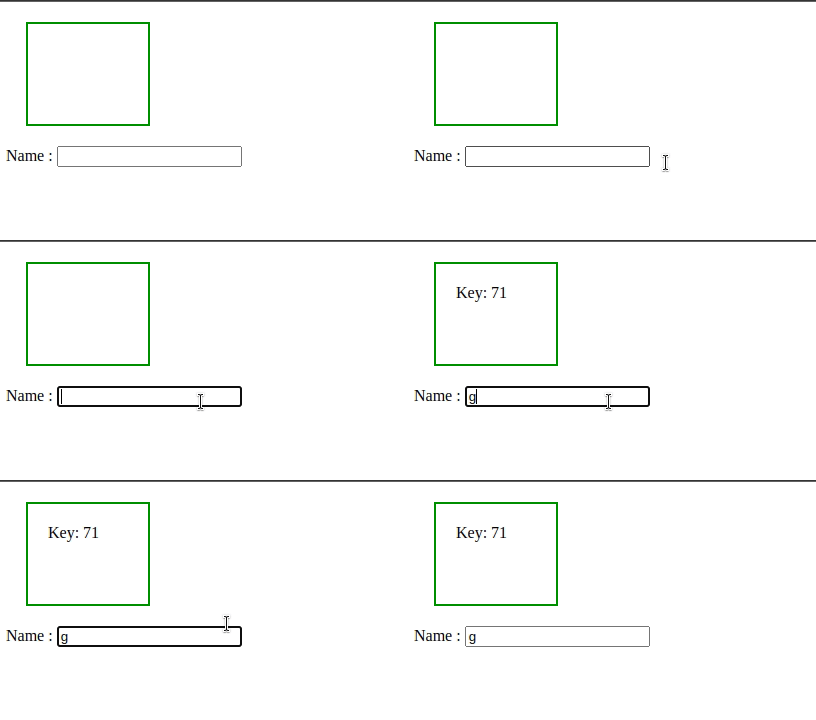
Example 1: In the below code, ascii value of the key is displayed.
<!DOCTYPE html>
<html>

<head>
    <script src=
"https://code.jquery.com/jquery-1.10.2.js">
    </script>
    <script>
        $(document).ready(function () {
            <!-- jQuery code to show event.which property -->
            $("input").keydown(function (event) {
                $("div").html("Key: " + event.which);
            });
        });
    </script>
    <style>
        div {
            margin: 20px;
            width: 80px;
            height: 60px;
            padding: 20px;
            border: 2px solid green;
        }
    </style>
</head>

<body>
    <!-- Here ascii value of the key will be shown -->
    <div>
        <p></p>
    </div>
    Name :
    <input type="text">
</body>

</html>
Output:
Example 2: In the below code, which mouse button was pressed is displayed.
<!DOCTYPE html>
<html>

<head>
    <script src=
"https://ajax.googleapis.com/ajax/libs/jquery/3.3.1/jquery.min.js">
    </script>
    <script>
        //jQuery code to show event.which property
        $(document).ready(function () {
            $("div").mousedown(function (event) {
                $("div").append(
                    "<br>Mouse button : " + event.which);
            });
        });
    </script>
    <style>
        div {
            border: 2px solid green;
            width: 400px;
            height: 300px;
            padding: 20px;
        }
    </style>
</head>

<body>
    <!-- click inside and see -->
    <div style="">
        Click anywhere in this box !!!
    </div>
</body>

</html>
Output:

