The jQuery :lt() selector selects elements using an index number that works on less than a specified number. The index numbers start from 0.
Syntax:
$(":lt(index)")Parameter:
- index: Index number which is selected. The element which is lesser than the specified index number is selected.
Example 1: In this example, we are using it() selector.
<!DOCTYPE html>
<html>

<head>
    <title>jQuery :lt() Selector</title>
    <script src=
"https://ajax.googleapis.com/ajax/libs/jquery/3.3.1/jquery.min.js">
    </script>
    <script>
        $(document).ready(function () {
            $("ol:lt(3)").css(
                "background-color", "green");
        });
    </script>
</head>

<body>
    <h1>Welcome to My Web Page</h1>
    <ol id="1">
        <li>GEEKS</li>
        <li>FOR</li>
        <li>GEEKS</li>
    </ol>
    <ol id="2">
        <li>GEEKS</li>
        <li>FOR</li>
        <li>GEEKS</li>
    </ol>
    <ol id="3">
        <li>GEEKS</li>
        <li>FOR</li>
        <li>GEEKS</li>
    </ol>
    <ol id="4">
        <li>GEEKS</li>
        <li>FOR</li>
        <li>GEEKS</li>
    </ol>
</body>

</html>
Output:

Example 2: Here is another example of it() selector.
<!DOCTYPE html>
<html>

<head>
    <title>jQuery :lt() Selector</title>
    <script src=
"https://ajax.googleapis.com/ajax/libs/jquery/3.3.1/jquery.min.js">
    </script>
    <script>
        $(document).ready(function () {
            $("button").click(function () {
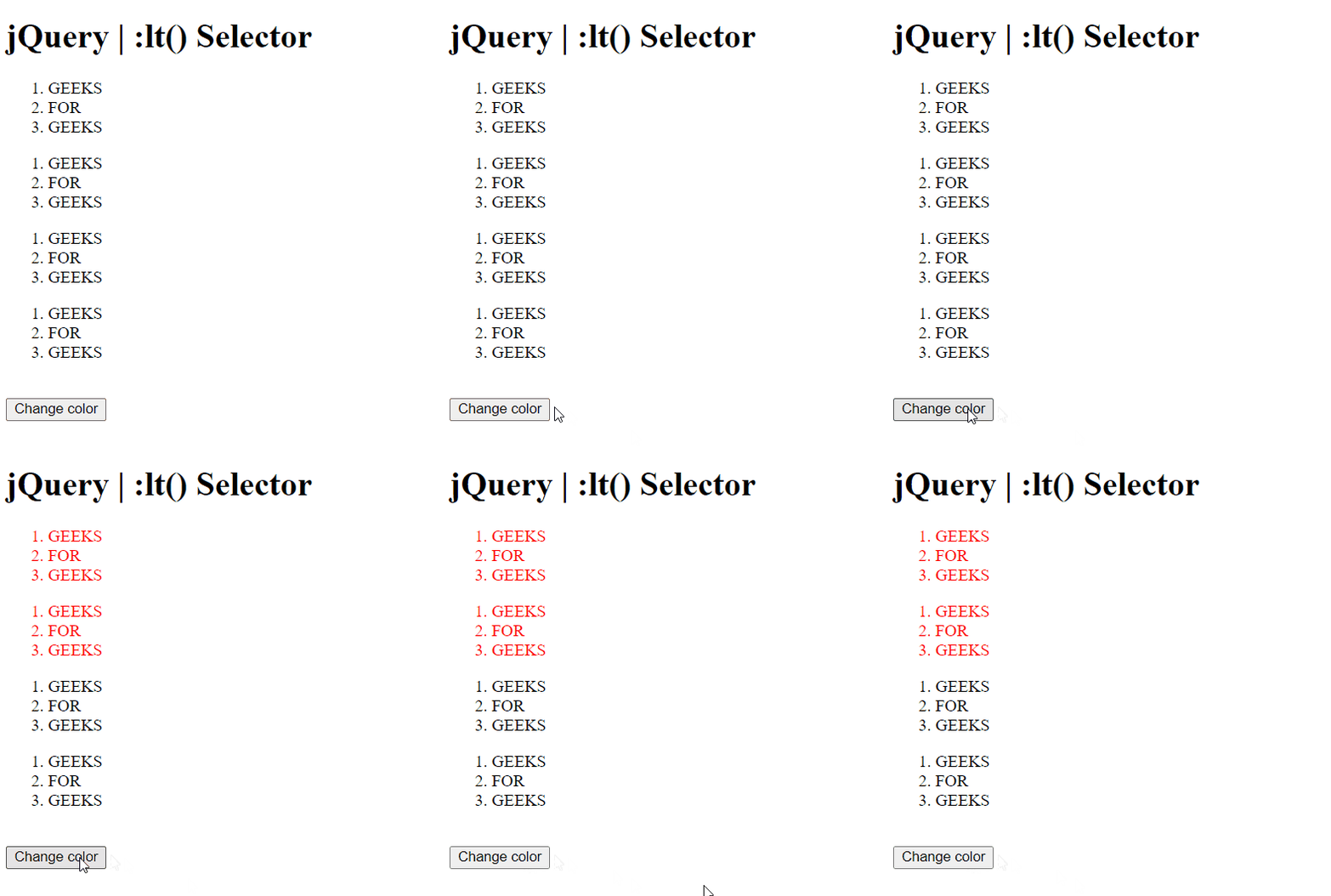
                $("ol:lt(2)").css("color", "red");
            });
        });
    </script>
</head>

<body>
    <h1>jQuery | :lt() Selector</h1>
    <ol id="1">
        <li>GEEKS</li>
        <li>FOR</li>
        <li>GEEKS</li>
    </ol>
    <ol id="2">
        <li>GEEKS</li>
        <li>FOR</li>
        <li>GEEKS</li>
    </ol>
    <ol id="3">
        <li>GEEKS</li>
        <li>FOR</li>
        <li>GEEKS</li>
    </ol>
    <ol id="4">
        <li>GEEKS</li>
        <li>FOR</li>
        <li>GEEKS</li>
    </ol>
    <br>
    <button>Change color</button>
</body>

</html>
Output: