
The jQuery mousedown() method is an inbuilt method that works when the left mouse button is pressed down over the selected element.
Syntax:
$(selector).mousedown(function)Parameters: This function accepts a single parameter function which is optional. It is used to specify the function to run when the mousedown event is called.
Example 1: This example illustrates the mousedown() method in jQuery.
<!DOCTYPE html>
<html>

<head>
    <title>The mousedown Method</title>
    <script src=
"https://ajax.googleapis.com/ajax/libs/jquery/3.3.1/jquery.min.js">
    </script>

    <!-- jQuery code to show the working of this method -->
    <script>
        $(document).ready(function () {
            $("div").mousedown(function () {
                alert("Mouse left key was pressed");
            });
        });
    </script>
    <style>
        div {
            width: 200px;
            height: 40px;
            font-weight: bold;
            border: 2px solid green;
            padding: 20px;
        }
    </style>
</head>

<body>
    <!-- click on this button and pop up will appear-->
    <div>
        Welcome to GeeksforGeeks!
    </div>
</body>

</html>
Output:

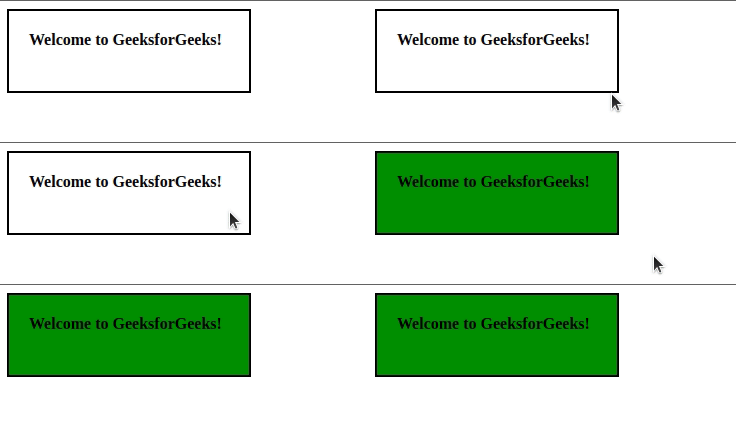
Example 2: In this example, we will change the background color by using the mousedown() method.
<!DOCTYPE html>
<html>

<head>
    <title>The mousedown Method</title>
    <script src=
"https://ajax.googleapis.com/ajax/libs/jquery/3.3.1/jquery.min.js">
    </script>

    <!-- jQuery code to show the working of this method -->
    <script>
        $(document).ready(function () {
            $("div").mousedown(function () {
                $("div").css(
                    "background-color", "green");
            });
        });
    </script>
    <style>
        div {
            width: 200px;
            height: 40px;
            font-weight: bold;
            border: 2px solid black;
            padding: 20px;
        }
    </style>
</head>

<body>
    <!-- click on this button to change the background color-->
    <div>
        Welcome to GeeksforGeeks!
    </div>
</body>

</html>
Output:
Related Articles:
