
Plots help visualize relationships between variables. Seaborn provides various functions for analyzing categorical data using datasets such as tips, which contains information about restaurant customers and their tips.
Implementation
1. Import Required Libraries
- Seaborn provides built-in categorical plotting functions.
- Matplotlib is used to display the plots.
import seaborn as sns
import matplotlib.pyplot as plt
2. Load the Dataset
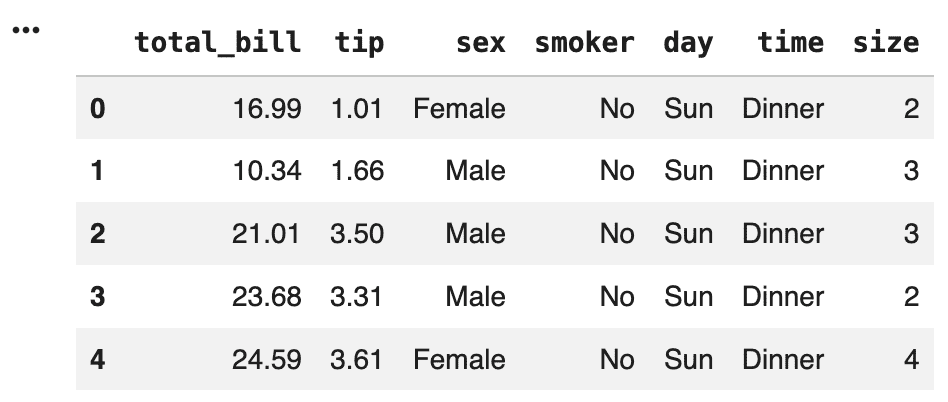
The built-in tips dataset is loaded. It contains information about restaurant customers, including bill amount, tip amount, gender, smoking status and dining time.
tips = sns.load_dataset("tips")
tips.head()
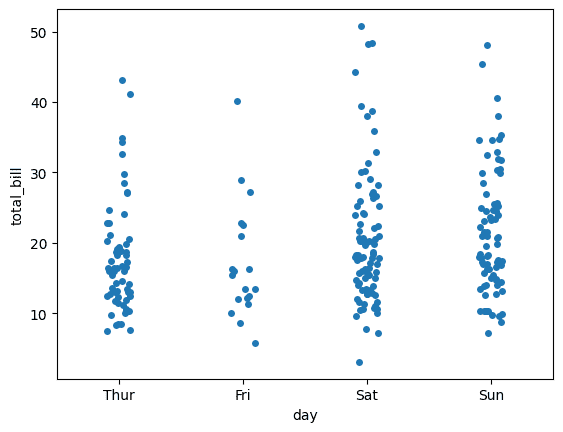
3. Create a Strip Plot
- Shows the distribution of observations.
- Helps identify clusters and outliers.
sns.stripplot(x="day", y="total_bill", data=tips)
plt.show()
Output:
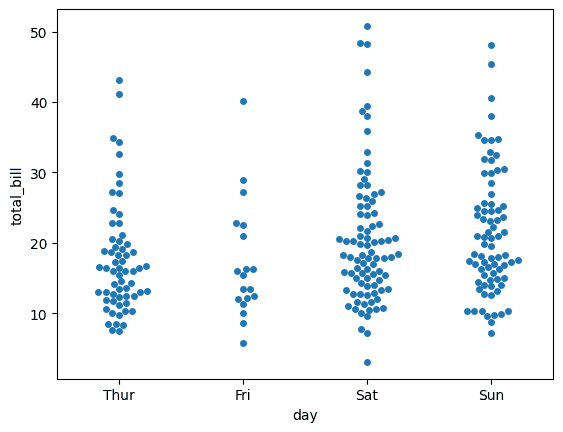
4. Create a Swarm Plot
- Provides a clearer view of data distribution.
- Makes individual observations easier to analyze.
sns.swarmplot(x="day", y="total_bill", data=tips)
plt.show()
Output:
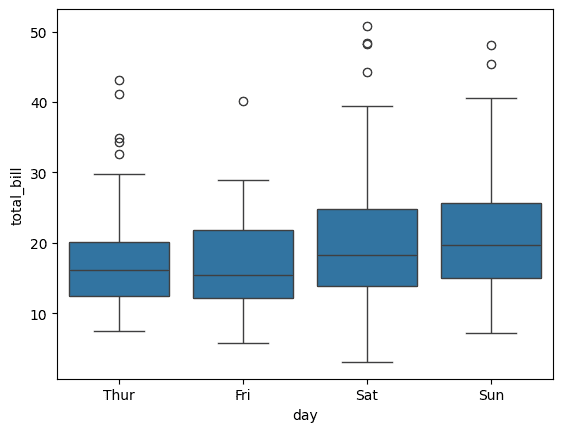
5. Create a Box Plot
- Shows median and spread of data.
- Helps detect outliers.
- Useful for comparing categories.
sns.boxplot(x="day", y="total_bill", data=tips)
plt.show()
Output:
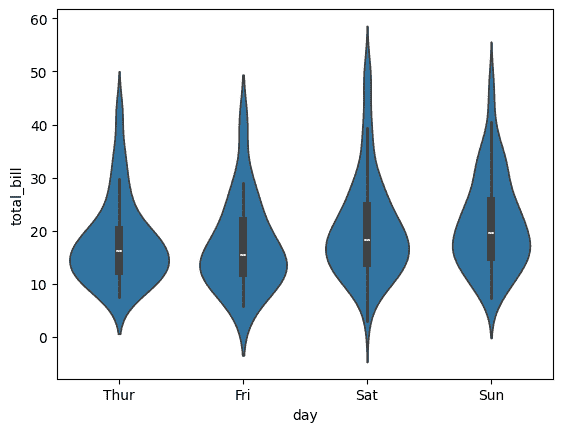
6. Create a Violin Plot
- Shows data distribution and density.
- Helps understand the shape of the data.
sns.violinplot(x="day", y="total_bill", data=tips)
plt.show()
Output:
7. Create a Bar Plot
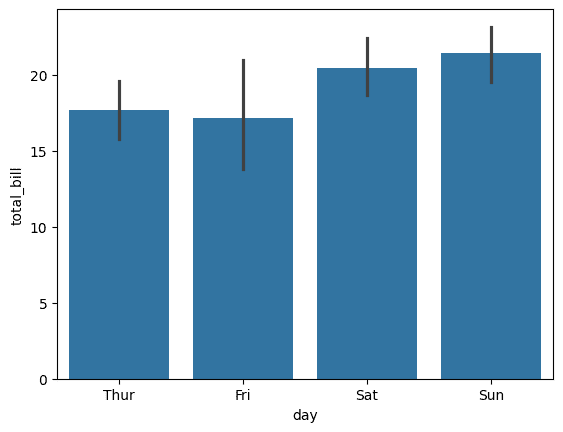
- Compares average values across categories.
- Useful for identifying trends.
sns.barplot(x="day", y="total_bill", data=tips)
plt.show()
Output:
8. Create a Count Plot
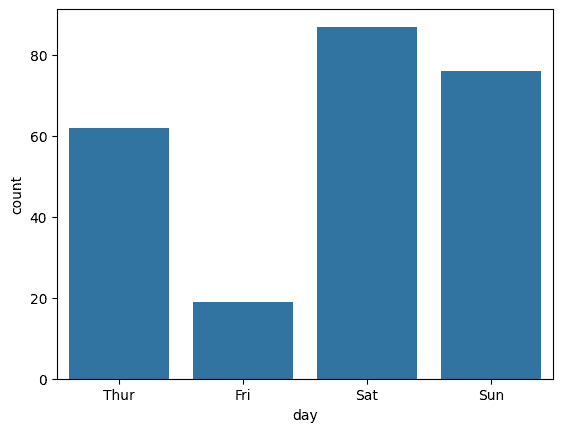
- Displays category frequencies.
- Helps understand dataset composition.
sns.countplot(x="day", data=tips)
plt.show()
Output:
Download full code from here
