
Efficient querying of array elements in MongoDB helps developers extract relevant data from flexible, document-based collections.
- MongoDB stores data in collections of documents.
- Documents support strings, numbers, objects, and arrays.
- Arrays store ordered, related values within a document.
- Array queries enable precise and efficient data retrieval.
Prerequisites
Before proceeding, ensure you are familiar with the following concepts:
Methods to Query Array Elements in MongoDB
MongoDB provides various techniques to query and manipulate arrays. The key methods are discussed below:
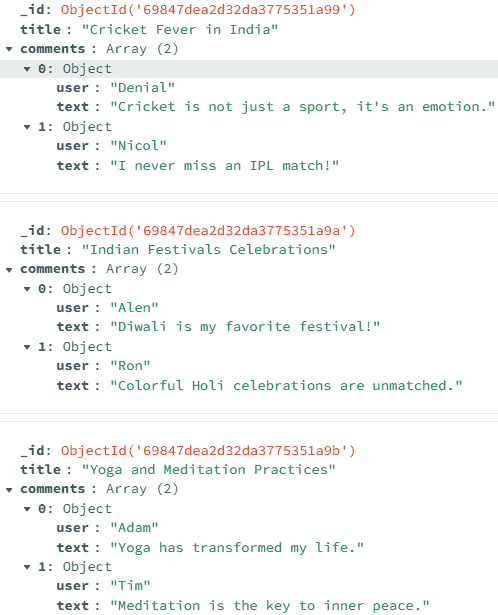
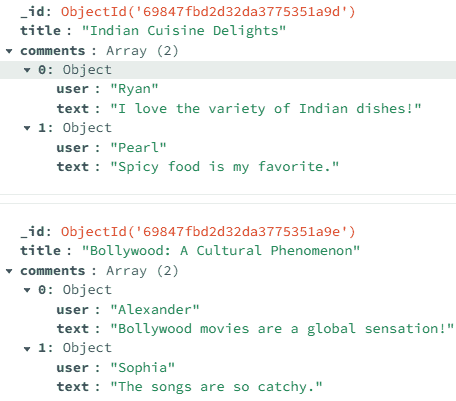
Below are the data or records inserted into the blogPosts collection. The collection contains fields such as _id, title, and comments. The comments field is an array of objects, each containing user details.
1. Dot Notation
Dot notation accesses fields inside nested objects or arrays in MongoDB queries.
- Used to query fields inside embedded documents.
- Works with array elements (e.g., comments.user).
- Helps filter data without reshaping documents.
Example : Query the Array Elements Using the Dot Notation.
Query Using the Mongo Shell:
db.blogPosts.find({ "comments.user": "Adam" })Output:
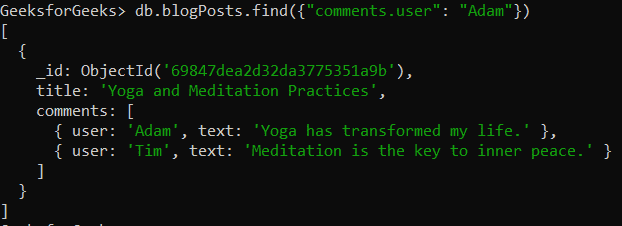
- Searches the blogPosts collection.
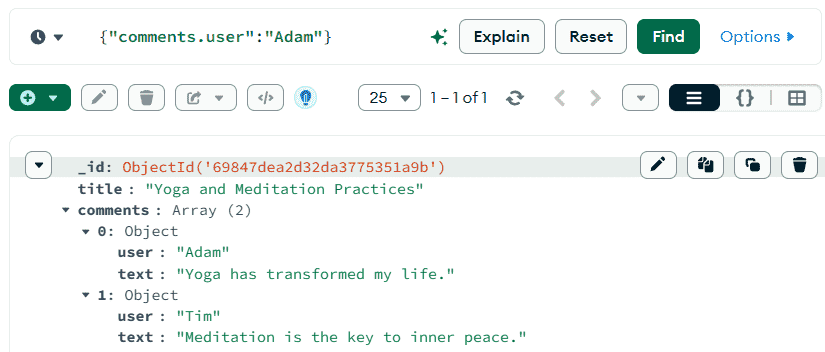
- Matches documents with at least one comment where user is "Adam".
- Uses the find() method to retrieve matching documents.
Query Using the MongoDB Compass:
{ "comments.user": "Adam" }Output:
2. $elemMatch
$elemMatch matches documents where at least one array element satisfies multiple conditions.
- Applies multiple criteria to a single array element.
- Prevents matching conditions across different elements.
Example : Query Array Elements Using $elemMatch Operator.
Query Using the Mongo Shell:
db.blogPosts.find({ comments: { $elemMatch: { user: "Alen" } } })Output:
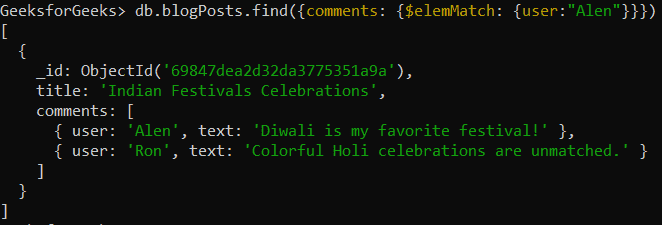
- Searches the blogPosts collection for documents with at least one comment where user is "Alen".
- Uses find() to retrieve matching documents.
- { comments: { $elemMatch: { user: "Alen" } } } is the query condition.
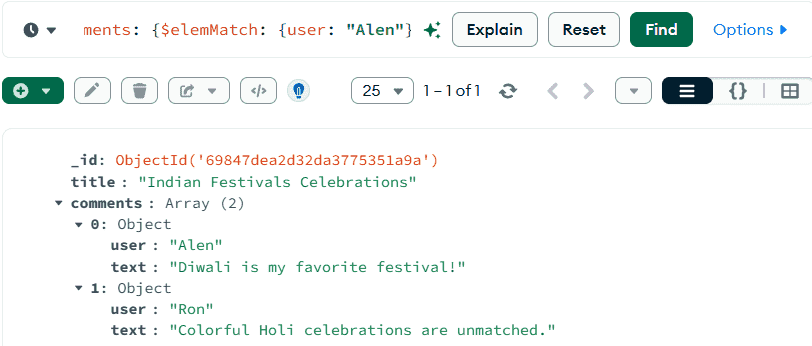
- $elemMatch matches documents where at least one element in the comments array meets the condition.
Query Using the MongoDB Compass:
{ comments: { $elemMatch: { user: "Alen" } } }Output:
3. $slice
$slice limits the number of array elements returned in query results.
- Returns only selected items from an array field.
- Useful for previewing large arrays.
Example : Query Array Element using $slice Operator.
Query Using the Mongo Shell:
db.blogPosts.find({}, { title: 1, comments: { $slice: 1 } })Output:
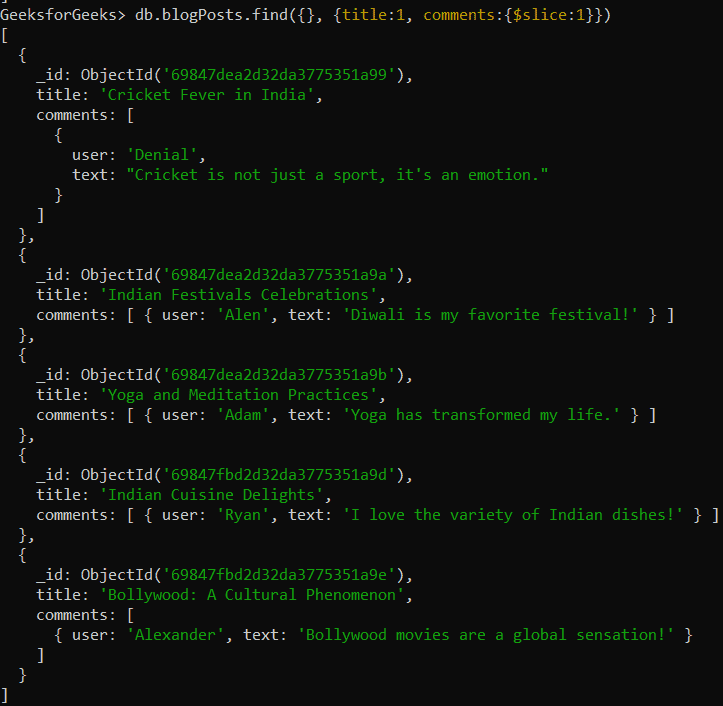
- Retrieves documents from the blogPosts collection.
- Uses find() to fetch matching documents.
- Projects only the title field and the first element of comments.
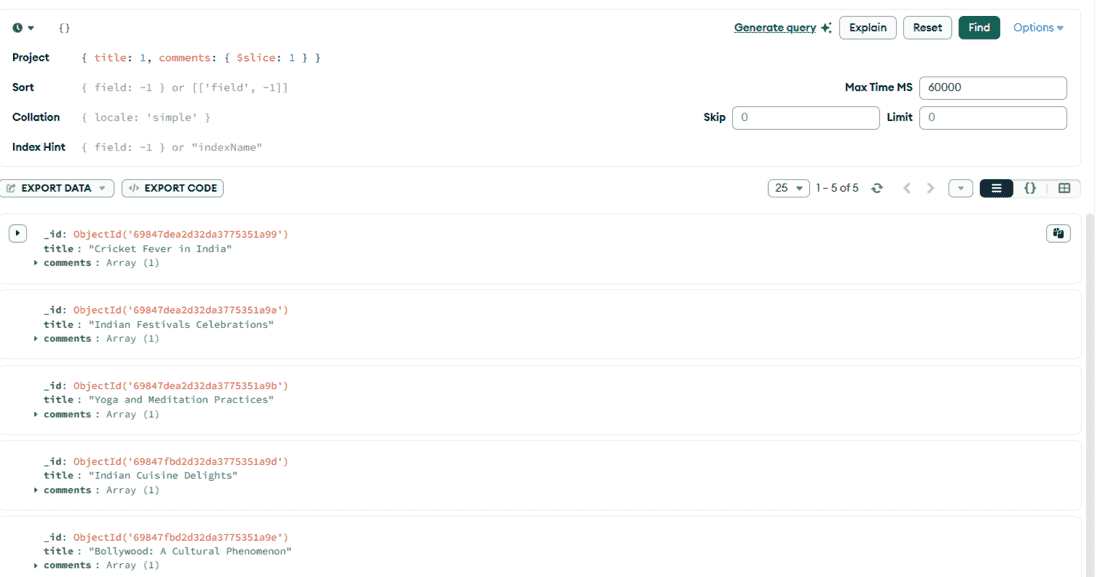
- { title: 1, comments: { $slice: 1 } } limits the comments array to one item in the result.
Query Using the MongoDB Compass:
{}, { title: 1, comments: { $slice: 2 } }Output:
4. $all
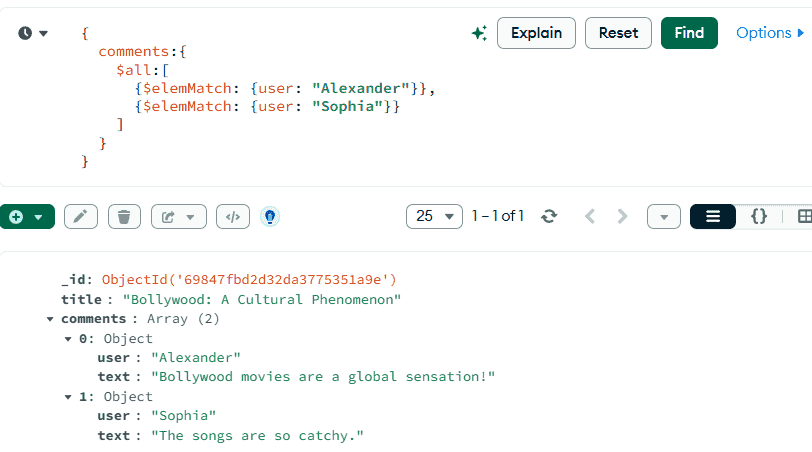
$all matches documents where an array contains all specified elements.
- Ensures all given conditions exist in the array.
- Can be combined with $elemMatch for complex matches.
- Useful for matching multiple required values.
Example : Query Array Elements Using $all Operator.
Query Using the Mongo Shell:
db.blogPosts.find({
  comments: {
    $all: [
      { $elemMatch: { user: "Alexander" } },
      { $elemMatch: { user: "Sophia" } }
    ]
  }
})
Output:
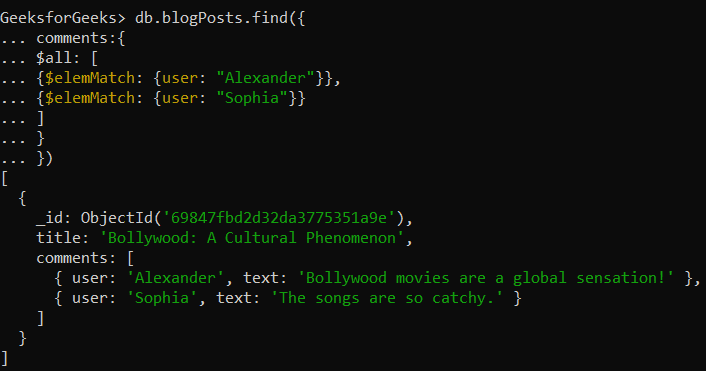
- Uses find() to retrieve documents based on conditions.
- { comments: { $all: [ { $elemMatch: { user: "Alexander" } }, { $elemMatch: { user: "Sophia" } } ] } } is the query condition.
- $all ensures the comments array contains elements matching both users.
Query Using the MongoDB Compass:
{
  comments: {
    $all: [
      { $elemMatch: { user: "Alexander" } },
      { $elemMatch: { user: "Sophia" } }
    ]
  }
}
Output:
5. $in
$in matches documents where a field equals any value from a given list.
- Checks for multiple possible values in one query.
- Works with array and non-array fields.
- Simplifies OR-like conditions in filters.
Example : Query Array Element Using $in Operator.
Query Using the Mongo Shell:
db.blogPosts.find({ comments: { $elemMatch: { user: { $in: ["Denial", "Tim"] } } } })Output:
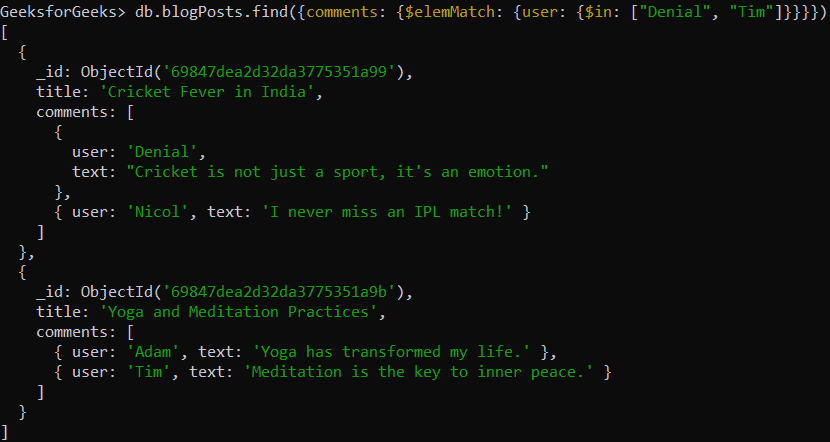
- { comments: { $elemMatch: { user: { $in: ["Denial", "Tim"] } } } } is the query condition.
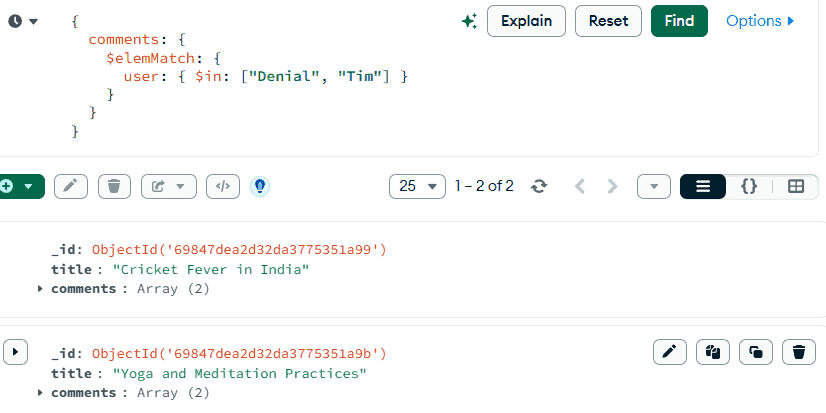
- $in matches documents where at least one comment’s user is "Denial" or "Tim".
Query Using the MongoDB Compass:
{ comments: { $elemMatch: { user: { $in: ["Denial", "Tim"] } } } }Output:
6. $unwind
$unwind breaks an array into multiple documents in the aggregation pipeline.
- Creates one document per array element.
- Repeats parent fields for each element.
- Used for filtering and grouping array data.
Example : Query Array Element Using $unwind Operator.
Query Using the Mongo Shell:
db.blogPosts.aggregate([{ $unwind: "$comments" }])Output:
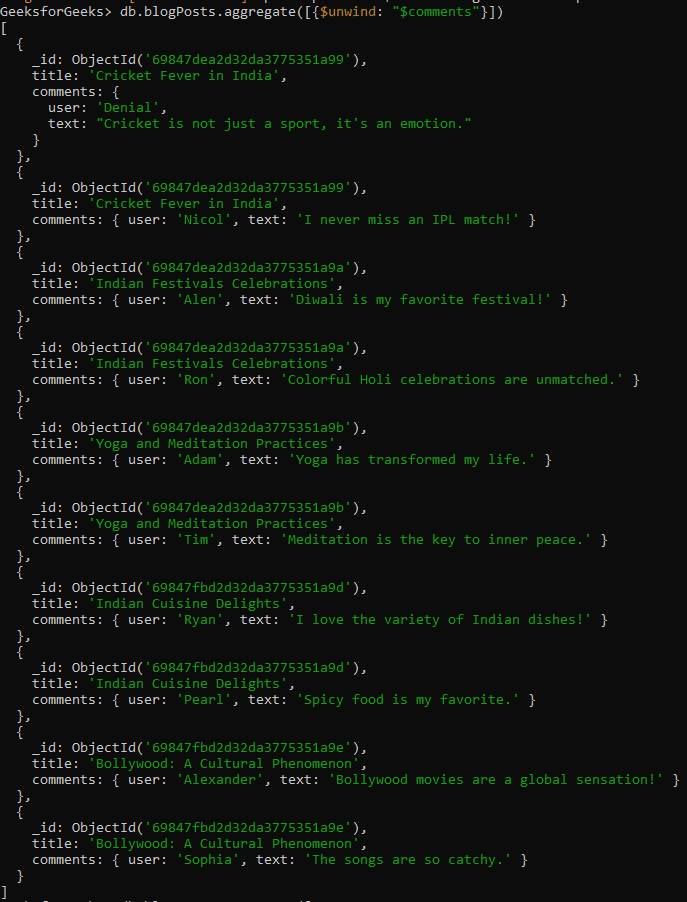
- Each element in the array is returned as a separate document.
- The parent document’s fields are repeated for each array item.
- Helps view and process individual array elements in aggregation results.
Query Using the MongoDB Compass:
"$comments"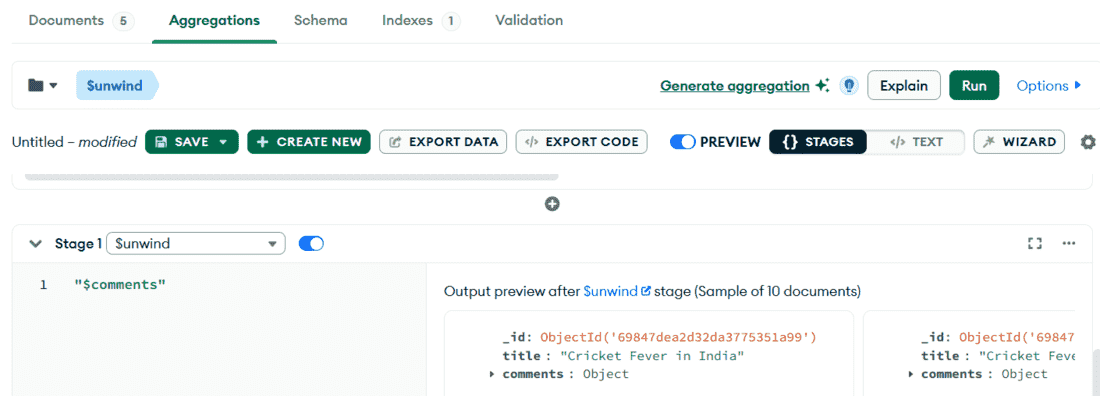
Scroll or expand the preview to see all unwound results.
