
Mongoose is an Object Data Modeling (ODM) library for MongoDB and Node.js, designed to work in an asynchronous environment. Mongoose provides a straightforward API to interact with MongoDB. It allows you to model your application data and perform operations like create, read, update, and delete (CRUD) in MongoDB.
In this article, we will explain the important Mongoose Document API functions that allow us to interact with MongoDB documents, including creating, retrieving, updating, and deleting documents.
What is a Mongoose Document?
In Mongoose, a document corresponds to a MongoDB document. When you use a Mongoose model to create a new document, it behaves as an instance of the model. This instance allows you to interact with MongoDB in an easy-to-use manner, providing a range of methods to perform operations on the document.
Setting Up Mongoose in Your Node.js Application
Before we dive into the Mongoose Document API, let’s first set up a Node.js application and install the required dependencies.
Step 1: Install Mongoose
To get started, you need to install the Mongoose package. You can do this by running the following command in your terminal:
npm install mongooseStep 2: Create a Node.js Application
After that, create a folder and also create a file in that folder, for example, index.js, To run the file using this command.
node index.jsStep 3: Start MongoDB Server
Also don't forget to start the MongoDB server on another terminal tab using this command.
mongodKey Mongoose Document Operations
1. Creating a new document
To create a new document, you need to create a mongoose model, and then using that model, you can create a new document. And to save it to the database, we need to use the save() method to save one document or insertMany() method to insert multiple documents.
Example: Creating and Saving a Document
In the below example, we are going to create a new document. Open the index.js file and write the below code:
const mongoose = require("mongoose");

// Database connection
mongoose.connect("mongodb://127.0.0.1:27017/geeksforgeeks", {
    useNewUrlParser: true,
    useUnifiedTopology: true,
});

// User model
const User = mongoose.model("User", {
    name: { type: String },
    age: { type: Number },
});

// Creating a new dummy user document
const newUser = new User({
    name: "Ayush",
    age: 20,
});

// Save it to the database
newUser.save((err, res) => {
    if (err) return handleError(err);
    else return console.log("Result: ", res)
});

// For inserting multiple documents
User.insertMany(
    [
        {
            name: "Rishu",
            age: 21,
        },
        {
            name: "Megha",
            age: 24,
        },
        {
            name: "Aman",
            age: 16,
        },
        {
            name: "Riya",
            age: 18,
        },
    ],
    (err, res) => {
        if (err) return handleError(err);
        else return console.log("Result: ", res)
    }
);
Steps to run the application: Write the below code in the terminal to run the server up:
node index.jsOutput:
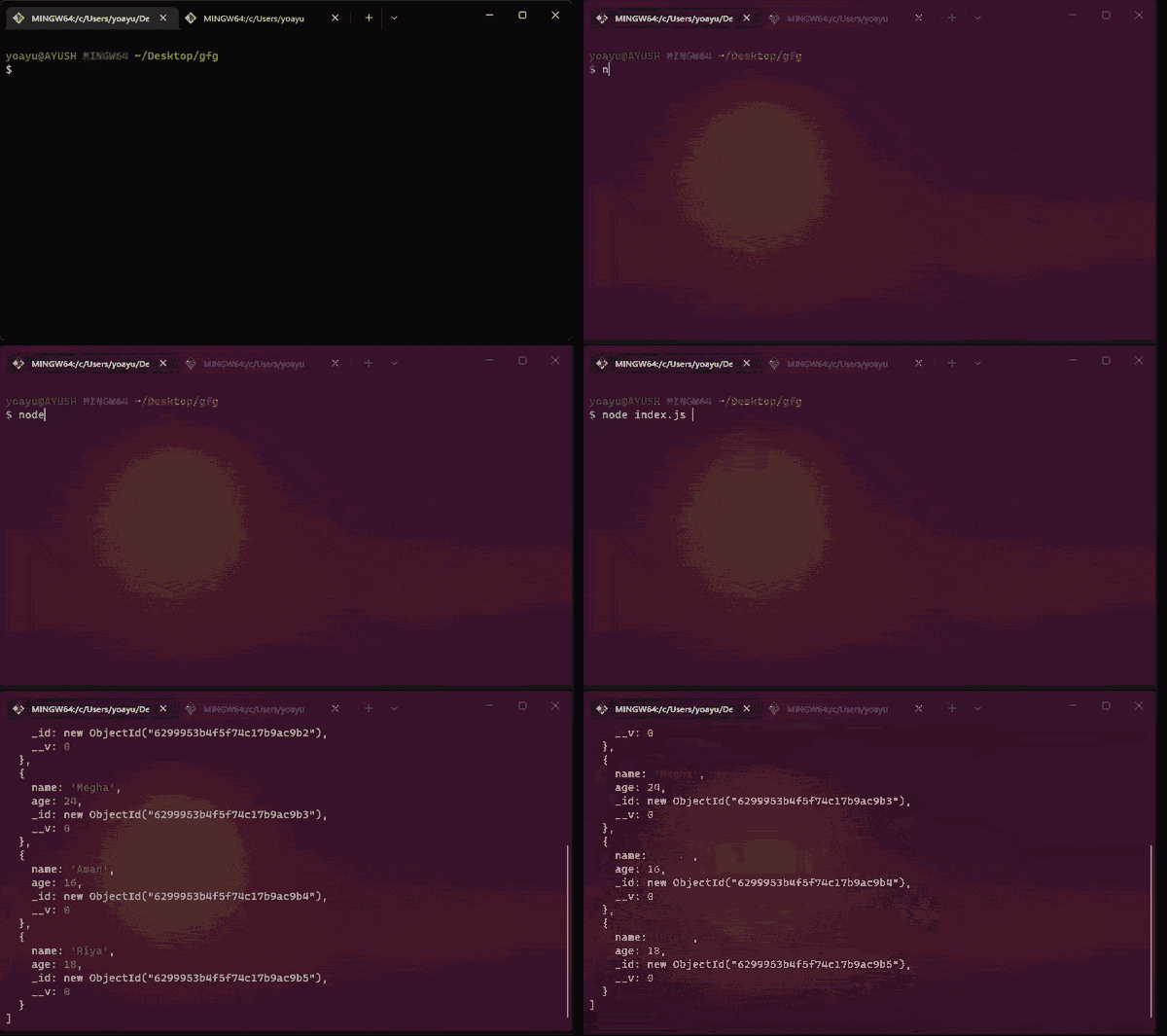
Above is the sample data in the database after the function is executed, You can use MongoDB compass or terminal to see the database:

2. Retrieving documents
To retrieve a document we need to use the findOne() method. These methods allow you to query MongoDB based on specific conditions. It takes conditions as a parameter, which is absolutely optional.
Example: In the below example, we are going to retrieve documents. Open the index.js file and write the below code:
const mongoose = require('mongoose');

// Database connection
mongoose.connect('mongodb://127.0.0.1:27017/geeksforgeeks', {
    useNewUrlParser: true,
    useUnifiedTopology: true
});

// User model
const User = mongoose.model('User', {
    name: { type: String },
    age: { type: Number }
});

// Find only one document matching
// the condition(age >= 21)
User.findOne({ age: { $gte: 21 } }, function (err, res) {
    if (err) {
        console.log(err)
    }
    else {
        console.log("Result : ", res);
    }
});
Steps to run the application: Write the below code in the terminal to run the server up:
node index.jsOutput:
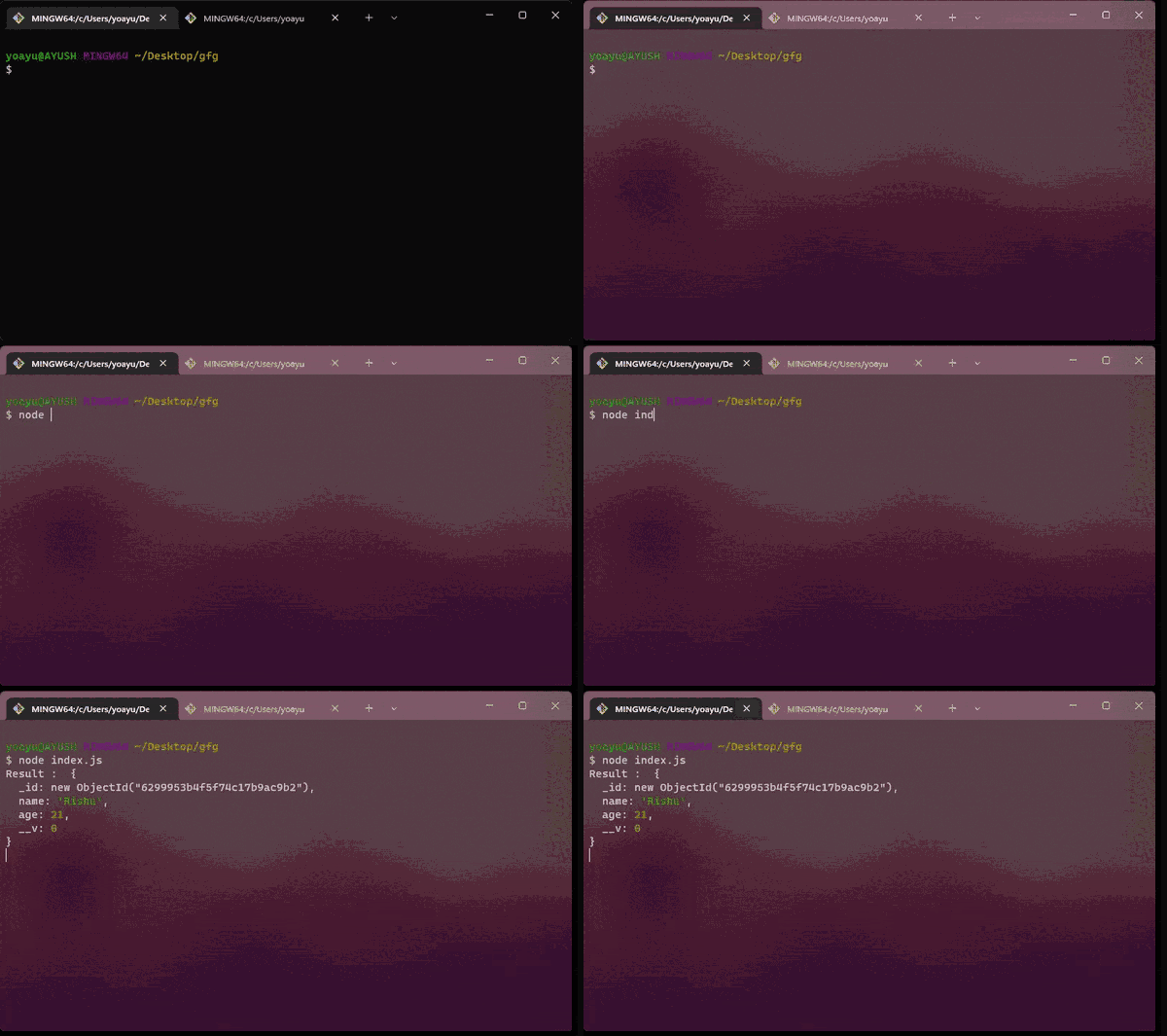
3. Updating Documents
To update a document you need to use the updateOne() method or findOneAndUpdate() method. The key difference b/w them is that updateOne() doesn't return the updated document while findOneAndUpdate() return the updated document.
Example: In the below example, we are going to update documents. Open the index.js file and write the below code:
const mongoose = require('mongoose');

// Database connection
mongoose.connect('mongodb://127.0.0.1:27017/geeksforgeeks', {
    useNewUrlParser: true,
    useUnifiedTopology: true
});

// User model
const User = mongoose.model('User', {
    name: { type: String },
    age: { type: Number }
});

// Update only one document matching
User.updateOne({ name: "Rishu" },
{ age: 22 }, function (err, res) {
    if (err) {
        console.log(err)
    }
});

// Or you can use findOneAndUpdate()

const doc = User.findOneAndUpdate(
    { name: "Rishu" },
    { age: 22 },

    // if 'new' isn't true then findOneAndUpdate()
    // will return the document as it was
    // before it was updated.

    { new: true },
    function (err, res) {
        if (err) {
            console.log(err)
        }
        else {
            console.log("Result : ", res);
        }
    });
Steps to run the application: Write the below code in the terminal to run the server up:
node index.jsOutput:
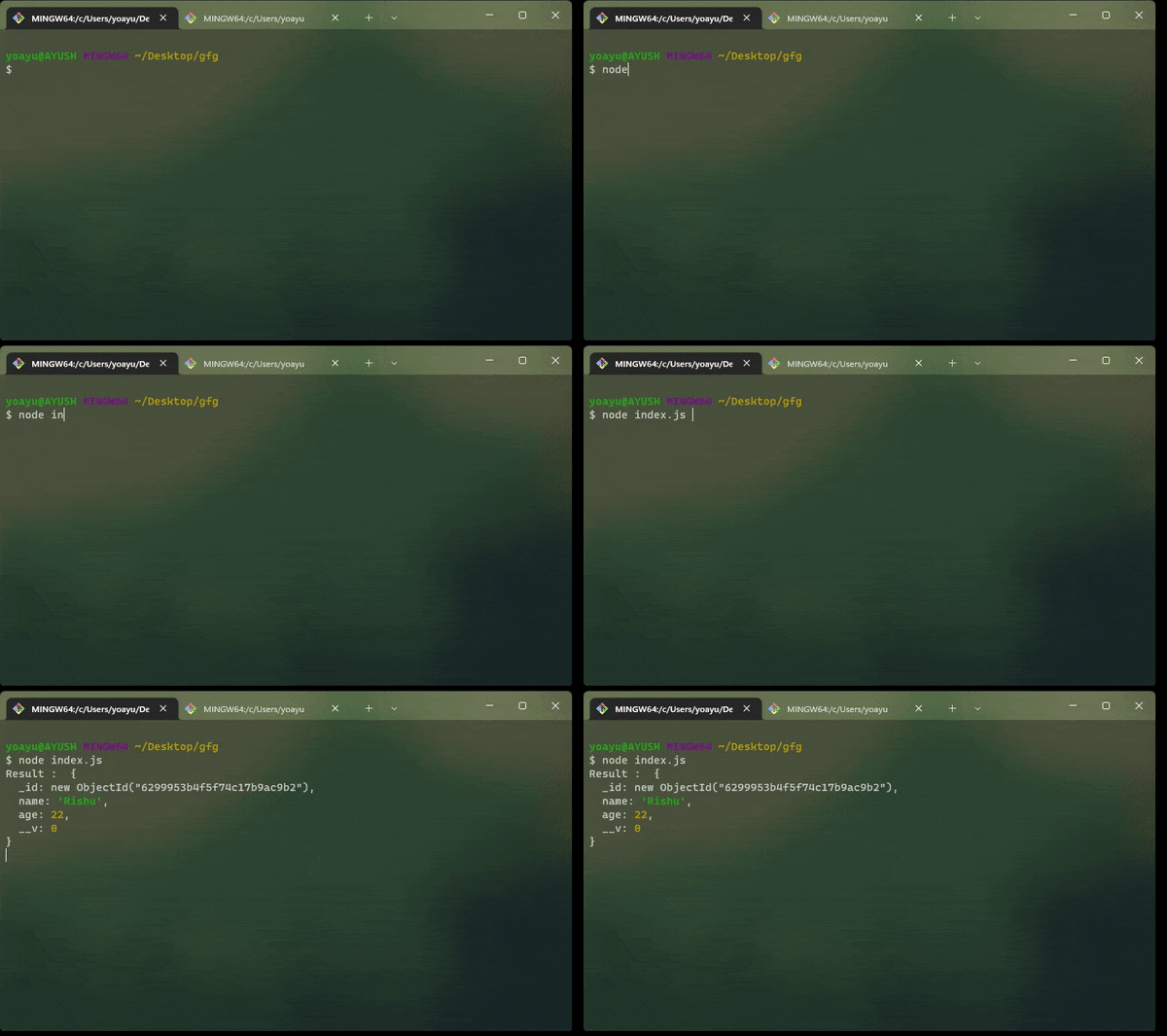
As you can see below, the document is updated:

4. Overwriting a document
To overwrite a document we can use replaceOne() method. The 'replaceOne()' method takes 2 required parameters, some optional parameters, and a callback function. The first parameter is the document you want to overwrite and the second one is the new document object.
Example: In the below example, we are going to overwrite documents. Open the index.js file and write the below code:
const mongoose = require('mongoose');

// Database connection
mongoose.connect('mongodb://127.0.0.1:27017/geeksforgeeks', {
    useNewUrlParser: true,
    useUnifiedTopology: true
});

// User model
const User = mongoose.model('User', {
    name: { type: String },
    age: { type: Number }
});

// OverWrite a document using `replaceOne()` method

User.replaceOne(
    { name: "Rishu" },
    { name: "Raja", age: 19 }, (err) => {
    if (err) return console.error(err);
    else {
        console.log('{ name: "Rishu" } is replaced
            with {name: "Raja", age: 19}')
    }
});
Steps to run the application: Write the below code in the terminal to run the server up:
node index.jsOutput:
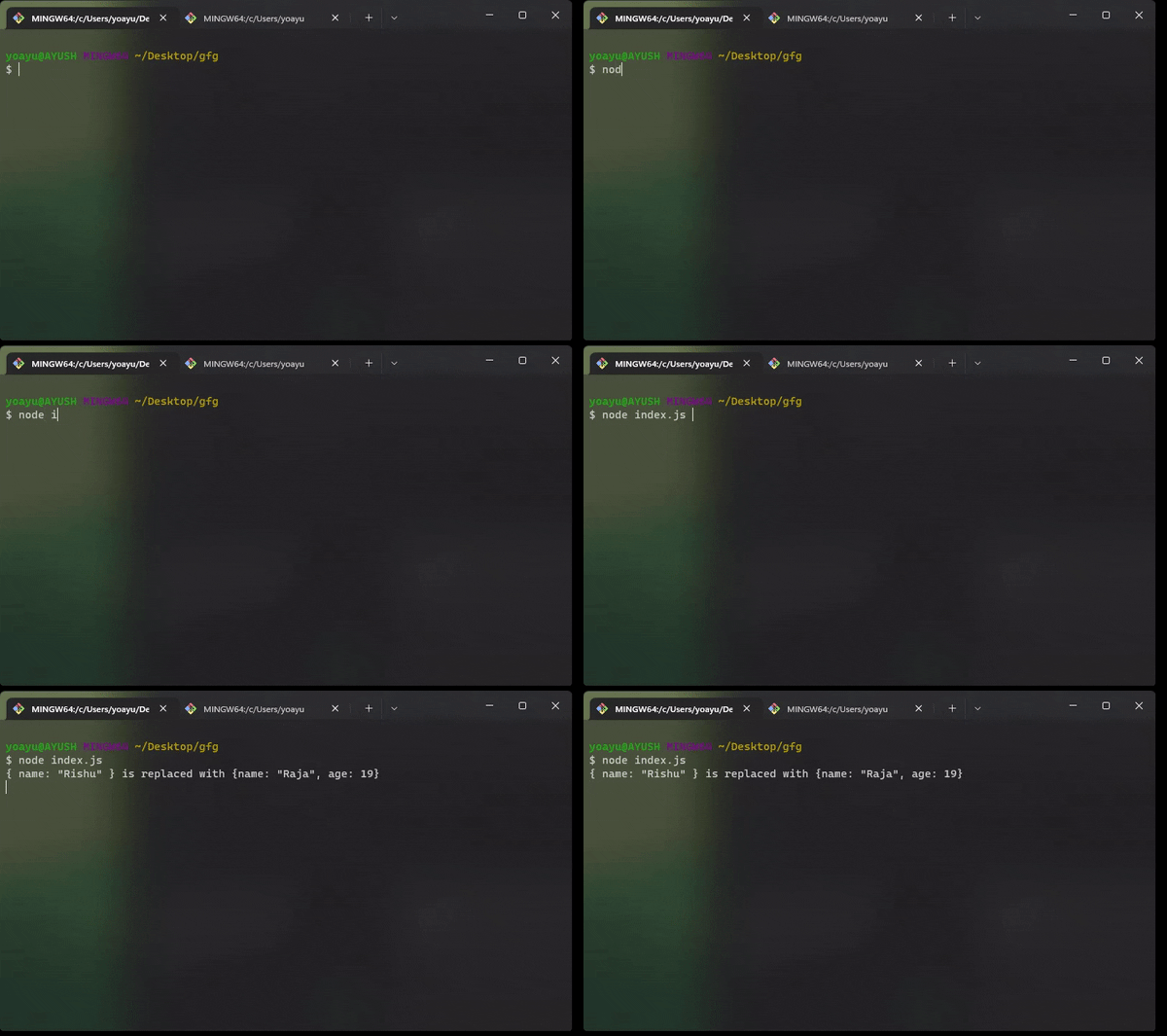
As you can see below, the document is overwritten:

Why Choose Mongoose for MongoDB?
- Schema Validation: Mongoose helps you define strict schemas that validate data before saving it into MongoDB, ensuring data integrity.
- Querying Power: Mongoose provides a rich set of query methods, including
find(),findOne(),updateOne(), and more, to retrieve and manipulate data efficiently. - Built-in Middleware: Mongoose offers middleware (hooks) that allow you to run custom logic before or after certain events, such as saving or deleting documents.
- Scalability: Mongoose provides robust options for building scalable applications that interact with MongoDB.
Conclusion
The Mongoose Document API provides powerful methods for working with MongoDB documents in a Node.js environment. By using methods like save(), findOne(), updateOne(), and replaceOne(), you can easily manage your data and ensure smooth CRUD operations. With these techniques, you’re well-equipped to manage MongoDB documents efficiently in your Node.js applications.
