
This MS-Word feature allows you to change the text color to enhance your document or project. For example, you can color the title or highlight specific text. Below, we’ll explore this simple feature with images and instructions to change text color in MS-Word.
Steps to Change Text Color
Step 1: Open the document or create a new one in which you want to change the color of the text
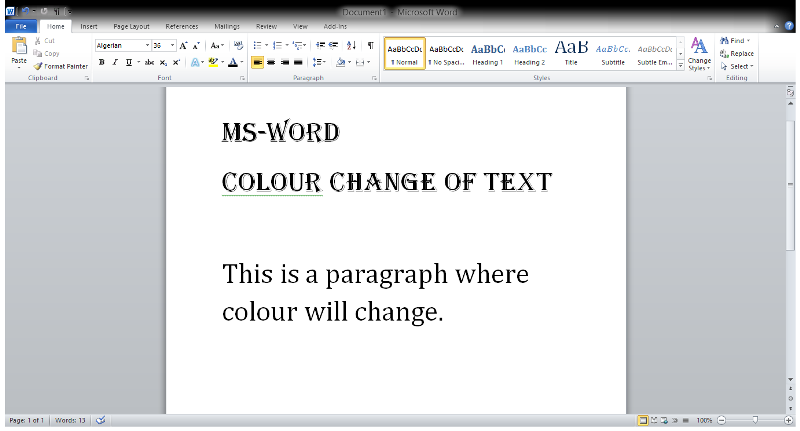
Step 2: Now, go to the Home tab as shown below

Step 3: Now, select a text or paragraph of which the color is to be changed.
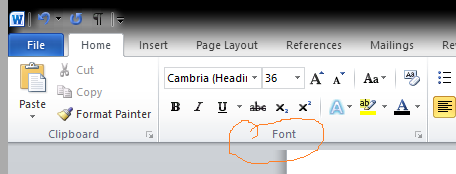
Step 4: Go to the font section in the home tab (marked in the image below.)
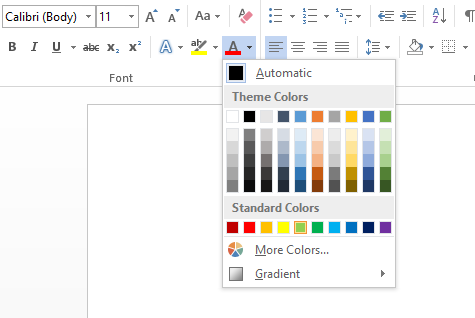
Step 5: Click on the font color button (marked in the image below.)

Step 6: Choose the color from the options provided in the menu.
Step 7: Here, the color of the text change from black to green.
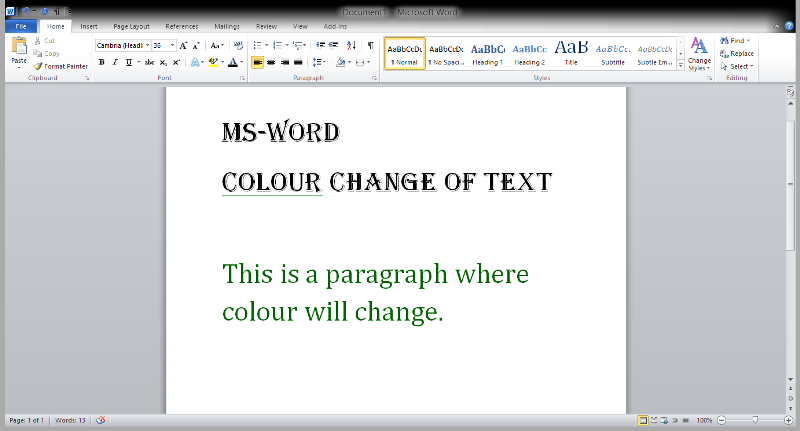
This way you can change the color of any text which is required, or you wish to change.
