The Page Color feature in Microsoft Word allows you to enhance the visual appeal of your document by adding a background color to its pages. With a variety of preset colors and the option to customize your own, this feature helps make your document more attractive and tailored to your preferences.
Steps to Add Page Background Color in MS Word
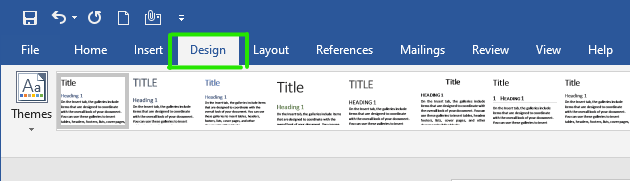
Step 1: On the navigation menu click on Design option.
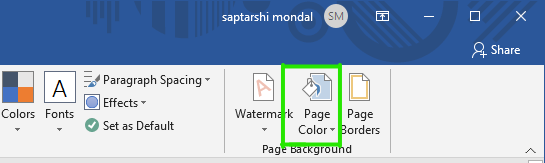
Step 2 : On the right side of the menu click on Page Color option.
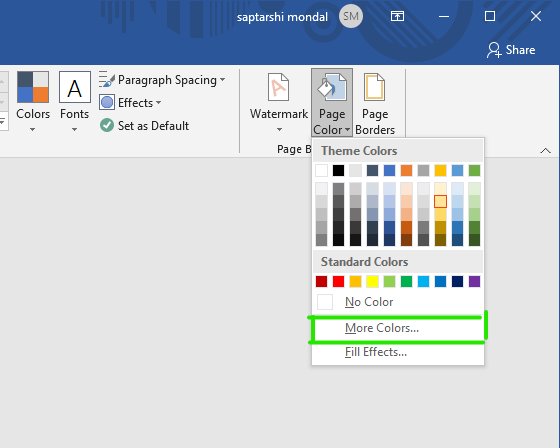
Step 3: A color panel will open. Choose your color according to your document as shown:

Finally, Page color will apply to your document.

Customize Page Color
Step 1: You can also customize your own color by selecting More Color option.
Step 2: A Color dialog box will open.
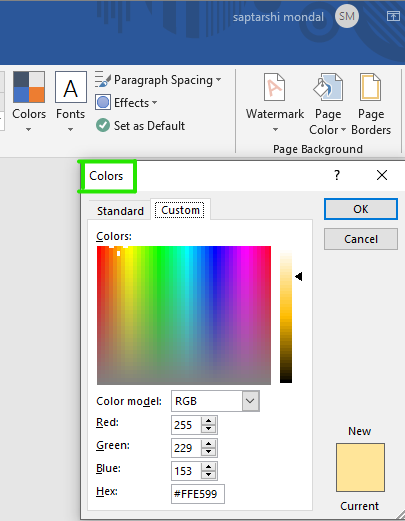
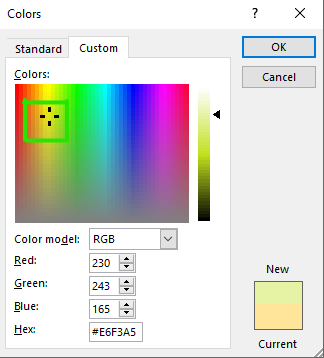
Step 3: Move the pointer according to your color as shown:
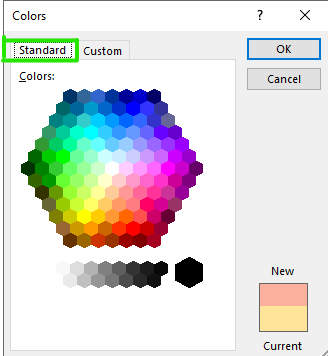
Step 4: You can also choose color from Standard tab as shown:
Step 5 : After selecting color then click on OK.
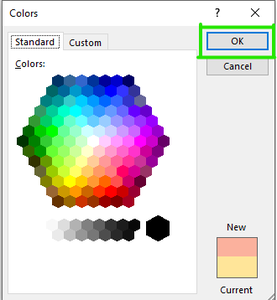
Finally, your customized color will be added to your document.