
The Query.prototype.hint() function is used to set the query hints. A hint object is passed as parameter to this function.
Syntax:
Query.prototype.hint()
Parameters: This function has one parameter val which is an hint object.
Return Value: This function returns Query Object.
npm install mongoose
After installing the mongoose module, you can check your mongoose version in command prompt using the command.
npm mongoose --version
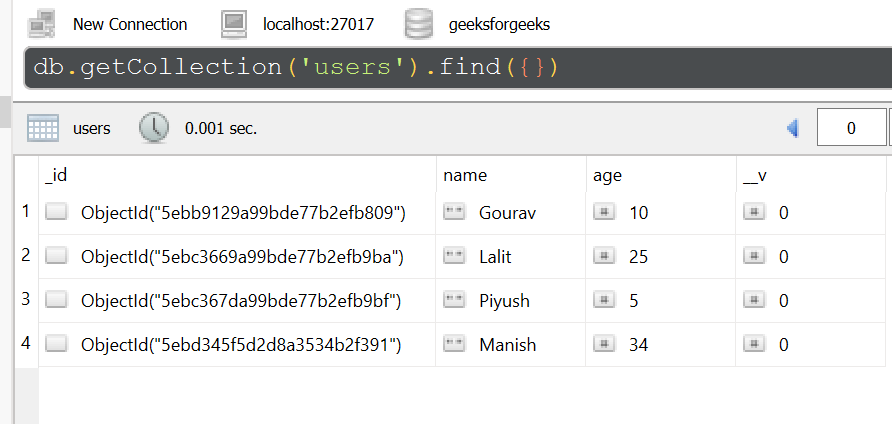
Database: The sample database used here is shown below:
Example 1:
const mongoose = require('mongoose');

// Database connection
mongoose.connect('mongodb://127.0.0.1:27017/geeksforgeeks', {
    useNewUrlParser: true,
    useCreateIndex: true,
    useUnifiedTopology: true
});

// User model
const User = mongoose.model('User', {
    name: { type: String },
    age: { type: Number }
});

var query = User.find();
query.hint({index:1})

console.log("Hint:", query.options)
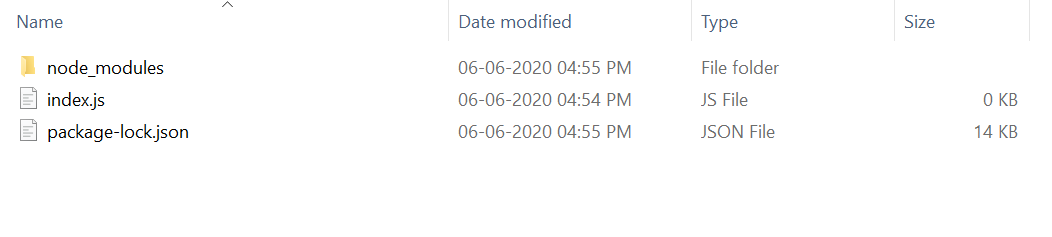
The project structure will look like this:
Run index.js file using below command:
node index.js
Output:
Hint: { hint: { index: 1 } }
Example 2:
const express = require('express');
const mongoose = require('mongoose');
const app = express()

// Database connection
mongoose.connect('mongodb://127.0.0.1:27017/geeksforgeeks', {
    useNewUrlParser: true,
    useCreateIndex: true,
    useUnifiedTopology: true
});

// User model
const User = mongoose.model('User', {
    name: { type: String },
    age: { type: Number }
});

var query = User.find();
query.hint({index: -1})

console.log("Hint:", query.options)

app.listen(3000, function(error ) {
    if(error) console.log(error)
    console.log("Server listening on PORT 3000")
});
Run index.js file using below command:
node index.js
Output:
Server listening on PORT 3000
Hint: { hint: { index: -1 } }
Reference: https://mongoosejs.com/docs/api/query.html#query_Query-hint
