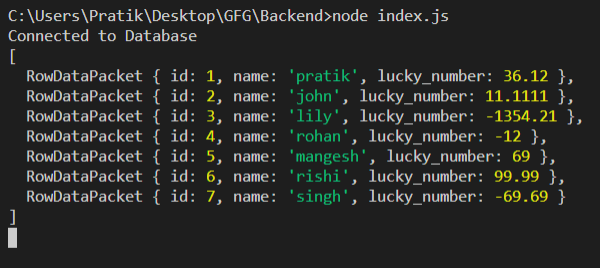
We are going to use the query function in MySQL library in node.js that will return our output as expected. Using this approach, we can save connection result in a variable in Node.js.
Setting up environment and Execution:
Step 1: Initialize node project using the following command.
npm init
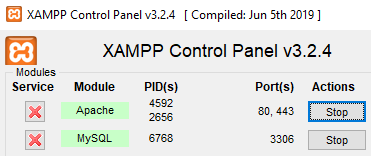
Step 2: Turn on MySQL Database
Step 3: After creating the NodeJS application, Install the mysql module using the following command.
npm install mysql
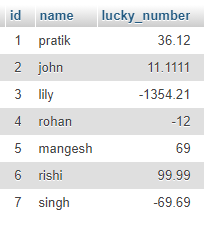
Database Table: Our sample gfg_table database with look like this.
Step 4: Create an index.js file with the following code.
const mysql = require("mysql");

var db_con = mysql.createConnection({
    host: "localhost",
    user: "root",
    password: "",
    database: "gfg_db"
});

let output;

const setOutput = (rows) => {
    output = rows;
    console.log(output);
}

db_con.connect(async(err) => {
    if (err) {
        console.log("Database Connection Failed !!!", err);
        return;
    }

    console.log("Connected to Database");

    let query = 'SELECT * FROM users';
    db_con.query(query, (err, rows) => {
        if (err) {
            console.log("internal error", err);
            return;
        }

        // This is the important function
        setOutput(rows);
    });
});
Step 5: Run the index.js file using the following command.
node index.js
Output: