
Modules in Node.js are reusable blocks of code that help organize applications into separate files. They improve code maintainability, reusability, and structure.
- Encapsulate related functionality in separate files.
- Can be imported using require() or import.
- Promote modular and maintainable application development.
Types of Modules
Node.js supports different types of modules that help organize and reuse code efficiently in applications.
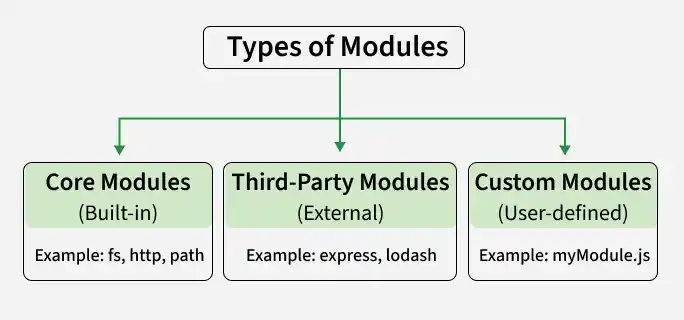
1. Core Modules: Built-in modules provided by Node.js that offer essential features like file handling (fs), HTTP servers (http), and utilities (util). They can be accessed using require() without specifying a path.
const fs = require('fs');2. Third-Party Modules: Modules created by external developers and available on npm. They can be installed using npm and imported into applications using require().
npm install package-name
const package = require('package-name');
3. Custom Modules: Custom modules are user-defined modules created to encapsulate reusable code, which can be exported using module.exports or exports and used in other files.
// index.js
const math = require('./math');
console.log(math.add(5, 3));
// math.js
exports.add = (a, b) => a + b;
exports.subtract = (a, b) => a - b;
Output:
8Benefits of Using Modules
Using modules improves code organization, reusability, maintainability, and scalability in Node.js applications.
- Encapsulation: Modules hide implementation details and expose only required functionalities.
- Code Reusability: Modules enable reuse of code across different parts of an application.
- Scalability: Modules help organize code into smaller, manageable units, making it easier to scale applications as they grow in complexity.
- Maintainability: Modular structure makes code easier to update and maintain.
