
In this article, we will learn how to get maximum value in a Pandas Dataframe.
To download the dataframe used in this example, click here.
Step 1: Load the Dataset
import pandas as pd

df = pd.read_csv(r'enter the path to dataset here')

df.head(10)
Output:
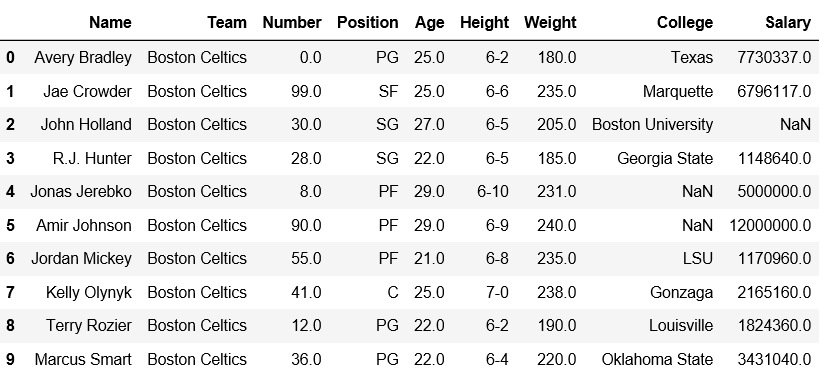
Explanation:
- pd.read_csv(): loads the dataset as a pandas dataframe
- df.head(10): prints the top 10 rows of the dataframe.
Step 2: Find the Index of Maximum Weight
idxmax() returns the row index where the column has its maximum value.
df[['Weight']].idxmax()
Output:
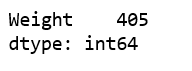
We can verify whether the maximum value is present in index or not.
import pandas as pd

df = pd.read_csv("nba.csv")

df.iloc[400:410]
Output:
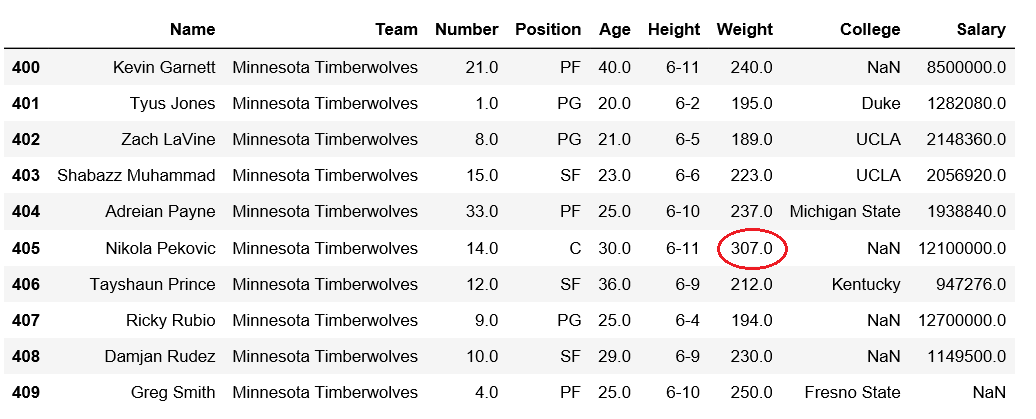
df.iloc[400:410]: slices the rows from index 400 to 409 in the DataFrame to check the actual values and verify where the maximum value is located.
