In this article, we will learn how to get the index of the minimum value from a specific column in a Pandas DataFrame using .idxmin().
To download the dataset used in this article, click here.
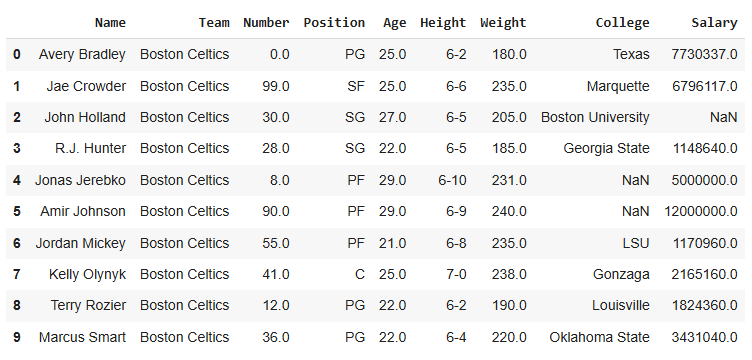
Dataset Preview
import pandas as pd
df = pd.read_csv(r'enter path to dataset here')
print(df)
Output
Code 1: Find Index of Minimum Weight
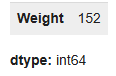
To find the row with the smallest weight, use idxmin(). It gives the index of that row.
df['Weight'].idxmin()
Output
We can verify whether the minimum value is present in index or not.
df.iloc[140:155]
Output
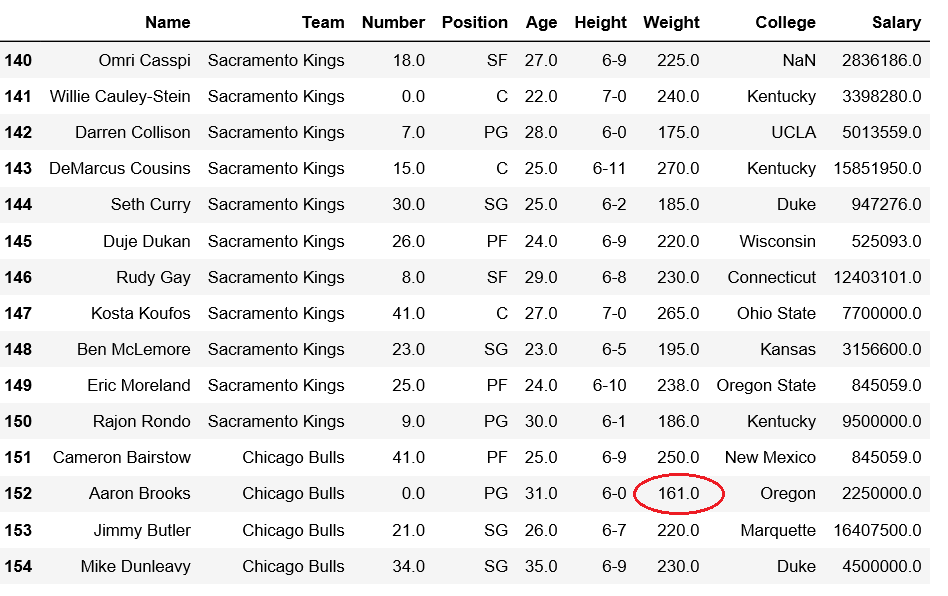
Explanation: df.iloc[140:155]: returns rows from position 140 to 154 of the DataFrame.
Code 2: Insert a Row and Find Minimum Salary
Insert a custom row at index 0 with the minimum salary, and check if .idxmin() correctly identifies it.
# creating a new row
new_row = pd.DataFrame({
    'Name': 'Geeks', 'Team': 'Boston', 'Number': 3,
    'Position': 'PG', 'Age': 33, 'Height': '6-2',
    'Weight': 189, 'College': 'MIT', 'Salary': 99
}, index=[0])

# inserting the new row at top
df = pd.concat([new_row, df]).reset_index(drop=True)

print(df.head(5))
Output
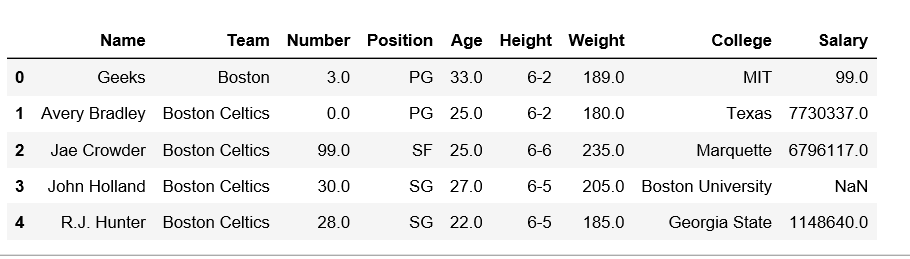
Explanation:
- pd.concat([new_row, df]): Combines new_row with df, adding the new row at the top.
- .reset_index(drop=True): Resets the row numbers so they start from 0 and removes the old index.
Now check the minimum salary index:
print(df['Salary'].idxmin())