
Importing a module as an alias is important in Python to reduce the overhead of typing long module names and to enhance code readability. Using an alias allows for more concise and manageable code, especially when dealing with frequently used libraries or those with lengthy names. For example, importing yfinance as yf eases access to its functions and classes, making financial data analysis more efficient. In this article, we will learn to import yfinance as yf in Python.
Installing yfinance
Step 1: Check Python Installation
Verify Python is installed on your system. This command outputs the Python version.
python --version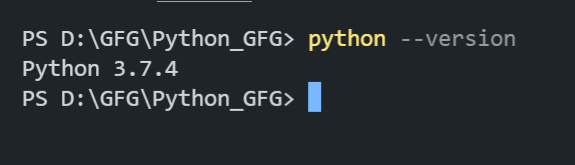
Step 2: Check PIP Installation
Confirm PIP is installed. This command shows the pip version if it’s available.
pip --version
Step 3: Install yfinance
Use pip to install the yfinance library. This command fetches and installs yfinance and its dependencies.
pip install yfinance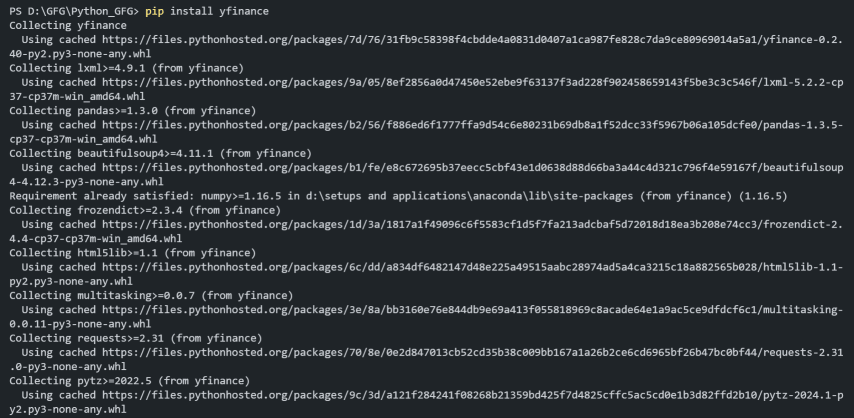
Step 4: Verifying Installation
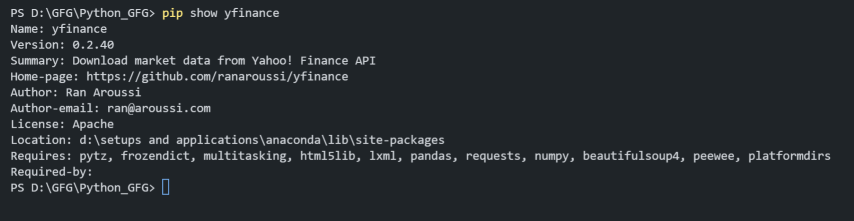
Check the Package Installation detailed by executing the below command in the terminal.
pip show yfinanceThis command provides detailed information about the yfinance package, including its version, location, and dependencies.
Importing yfinance as yf
Below is the process to import yfinance as yf in Python.
Syntax:
import yfinance as yf- import yfinance: This statement imports the yfinance library, which provides functions and classes for accessing financial data.
- as yf: This part of the statement assigns the alias yf to the yfinance library. Using an alias simplifies the code and makes it easier to reference the library's functions and classes.
Import yfinance
Once the installation is complete, you can import the yfinance library in your Python script or Jupyter Notebook by using the following import statement:
import yfinance as yf
Example: Fetching TESLA Data in Pie Chart
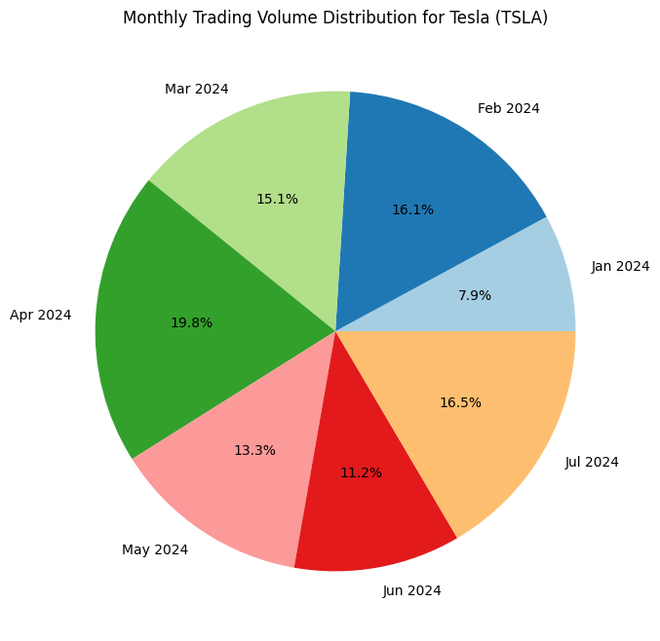
In this example, we are using the yfinance alias yf to fetch Tesla (TSLA) stock data for the past six months. We then aggregate the trading volume by month and create a pie chart using Matplotlib to visualize the monthly distribution of trading volume. The pie chart provides a clear view of how trading activity varies across different months.
import yfinance as yf
import matplotlib.pyplot as plt
ticker = "TSLA"
tesla = yf.Ticker(ticker)
hist = tesla.history(period="6mo")
monthly_volume = hist['Volume'].resample('M').sum()
plt.figure(figsize=(8, 8))
plt.pie(monthly_volume, labels=monthly_volume.index.strftime('%b %Y'), autopct='%1.1f%%', colors=plt.cm.Paired(range(len(monthly_volume))))
plt.title('Monthly Trading Volume Distribution for Tesla (TSLA)')
plt.show()
Output:
Conclusion
In conclusion, importing a module with an alias, such as import yfinance as yf, eases code and improves readability by providing a shorthand reference to the library. This approach is particularly useful when working with libraries that have long names or many functions. By following the installation and import steps, you can efficiently integrate yfinance into your Python projects and leverage its capabilities for financial data analysis and visualization.
